Request files
Written By Team BugSmash
Last updated About 2 months ago
Need to collect files from clients, teammates, or anyone outside your workspace? With Request Files, you can create a simple upload link and share it with anyone.
They can use the link to upload the requested files without needing to create a BugSmash account.
Create a File Request
You can create a file request and choose where the uploaded files should go.
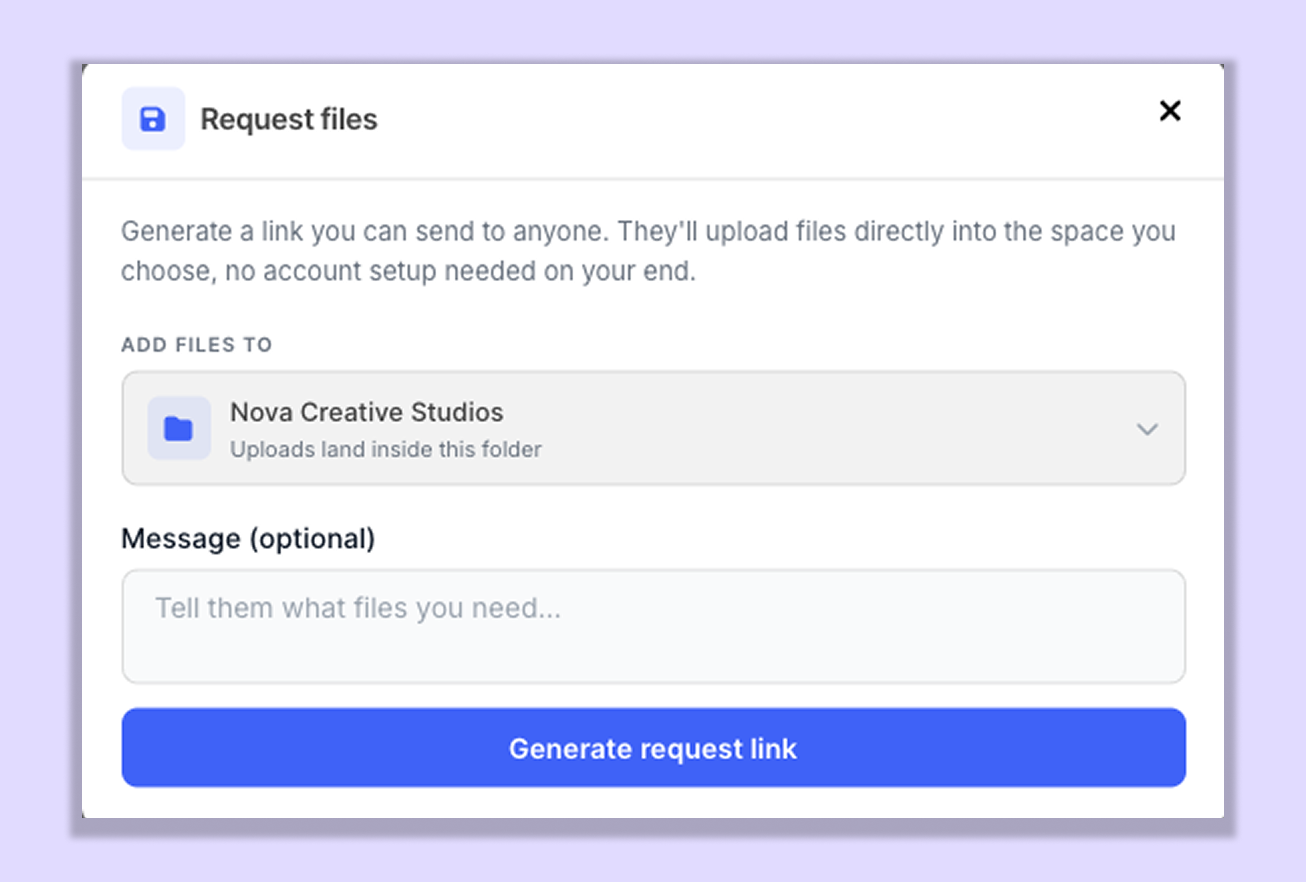
You can:
Create a shareable Request Files link.
Choose the folder or dashboard where the files should be added.
Add an optional message to explain what files you need.
Share the generated link with anyone.
Upload Files Without a BugSmash Account
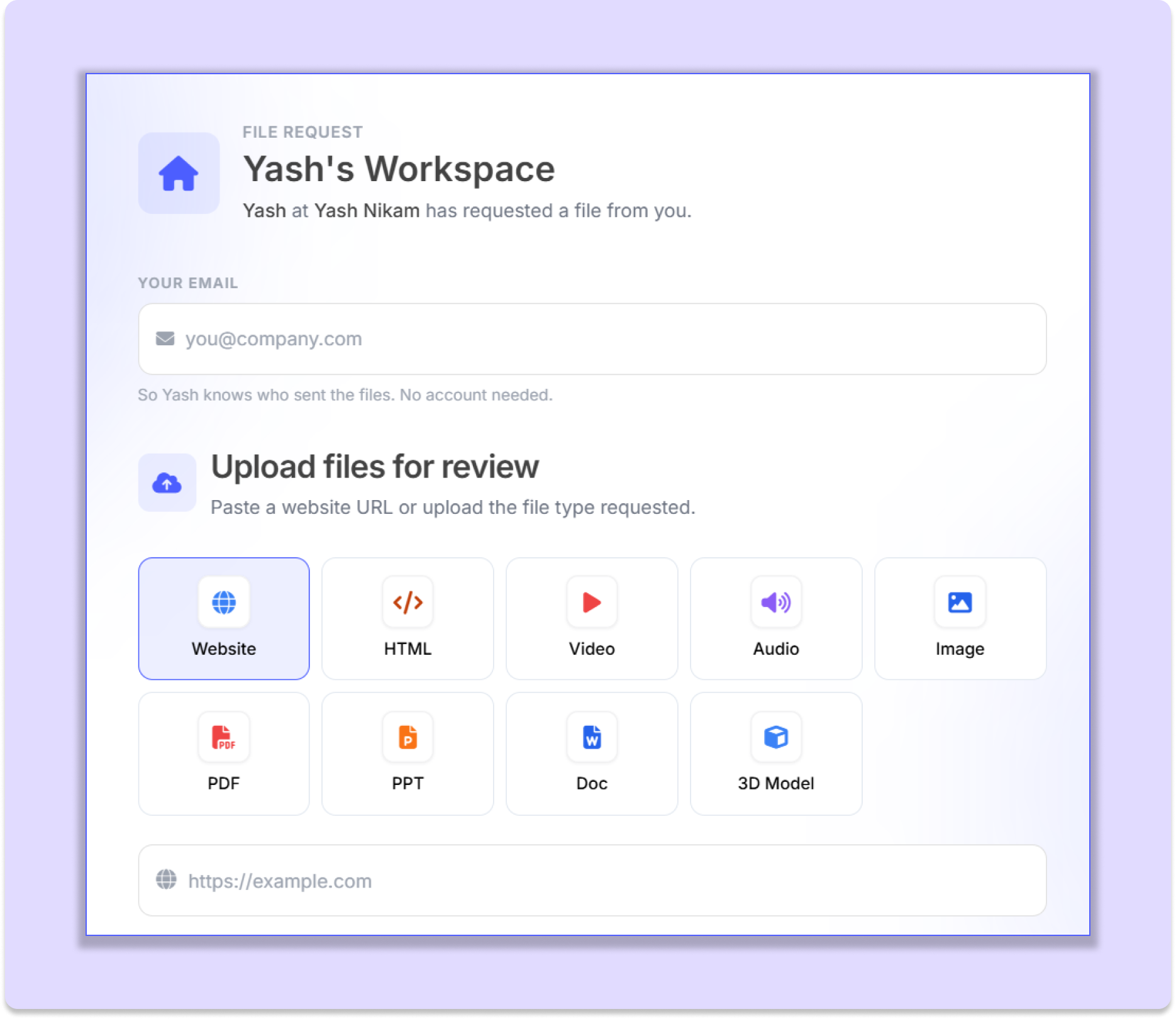
The person receiving the link doesn't need to sign up or log in to BugSmash.
They can simply open the request link and upload the files directly.
This makes it easy to collect files from:
Clients
Teammates
Freelancers
External collaborators
Anyone else you need files from
Files Go Directly to Your Selected folder or dashboard
When creating the request, you can choose where to add the uploaded files.
Once the files are uploaded, the resulting project is automatically added to the selected folder or dashboard.
This means you don't need to manually move the project after receiving the files.
Project Ownership
The person who creates the Request Files link becomes the project owner of the project created from the uploaded files.
This makes it easy to keep ownership and responsibility with the person who requested the files.
Simple File Collection
Request Files makes it easier to collect files without asking people to create accounts, navigate your workspace, or manually send files through separate channels.
Create a request → share the link → receive the files directly in the workspace
Was this helpful?
Still need help? Ask the team