Project Default Settings
Written By Team BugSmash
Last updated 4 months ago
Why it's useful
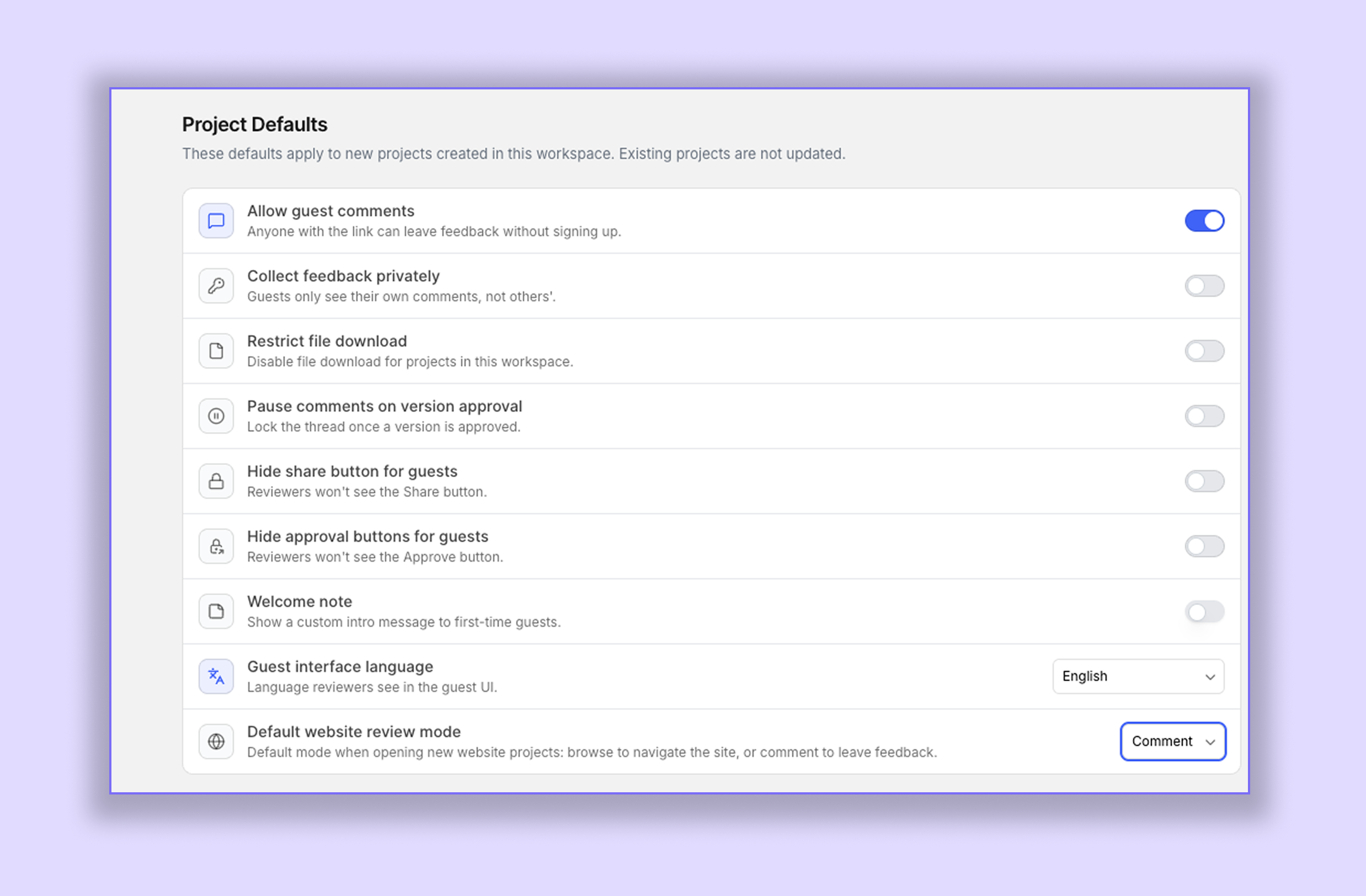
If you find yourself turning on the same project settings every time you create a new project, you can now save them as your defaults.
This saves time and ensures every new project starts with your preferred settings.
How it works
Go to Workspace Settings → Project Default Settings.
Turn on the settings you'd like to keep as your default.
From then on, every new project you create will automatically use those settings—so you won't have to enable them every time.
You can change or disable these defaults whenever you want.
Note: These settings only apply to projects created after enabling them. Existing projects won't be updated automatically, so you'll need to change their settings manually if required.
Default Website Mode
You can also choose how Website projects should open by default.
Browse Mode – Every new Website project will open in Browse Mode.
Comment Mode – Every new Website project will open in Comment Mode, making it ready for feedback straight away.
Note: This is a workspace setting. Changing it will apply to all users in your workspace.
Tips
Set your preferred project settings once and let BugSmash apply them to every new project.
You can update your defaults anytime.
Remember, changes only apply to newly created projects.
Was this helpful?
Still need help? Ask the team