Notify Guest Reviewers Without Logging In
Written By Team BugSmash
Last updated 3 months ago
Keep your guest reviewers informed about project activity without requiring them to create a BugSmash account or log in.
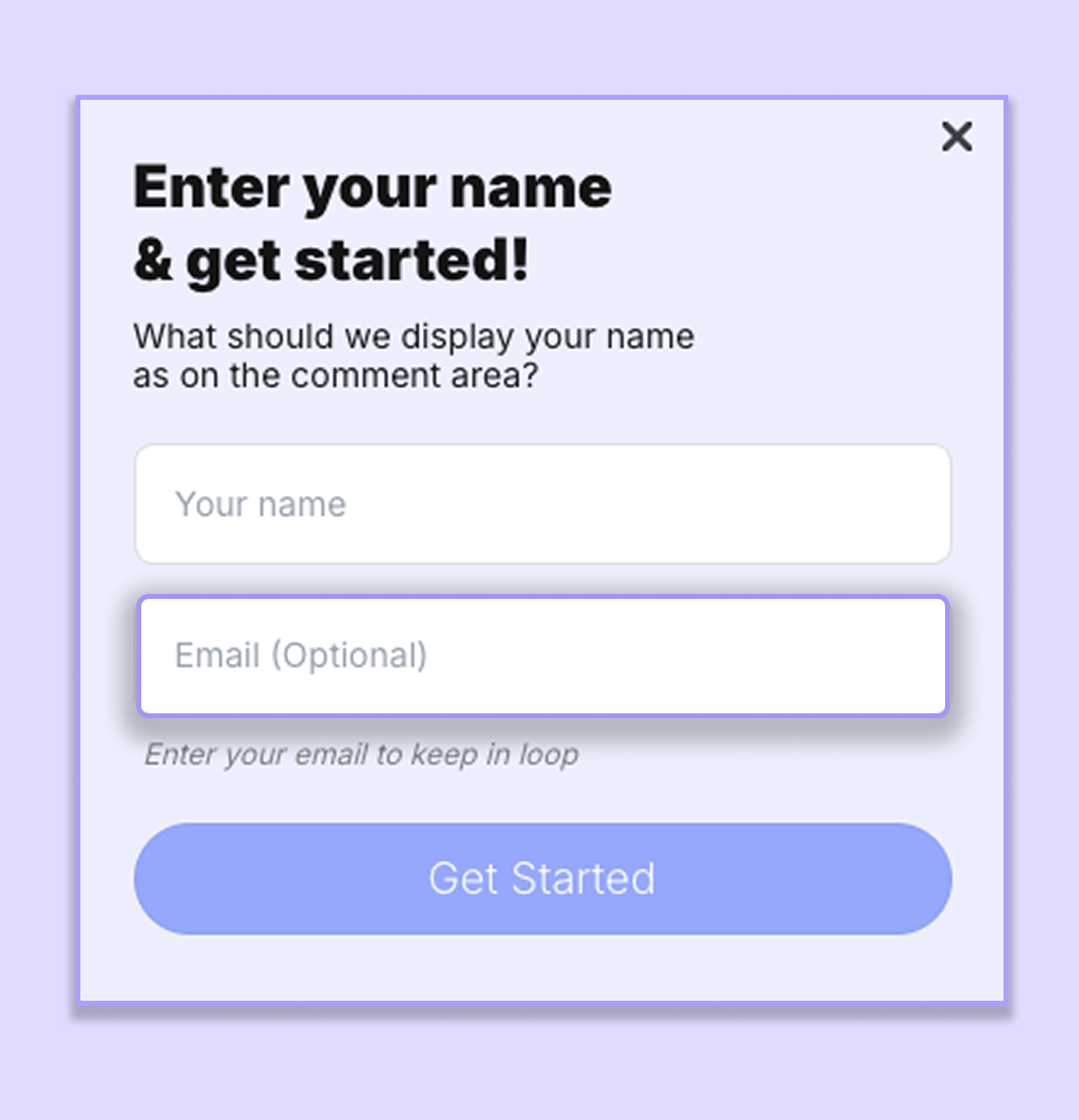
When a guest opens a shared review link, they'll have the option to enter their email address before accessing the project. Once they do, they'll receive email notifications whenever there's activity related to the project, helping them stay up to date throughout the review process.
Entering an email address is completely optional.
How It Works
Share your project or folder with your guest reviewers.
When they open the review link, they'll be prompted to enter their email address.
If they enter their email address, they'll receive notifications about:
Replies to comments
New comments
Other project activity
If they choose to skip this step, they can still access the project, review files, and leave comments without receiving notifications.
Note: Guest reviewers do not need a BugSmash account or login to receive email notifications.
Why Use Guest Email Notifications?
Guest email notifications help keep clients and external stakeholders engaged throughout the review process without asking them to sign up for another tool.
They're especially useful when you're collaborating with:
Clients
External reviewers
Agencies
Stakeholders
Freelancers
By entering their email address once, guests can stay updated on conversations without having to revisit the review link repeatedly.
Example
You're reviewing a new website with your client.
After sharing the review link, your client opens it and enters their email address before starting the review. From that point onwards, they'll automatically receive notifications whenever someone replies to their comments, or there's new activity on the project—all without creating a BugSmash account.
Best Practice
If you'd like your guest reviewers to stay updated throughout the review process, use the Welcome Note to remind them to enter their email address before they begin reviewing.
Example Welcome Note
Welcome! 👋
To receive notifications about replies and updates on this project, simply enter your email address when you open the review link. No BugSmash account or login is required.
Tips
Entering an email address is completely optional.
Guests can still review files and leave comments even if they choose not to enter their email.
Use the Welcome Note to remind reviewers to enter their email address if you'd like them to receive notifications about replies and project activity.
Guest reviewers don't need to create a BugSmash account or log in to stay notified.
This feature is especially helpful when working with clients and external stakeholders who want to stay updated without the hassle of creating an account.
Was this helpful?
Still need help? Ask the team