Unfollow a Project
Written By Team BugSmash
Last updated 3 months ago
If you're no longer actively working on a project, you can unfollow it to stop receiving notifications for its activity.
Unfollowing a project helps keep your notification inbox focused by removing updates from projects that are no longer part of your current workflow.
Note: Unfollowing a project only disables notifications. Your access to the project remains unchanged.
Who Can Unfollow a Project?
The Unfollow Project option is available to:
Members
Collaborators
Guest Reviewers
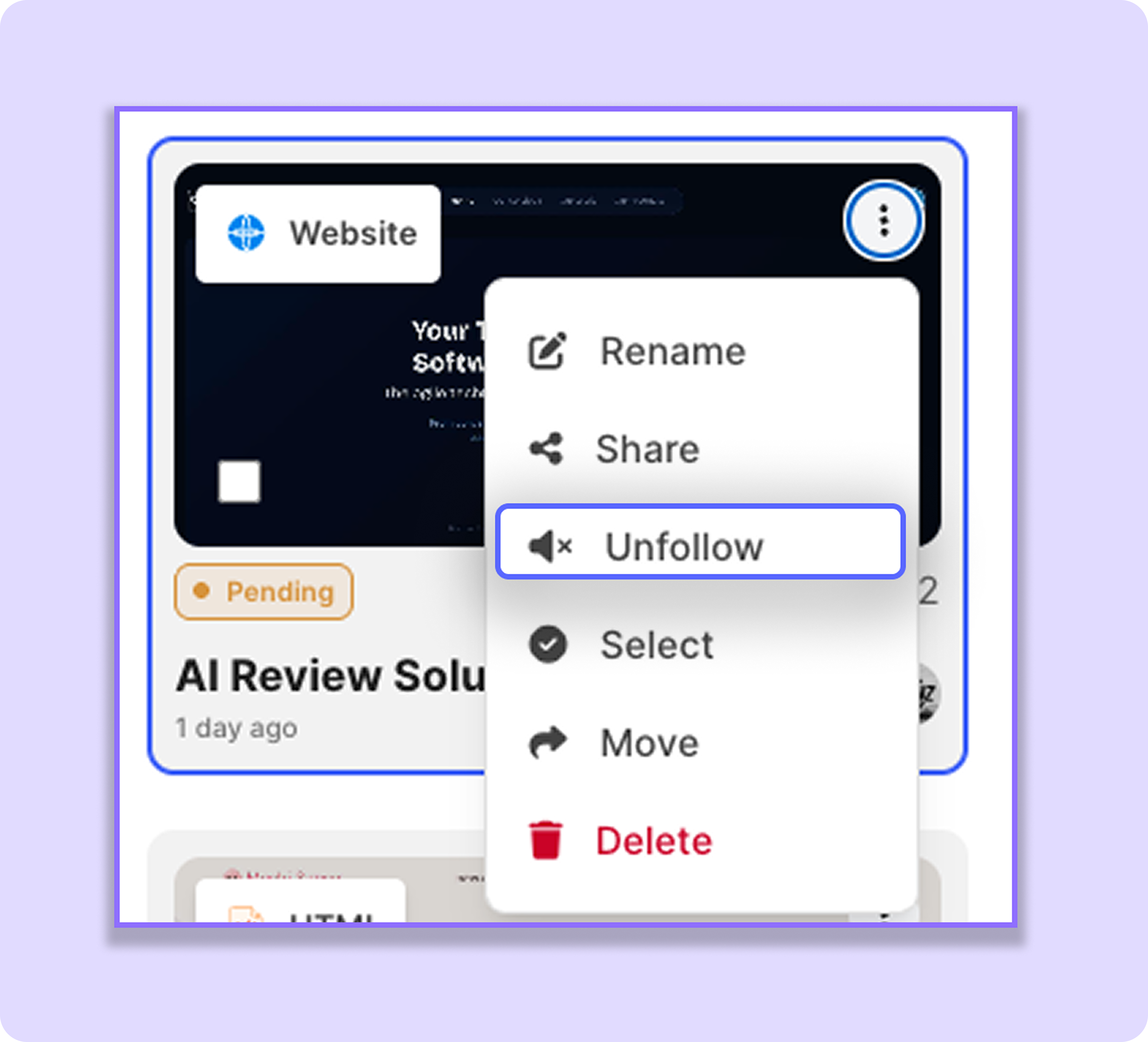
How to Unfollow a Project
Go to the Dashboard.
Locate the project you want to unfollow.
Click the ⋮ (three-dot) menu on the project thumbnail.
Select Unfollow Project.
Follow a Project Again
If you need to receive updates again, follow the project from the same ⋮ (three-dot) menu.
Best Practice
We recommend unfollowing projects that are no longer part of your active workflow. This helps reduce unnecessary notifications and keeps your notification inbox organized, making it easier to focus on the projects that matter most.
Was this helpful?
Still need help? Ask the team