Adding Welcome Note and Onboarding Video For Reviewers
Written By Team BugSmash
Last updated 4 months ago
The Welcome Note feature helps guide clients and reviewers before they leave feedback in your BugSmash project. Instead of sending separate onboarding instructions through email, Slack, or Loom videos
This helps guests immediately understand what they are supposed to review, how they should leave comments, and what type of feedback your team expects. It creates a smoother onboarding experience, especially for first-time reviewers
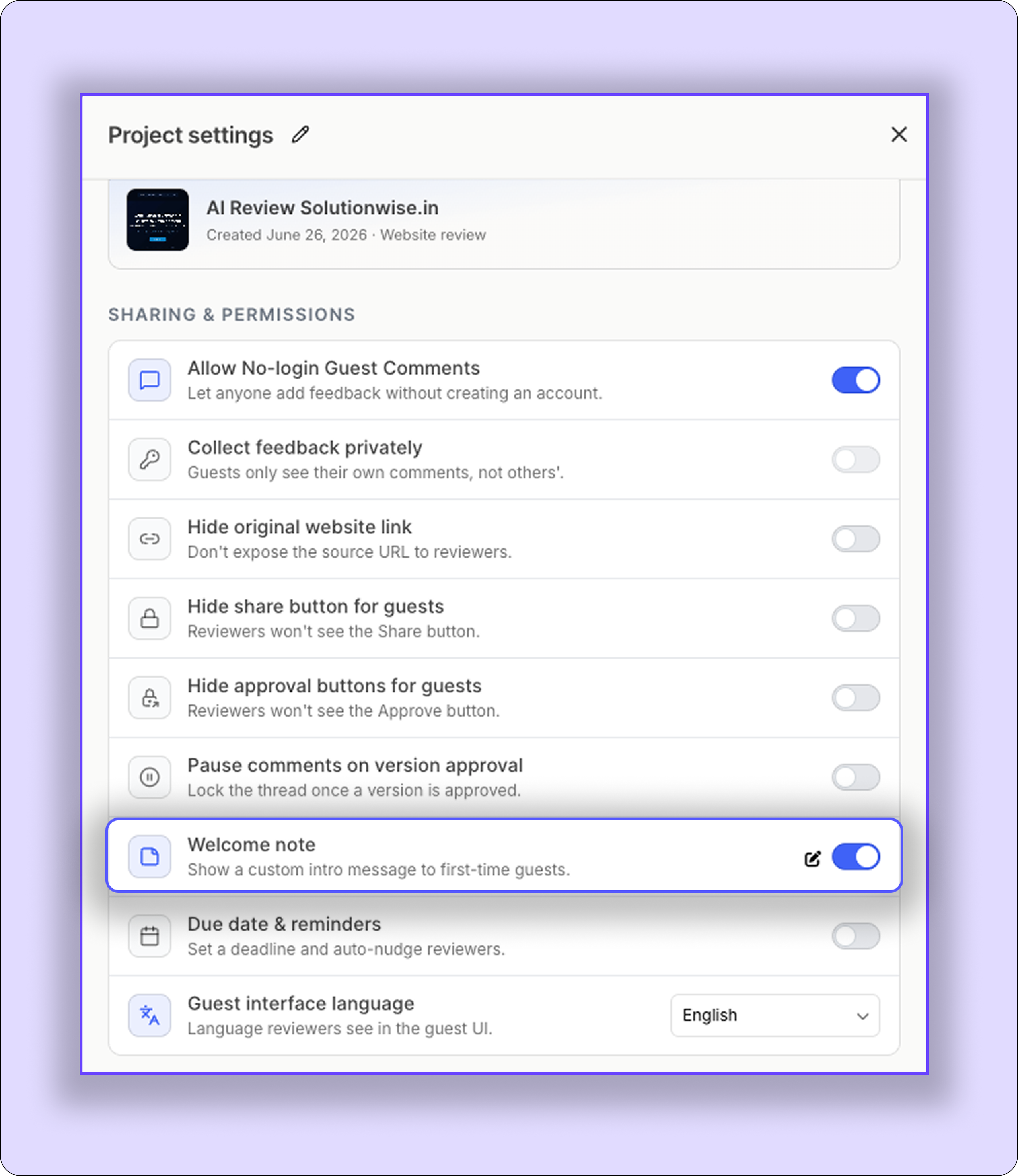
How To Access Welcome Message Settings
Open your project and go to:
Project → Project Settings → Welcome Note
From there, you can enable the feature, upload or record a video, add onboarding instructions, and update the message at any time.
Why The Welcome Note Matters
When clients open a project for the first time, they often have questions like:
Where should I start reviewing?
How do I add comments?
What should I ignore?
How can I approve, and what can I access on the project?
Without guidance, this can create confusion, unclear feedback, and unnecessary back-and-forth communication.
The Welcome Message solves this by giving reviewers clear instructions before they begin commenting.
What You Can Add
You can add:
A short onboarding text
A video walkthrough (up to 5 minutes)
Both text and video together
Teams use this to explain project goals, timelines, review instructions, or areas that need special attention.
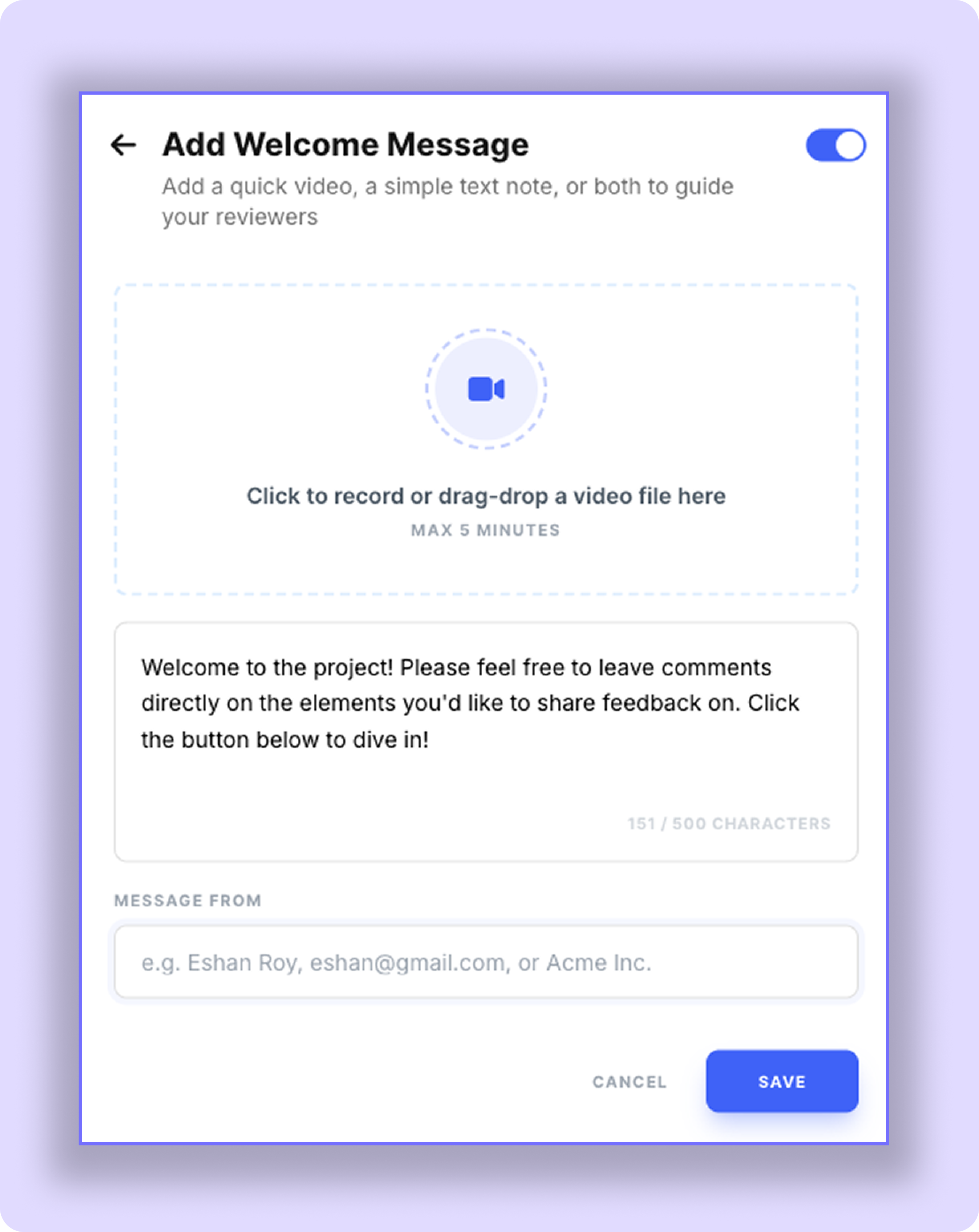
Example
“Please review the homepage, landing page, and designs first. Add comments directly on the areas that need revisions.”
Important Recommendation
After setting up your Welcome Note, open the project in Incognito Mode or access it as a guest reviewer to test the onboarding experience yourself.
This helps you understand exactly how clients and guests will see the project or the platform when they enter for the first time
Best Practices
Keep videos short and highlight only important points
Add deadlines if feedback is time-sensitive
Use simple language for non-technical clients
Was this helpful?
Still need help? Ask the team