Changelog

Follow new updates and improvements to BugSmash.

July 15th, 2026

New Feature

Enhancement

HTML Project Uploads, Live Website Feedback Widget, Comment Export for Agents, PDF/Excel Exports, Linear & Trello Integrations 🔥

A HUGE update 🚀
This release introduces some of our biggest features. From reviewing HTML projects and collecting feedback directly via floating widget, exporting for AI agents, integrating with Trello and Linear, and adding multilingual support to the entire dashboard - BugSmash is now faster, more flexible, and better connected than ever. We’ve also packed in several quality-of-life improvements across notifications, workspace defaults, and the overall review experience.


HTML Uploads

You can now upload HTML projects directly into BugSmash. Whether it’s a static website, landing page, or exported front-end build, you can now share them for review & feedback without needing to deploy it first. We see an increased number of HTML sites being generated via Claude, Codex & this feature aims to help you quickly drop the site on BugSmash without it being hosted anywhere & complete your review flow.


Live Website Feedback with the BugSmash Snippet

Collect feedback directly from your live, staging, or UAT websites & even web applications by adding the BugSmash js code snippet. Once installed, reviewers can click on the widget & submit feedback from within the website itself, making it easier for clients and stakeholders to report issues in context without switching tools.


Video Version Comparison

Compare different versions of your videos side by side with ease. Quickly review changes between iterations, validate updates, and ensure feedback is addressed without manually jumping between separate files.


Export Comments to PDF & Excel

Need to share feedback outside BugSmash? You can now export project comments as PDF or Excel files, making it easy to distribute feedback, generate reports, or collaborate with teams that work outside the platform.


Export for AI Agents

Export your project comments in both Markdown (.md) and JSON formats, complete with metadata that’s optimized for AI agents and automation workflows. Whether you’re using AI to process feedback, generate tasks, or build custom workflows, your project data is now easier to integrate.


Website Annotation

Annotate websites with greater precision using built-in drawing and markup tools. Highlight specific areas visually alongside your comments, making it easier to communicate design changes, UI issues, and review feedback.


Text Selection Comment Mode for Websites, PDFs, PPTs

Select and comment directly on exact text inside websites, PDFs, and PowerPoint presentations. Feedback is now attached to the exact text you’re referring to, reducing ambiguity and making reviews much more precise.


Multi-Language Support

BugSmash is now available in multiple languages across the entire platform. Teams around the world can collaborate in their preferred language for a more accessible and familiar experience.


Trello Integration

Connect BugSmash with Trello to turn feedback into actionable tasks in just a few clicks. Create Trello cards directly from comments and keep your project discussions and task management perfectly in sync.


Linear Integration

BugSmash now integrates with Linear, allowing you to convert feedback into issues without leaving your review workflow. Keep your product and engineering teams aligned by sending comments straight into your development backlog.


Comment Tags & Filtering

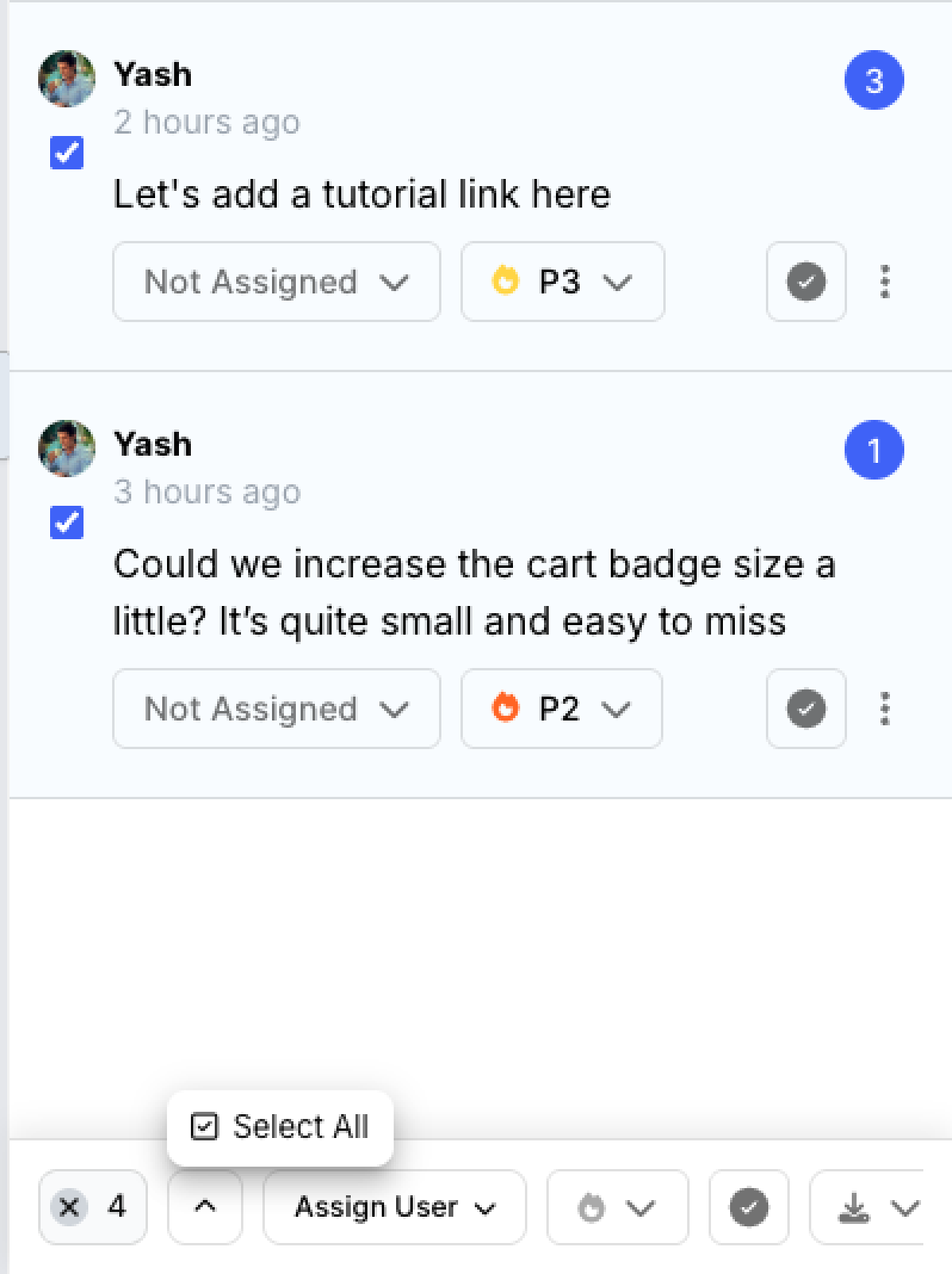
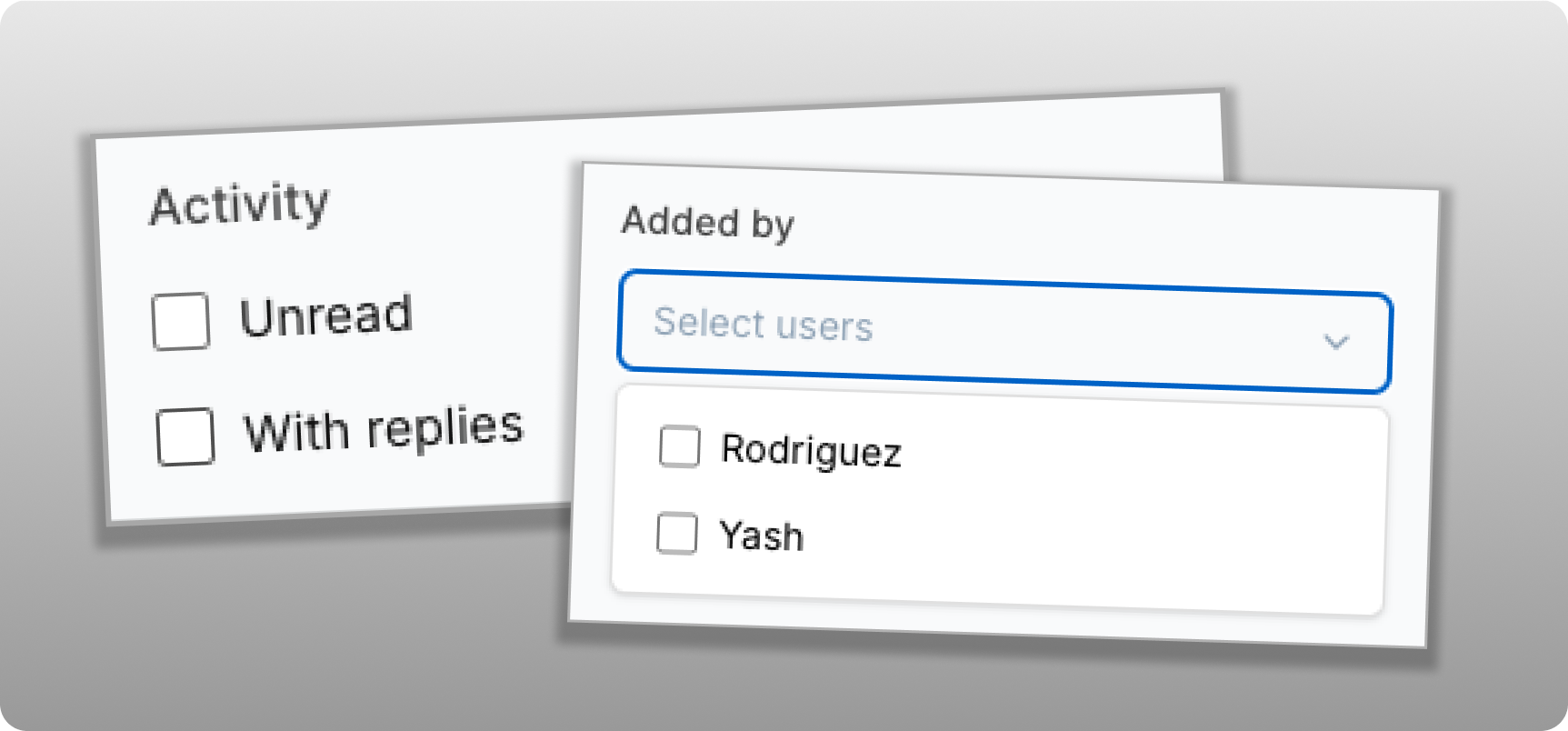
Organize feedback with custom tags. Categorize comments by priority, team, sprint, feature, or any workflow that fits your process, then quickly filter comments to focus on exactly what matters.


Unfollow Projects

You can now unfollow projects when you no longer need updates. Stay part of the project while opting out of notifications, keeping your inbox focused only on the work that’s relevant to you.


Also in this update:

  • The Notification Center is now even more powerful with Mark All as Read, archiving, and improved filtering to help you stay on top of workspace activity.

  • Improved image viewing with fixes for Height Fit and Width Fit behaviour, making image reviews smoother across different screen sizes.

  • Added a new workspace default to control whether the comment sidebar is open or collapsed by default across newly created projects.


This update was a HUGE one. I really appreciate all our users who suggested a lot of these features. Hope you all liked it ❤️

As always, more improvements are on the way. We’d love to hear your feedback and feature requests!

June 22nd, 2026

New Feature

Enhancement

Notifications Inbox, Voice Mode for Feedback, and an Improved Dashboard

This is another big one. A notification inbox, voice-to-text comments, workspace-wide defaults, improved folder sharing, and a fully refreshed dashboard UI are all live.


Notification Center (Inbox)

Your most-requested feature is here. A unified inbox inside BugSmash that shows every comment, reply, status change, and approval across your workspace. See what needs your attention at a glance and jump straight to the exact comment with one click.


Audio Feedback with Auto-Transcription

Hit record in the comment box, say what you need to say, and BugSmash transcribes it automatically. No more typing out long feedback. Your voice, turned into text your team can act on. One more step closer to reducing friction in sharing/collecting feedback. Your stakeholders & clients would also love it! 


Project Default Settings

Set your preferred defaults once and they apply to every new project in your workspace. You can now configure default options for all project types, including a default mode (Browse or Comment) for website projects.


Shareable Comment Links

Every comment now has a direct link. Click a comment from an email notification or from your Notification Center and you land on the exact comment, with the marker highlighted on the file. No hunting around.


Smarter Folder Sharing

When you share a folder, you can now see exactly who has access, whether that's to specific files inside or to the entire folder. Removing someone from the folder removes them from all projects inside it automatically.


Customise - Hide Approval Buttons for Guests

A new option in project settings lets you hide the approval buttons from guests. Useful when you want to share feedback internally to the team with no approval workflows from their side.


Redesigned Dashboard

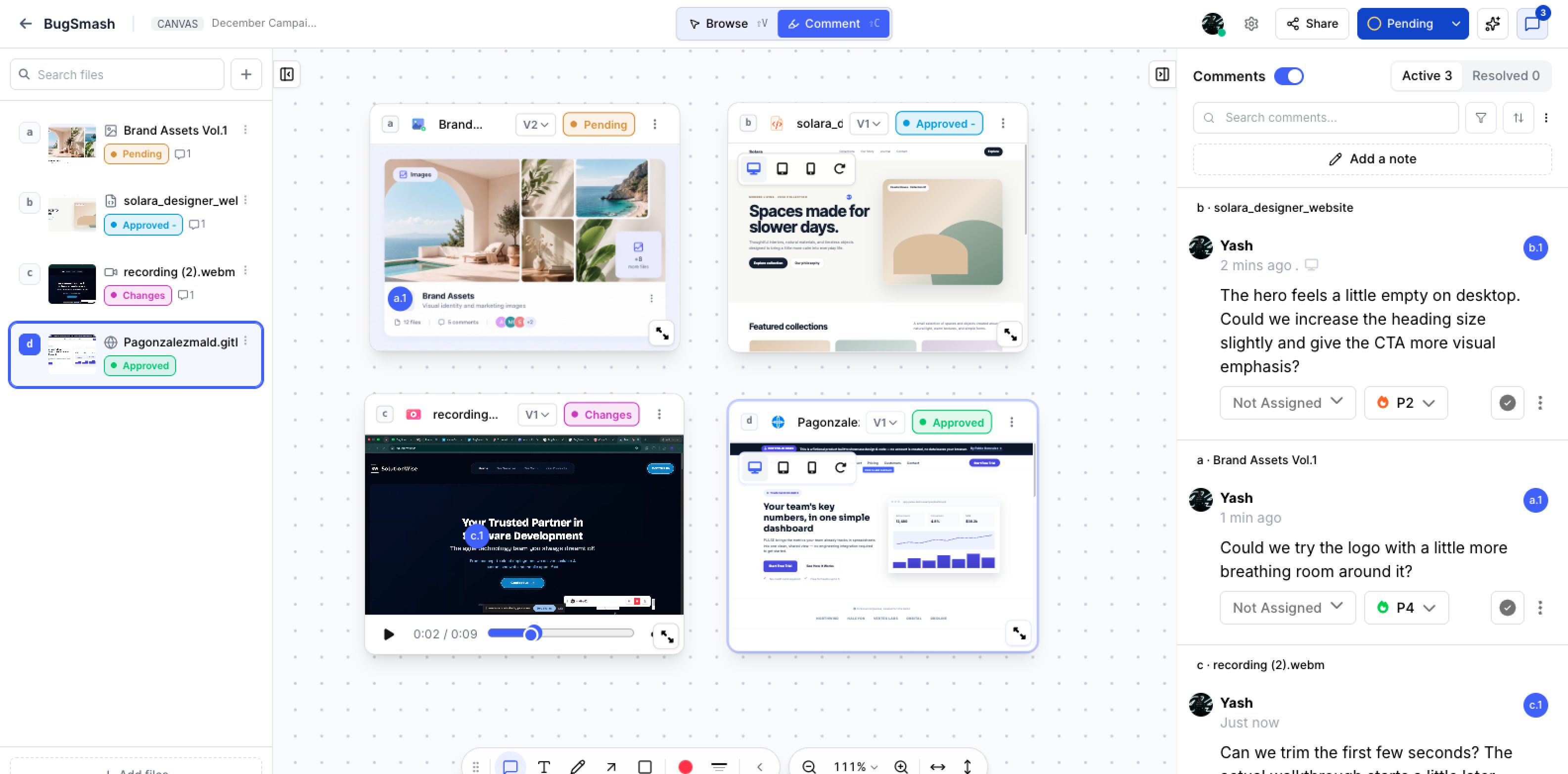
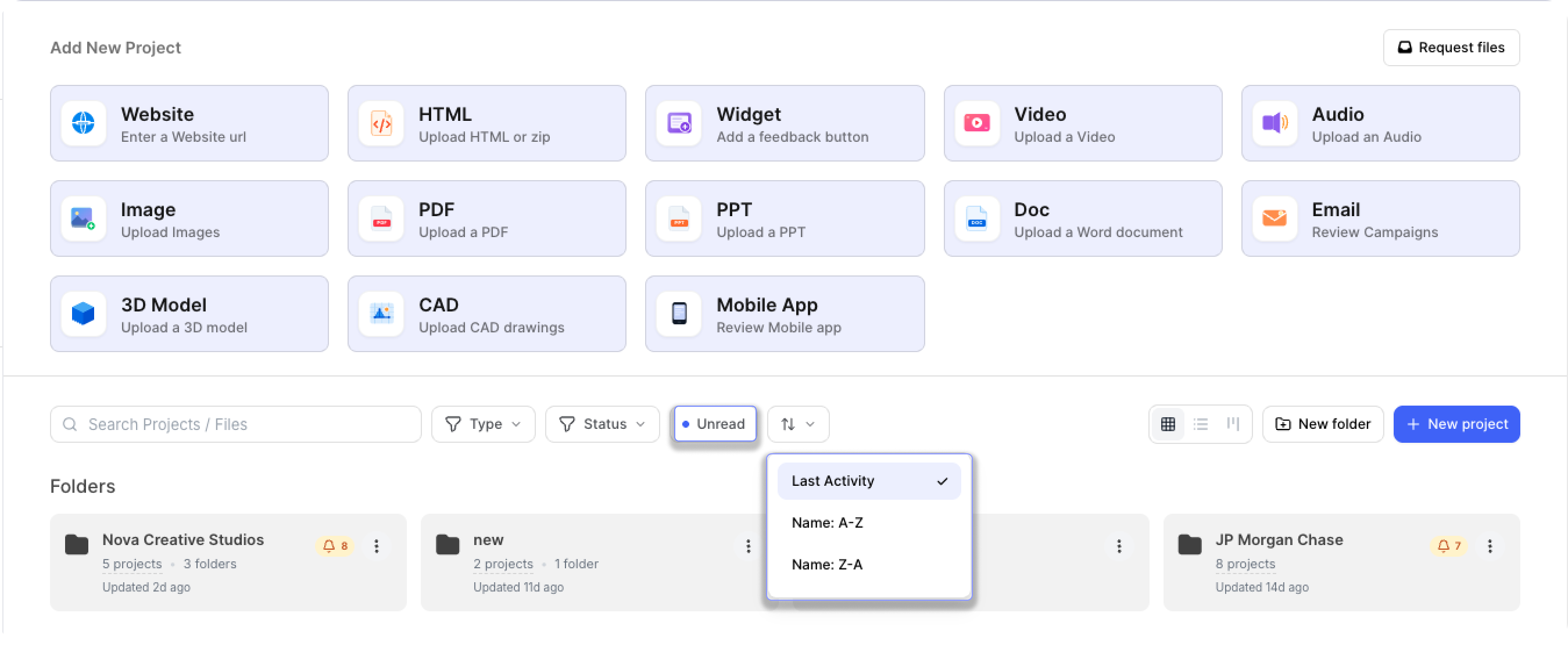
The dashboard has a new side nav (search moved to the bottom where it belongs), a refreshed top bar, and richer folder thumbnails that show project statuses, last activity, and unread notification indicators at a glance.

You can now also switch between List view and Kanban view on the dashboard and inside folders.


Workspace Settings Redesign

The workspace settings UI has been restructured for clarity. Easier to find what you need, cleaner layout throughout.


Also in this update:

  • Clicking a comment number on the comment details pane now navigates to and highlights that marker on the file

  • Folder thumbnails now show project statuses + if there are new comments within any of the internal projects as we as the last updated at based on latest project changes within it.


As always, more coming soon. Drop requests on the roadmap or ping us directly :) 

~ Nabil

June 8th, 2026

New Feature

Enhancement

Another big drop. Better workflows, sharper UX, and a handful of features you've been asking for.


New Features

🧊 New Project Type: 3D Models

You can now upload 3D model files directly to BugSmash and collect feedback on them just like any other asset. .gld & .gltf files supported. More coming soon!

Share with your team or clients, leave contextual comments, and keep 3D reviews inside the same workflow as everything else. No more emailing files back and forth or using a separate tool.


🎯 New Improved Top Bar: Approval, Version, Etc Now Always Visible for Guests

This one's big. The project top bar has been redesigned so that approval status and version controls are always visible — outside the comment sidebar, not buried inside it. The top bar no longer collapses when the sidebar closes.

Previously, sidebar used to be collapsed and guests completely lose sight of the approval button. Now it's always front and center. Fewer missed approvals, less "wait, where do I click?" from clients.


💬 Assign Comments to Team Members While Commenting

You can now assign a comment to a specific team member while writing it. No more tagging in follow-up messages or tracking who's handling what outside BugSmash. Accountability lives right inside the feedback.


🔕 Pause Commenting for Guests Only

Pause the review window for external guests while your internal team keeps working. Clients & guests can no longer comment when paused but your team can continue to add new comments. More flexibility for internal teams


✅ Mark as Resolved Directly from Comment Bubble

Resolve a comment without opening the sidebar. The resolve action is now available right in the inline comment bubble, so you can move through feedback faster.


Improvements

🌍 4 New Languages: Vietnamese, Thai, Turkish, Indonesian

Guest review pages now support Vietnamese, Thai, Turkish, and Indonesian. Your clients see the review experience in their language, out of the box.


📋 Renamed Statuses — Clearer for Everyone

Status names have been updated to better reflect real review workflows & also improve clarity for guest reviewers and clients:

  • Pending (default — replaces "To Review" and "In Review")

  • Approve

  • Approve with Changes

  • Request Changes

Existing statuses are automatically mapped across. Nothing breaks.


🏷️ Versioning Improvements: Renaming & Date

Two updates to how versions work: you can now rename any version to something meaningful (e.g. "Client Round 2"), and each version now shows its creation date. Easier to navigate long review histories.


🖼️ Image Projects: Hover to See File Names

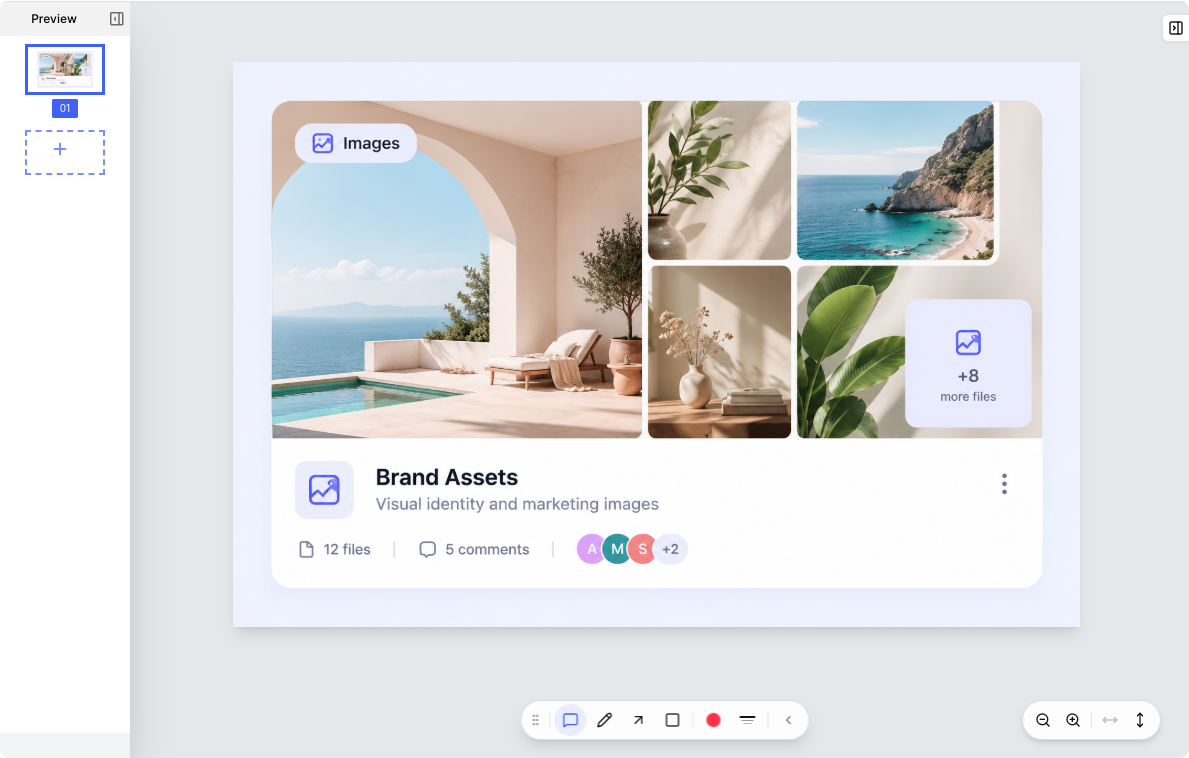
Thumbnails in image projects show "01", "02" by default for a clean grid view — but hover over any thumbnail and you'll now see the original file name. Quick reference without cluttering the layout.


📥 Downloads Now Use Original File Names

Files downloaded from BugSmash now keep their actual names. Single-file downloads use the file's original name; multi-file downloads zip under the project name. No more hunting through a folder of "BugSmash_files".


📧 Customize the Welcome Note Sender

You can now set the name or email shown in the client welcome note. Point it to your company name or your email address so guests get the first impression exactly how you want them to.


👥 See Who's Been Invited in Share Panel

The Share dialog now shows a list of everyone already invited to a project. No more second-guessing who has access.


📥 Smarter Image Download Options

On image projects with multiple files, the download button now shows a dropdown: Download Selected or Download All (Zip). Single-image projects stay simple — no dropdown.


📱 Mobile View — Cleaner Top Bar

On mobile, the top bar is now slimmer with version, status, and comment controls moved below it in their own row. More screen space for the actual content.


UX Polish

🔢 V1 Hidden from Guests When There's Only One Version

Guests no longer see a "V1" label when a project has only one version. Reduces unnecessary confusion for clients who don't need version context.


📌 Project File Name Visible in Top Bar

The project file name is now shown directly in the top bar — no more hovering over an icon to see what you're looking at. Faster orientation, especially when switching between projects or versions.


Phew! That's a lot. More coming soon 🚀

May 30th, 2026

New Feature

Enhancement

Big month. Here's everything we shipped.

Whitelabelled portal, Custom AI Reviewers, n8n integration, extension improvements & so much more!


New Features

🏷️ Full Whitelabelled Review Portal (CNAME + SMTP)

Full white-label review experience is here. Set up your own custom domain (CNAME) and connect your branded email sending via custom SMTP. Your clients see your brand, your domain, and your identity throughout the entire review flow. Zero BugSmash footprint.


🤖 Custom AI Reviewers

Build your own AI reviewer with custom prompts and criteria, tailored to your brand standards, client guidelines, or industry-specific requirements. Run consistent, repeatable AI reviews on any asset without rewriting the brief every time.


🔌 n8n Integration

Connect BugSmash to your n8n automation workflows. Trigger flows on new comments, status changes, approvals, and more. Build custom pipelines without code.


🚀 New Agency Plan

We've launched a dedicated Agency plan, built for agencies that need white-label client delivery, custom branding, and API access under one roof. It includes full CNAME custom domain, custom SMTP, Custom AI Reviewers, API access, and also everything that’s in the Team plan.

If you're delivering work to clients and need your brand (not ours) in the review experience, this is the plan for you.


🛒 Add-Ons Are Now Purchasable Directly

You can now purchase add-ons directly from your account without going through support. Expand your plan with exactly what you need, when you need it.


Improvements

🖼️ Replace or Swap Images in Image Projects

Need to swap in an updated asset? You can now replace the image in an existing project without losing your comments or feedback history. Great for iterative design reviews.


🖼️ Custom Project Thumbnails

Set a custom thumbnail for any project so your dashboard and shared folders stay visually organized. No more generic placeholders.


🔔 "Get Notified" for Clients

Clients can now opt in to notifications themselves. When you share a new version or make updates to a project, guests can enable "Get Notified" directly from the review page — no need for you to chase them or manually loop them back in. They get an email the moment something changes, and you stay out of the back-and-forth.


Browser Extension

🎥 Screen Recording: Capture Any Tab or Full Window

Screen recording in the extension now lets you capture any open tab or your entire window, not just the current page. Record exactly what you need to show, then share it directly via BugSmash


✏️ Annotation Tools Now Available While Adding Comments

Annotation tools (arrows, highlights, shapes) are now accessible directly in the comment flow inside the extension too. Mark up screenshots inline before submitting feedback, without switching contexts.


API & Developer

⚙️ Expanded API Endpoints

New API endpoints are live: Webhook registration and other related endpoints are now available. Build tighter integrations and custom tooling on top of BugSmash → https://docs.bugsmash.io/


That's 10 updates in 30 days. We're not done. You’ll notice tons of small-small UX improvements and feature requests catered overall.

Thank you for all your feature suggestions and requests. More coming soon ❤️

April 19th, 2026

New Feature

Enhancement

Fix

🚀 Bulk Project Uploads, Client Welcome Notes, Due Dates & Make Integration

This update brings major improvements to how projects are created and managed, adds scheduling capabilities, enhances client communication, and upgrades the mobile experience to match the web.


🔗 NEW: Make.com Integration

You can now connect BugSmash with Make.com to automate workflows and streamline your processes across tools.


📂 NEW: Bulk Upload Projects

You can now upload multiple files at once to create projects in bulk.

✅ Drag & Drop multiple files directly into a folder or workspace dashboard
✅ Automatically create multiple projects in one go
✅ Save time when handling large batches of work


📝 NEW: Custom Welcome Note for Clients

You can now personalize the experience for your clients.

✅ Record a 1–2 min video explaining the project/work or write a custom text note
✅ Help guests understand context before reviewing
✅ Create a more intuitive and guided feedback experience


⏰ NEW: Due Dates & Reminders

Projects now support deadlines and reminders.

✅ Set due dates for projects
✅ Send reminders for pending feedback
✅ Auto pause on due date


💬 NEW: Generic Comments (No Annotation Required)

You can now add general notes as comments without having an annotation on the file. There are times when we need to contextually communicate - but not all comments need a pin. Now, no need to jump on emails or slack for such notes!

✅ Drop general comments directly in the comment sidebar
✅ Add high-level or overall comments


📱 NEW: Mobile App Upgrade

The mobile app now supports folders and matches web capabilities.

✅ Full folder support
✅ Feature parity with web experience
✅ Better usability on mobile devices


🌏 NEW: Traditional Chinese Language Support

We’ve added support for Traditional Chinese.

✅ Better accessibility for more users
✅ Localized experience for global teams


🖼️ NEW: SVG Support

SVG files are now supported across the platform.

✅ Use SVGs in Image Projects
✅ Attach SVG files in comments and replies
✅ Work with scalable graphics seamlessly


🎨 Improvement: Workspace Logo in Sidebar

You can now add Workspace level custom image/logo for your internal teams. Visible in the sidebar of the dashboard. Upload now in your workspace settings.


🛠️ Fix: Mobile Responsive Issues

We’ve resolved multiple issues in the responsive mobile view.

✅ Improved layout consistency
✅ Better responsiveness across devices
✅ Smoother mobile experience

April 12th, 2026

New Feature

Enhancement

Fix

🚀 v2 APIs, Keyboard Shortcuts & Smarter Version Awareness

This update introduces a powerful v2 API with endpoints to manage Folders, Projects, Versions, Comments and Replies! New keyboard shortcuts for faster actions, improved version awareness while reviewing projects, enhanced collaborator permissions & more.


🆕 NEW: v2 APIs

We’ve launched BugSmash API v2 — a more structured and scalable API layer for integrations and automation.

✅ Folders APIs:
Manage folder structure programmatically

  • Get All Folders

  • Get Folder Details

  • Create Folder

  • Update Folder

  • Delete Folder

✅ Projects APIs:
Work with projects and generate review links

  • Generate Review Link (Create Project)

  • Get All Projects

  • Get Project Details

  • Update Project Settings

  • Delete Project

✅ Versions APIs:
Handle versioning workflows

  • Create New Version

  • Get All Versions

  • Get Version Details

  • Delete Version

✅ Comments APIs:
Manage feedback and discussions

  • Get All Comments

  • Get Comment Details

  • Update Comment

  • Delete Comment

  • Get All Replies on a Comment

  • Post Reply to a Comment

  • Delete Reply

Build deeper integrations with BugSmash — from project creation to feedback management.


⌨️ NEW: Keyboard Shortcuts (Hotkeys)

Work faster with new keyboard shortcuts across the app.

You can now:
✅ Toggle between Browse (Shift + V) and Comment mode (Shift + C)
✅ Use Cmd/Ctrl + Enter to instantly post a comment

Faster actions, less clicking.


📄 Improvement: File Name Visibility on Project Page

File names are now easier to identify within projects.

What’s improved:
✅ File name shown as a tooltip under the file icon
✅ Better clarity when working with multiple files
✅ Cleaner UI without adding clutter


🆕 Improvement: Version Awareness While Viewing Older Versions

Users now get clear indicators when viewing outdated versions.

Now:
✅ Older versions show an outlined highlight
✅ Tooltip “New Version Available” is always visible (no hover needed)
✅ Easier to switch back to the latest version


👤 Improvement: Expanded Permissions for Collaborators

Collaborators now get more control over the projects they create.

This means:
✅ Access to project settings
✅ Ability to view and update configurations
✅ More ownership without needing elevated roles


🛠️ Fix: Screenshot Missing in Webhooks

We fixed an issue where screenshots were not being sent in webhooks.

Now:
✅ Screenshots are correctly included in webhook payloads
✅ More reliable integrations and automation

March 23rd, 2026

New Feature

Enhancement

🚀 Now Review PPTs & Email Campaigns Within BugSmash

This update introduces new ways to review content with PPT and Email project types, strengthens folder-level access control, and improves project settings and screenshot consistency across all project types.


🆕 NEW: PPT Project Type

You can now create projects specifically for reviewing PowerPoint files.

This allows you to:
✅ Upload and review PPT presentations
✅ Add feedback slide-by-slide
✅ Collaborate on presentations with clear context

Perfect for decks, pitches, and client presentations.


📧 NEW: Email Review Project Type

You can now review emails directly inside BugSmash. For each email project, you can get a unique link from BugSmash. Just send your email template or test email to this Bugsmash email address → Then the email renders in BugSmash for you to collect & share feedback.

This helps you:
✅ Review email designs and content
✅ Add feedback on layout and copy
✅ Collaborate before sending campaigns

Ideal for marketing and communication teams.


🔒 NEW: Folder-Level Access Control for Collaborators

Access control is now more structured and secure.

What’s improved:
✅ Collaborators added to a folder are confined to that folder
✅ No access to root-level project creation
✅ Better control over workspace structure

Ensures cleaner boundaries and safer collaboration.


🎥 NEW: YouTube Video Review Support

You can now add YouTube links directly for video review in BugSmash.

This means:

✅ Review videos without uploading files
✅ Support for unlisted YouTube videos
✅ Share feedback directly on video content


⚙️ Improvement: Project Settings UI Updates

Project settings have been reorganized for better usability.

What’s changed:
✅ “Disable Commenting” toggle moved inside Project Settings
✅ Version (V1) and Status controls moved to the right
✅ Cleaner and more intuitive layout


📸 Improvement: Automated Screenshots Across All Project Types

Automated screenshots are now supported across all project types.

This means:
✅ Consistent screenshot capture everywhere
✅ Better visual context in feedback
✅ Improved reliability across different project formats

March 14th, 2026

New Feature

Enhancement

Fix

🚀 Folders inside Folders, Attachment Files in Replies & Navigation Improvements

This update introduces a powerful way to organize projects with nested folders, improves how comments and versions are reviewed, and fixes several navigation and integration issues. We’ve also made backend improvements to AI reviews and system reliability.


🆕 Folders inside Folders 🔥🔥

You can now create folders inside other folders.

This makes workspace organization much more powerful:

✅ Structure projects with multi-level folders
✅ Organize work by client, projects, teams, collaborator access, etc!
✅ Manage large workspaces more easily

A cleaner hierarchy for growing teams.


📎 NEW: Attaching files while replying to comments

Replies to comments can now include attachments.

This allows reviewers to:

✅ Add supporting files directly in replies
✅ Share references or screenshots in discussions
✅ Keep all context within the same feedback thread


🔄 NEW: Toggle Comment Markers in Version Comparison

Version comparison for PDFs and Image projects now includes marker controls.

You can now:

✅ Toggle comment markers on or off while comparing versions
✅ View comments overlayed on top of the versions to quickly compare what was addressed and what was missed - quickly! No need to go through previous versions and comments manually.

This makes visual comparisons much easier to review. 1 more step closer to frictionless feedback


📱 NEW: Responsive View Indicator in Comments

Comments now show which responsive view they were created in.

This helps teams quickly understand context:

✅ Identify Desktop / Mobile / Tablet feedback
✅ Avoid confusion when reviewing responsive issues
✅ Improve clarity during design reviews


🔗 NEW: Page URL / Name in Comment Details

Comment details now include page information.

You can now see:

✅ The page URL where the comment was created
✅ The page name for better context
✅ Clear reference for website feedback


📨 NEW: Resend Invite for Members

Workspace admins can now resend member invitations.

This allows you to:

✅ Quickly resend pending invites
✅ Avoid creating duplicate invitations
✅ Onboard teammates faster


📄 NEW: Project Name on Details Page

Project details now clearly display the project name.

This provides:

✅ Better context while reviewing details
✅ Clearer navigation across projects
✅ Improved usability on project pages


🤖 Improvement: Updated AI Review Model

AI Reviews now run on Gemini 3.1 Pro Preview.

This brings:

✅ Improved feedback analysis
✅ Better issue detection
✅ More accurate review insights


👤 Improvement: Remember Guest Name

Guest users now have their name saved during the session.

This means:

✅ Returning guests don’t need to re-enter their name
✅ Faster commenting experience
✅ Less friction for external reviewers


🔐 Improvement: Expanded IP Whitelist for Access Issues

New IPs have been added to the whitelist to help users facing network blocks from Cloudflare or other providers.

Added IPs:

178.156.178.124
5.161.29.18


🛠️ Fix: Responsive Mode Navigation Issue

We fixed an issue where switching to responsive view on a subpage redirected users back to the homepage.

Now:

✅ Responsive mode keeps you on the current page


🛠️ Fix: Improved Back Navigation

The Home button has been replaced with a Back button.

This ensures:

✅ Users always return to the parent page
✅ Clearer navigation flow
✅ Less confusion during project browsing


🛠️ Fix: Comment Navigation (Prev / Next)

Resolved an issue affecting comment navigation.

Now:

✅ Prev / Next buttons work correctly after taking action on feedback
✅ Smooth navigation between comments


🛠️ Fix: Automated Screenshots in Integrations

Fixed an issue where automated screenshots were not being sent in integrations and webhooks.

Now:

✅ Screenshots are correctly included in integrations
✅ Webhooks receive the expected data

March 2nd, 2026

New Feature

Enhancement

🚀 Browse Mode Enhancements, Better Website DOM Highlighting & More UX Updates

This update improves how users interact with image and website projects, refines DOM highlighting for clearer commenting, and enhances project thumbnail interactions for better collaboration visibility.

Coming soon this week: Folders in Folders 🔥


🆕 NEW: Rebuilt Automated Screenshots for Website Projects

Automated screenshots for website projects have been completely rebuilt from the ground up.

Now:
✅ Every comment records a near-perfect automated screenshot
✅ More accurate visual capture of the exact state
✅ Better reliability across dynamic pages


🖼️ NEW: Preview Mode for Image Projects

Image projects now support a Preview mode.

This allows users to:
✅ Zoom in and out freely
✅ Navigate without triggering the comment box

Perfect for reviewing details without accidentally entering comment mode.


👤 NEW: Update Email & Change Password (Profile Settings)

Users can now manage key account settings directly from their profile.

You can now:
✅ Update your email ID
✅ Change your password
✅ Manage account security in one place


🌐 Improvement: Better DOM Selector Highlighting (Website Projects)

Website commenting UX has been improved with clearer DOM selection highlighting.

What’s improved:
✅ More visible selector overlays
✅ Clearer indication of selected elements
✅ Better precision while adding feedback


🔘 NEW: Toggle Markers in Website Browse Mode

Website projects now allow marker toggling in Browse mode. Previously markers were by default hidden in Browse mode and shown in Comment mode.

Now, you can:
✅ Show or hide comment markers in Browse mode


👥 Improvement: Project Thumbnail Hover Details

Project thumbnails now provide more contextual visibility.

When hovering over the +3 (or more) user indicators, you’ll now see:
✅ Names of all members added to the project
✅ Clear pop-over visibility
✅ Better team awareness at a glance

Small UX refinement, better collaboration clarity.

February 12th, 2026

New Feature

Enhancement

🚀 Option to set Interface Language for your Guests, Auto-Pause on Approval & Project Control Updates

This update gives you better control over how clients and guests experience your projects, introduces smarter approval behavior, and refines project settings for a faster, cleaner workflow overall.


🆕 Language Selection for Client/Guest View

You can now choose the interface language for your Client/Guest view directly from Project Settings.

This allows you to:
✅ Select the preferred language for external viewers
✅ Create a more localized review experience
✅ Make feedback easier for international clients

Language settings can be configured from the Project Settings → Language dropdown.


⏸️ NEW: Auto-Pause Comments on Approval

You can now enable automatic comment pausing once a project is approved.

This helps you:
✅ Prevent new comments after final approval
✅ Avoid scope creep post sign-off
✅ Keep project closure clean and controlled

Fully configurable from Project Settings.


🔒 NEW: Hide Share Button for Guests

You now have the option to hide the Share button from guests.

This ensures:
✅ Better control over link distribution
✅ Reduced accidental re-sharing
✅ More privacy in controlled review flows

Also available within Project Settings.


⚙️ Improvement: Revamped Project Settings & Share UI

Project Settings and the Share interface have been redesigned.

What’s improved:
✅ Cleaner layout
✅ Better grouping of controls
✅ More intuitive configuration flow


⚡ Improvement: Success Toast Repositioned

We’ve moved the success toast message that previously appeared in the top-right corner.

Now:
✅ It no longer interrupts workflows
✅ Reduced visual distraction
✅ Smoother user experience during repeated actions

Small UI tweak, big flow improvement.