AI Reviews (Beta)
Written By Team BugSmash
Last updated About 2 months ago
Why it's useful
Reviewing websites, designs, PDFs, and marketing assets manually can be time-consuming, and important issues are often missed.
The AI Review Assistant helps you identify potential design, UX, accessibility, and content issues within seconds by automatically analyzing your content and generating actionable feedback directly inside BugSmash.
Supported Content Types
AI Review currently supports:
Websites (via live URL)
Ad Banners/Images
PDFs (Single page)
Starting an AI Review
You can start an AI Review in multiple ways.
1. From the Dashboard
Open the Dashboard.
Click AI Review.
Select your content type.
Upload your file or enter your website URL.
Choose your AI Reviewers.
Click Continue to start the review.
2. From the Project Review Page
Open the project you'd like to review.
Open the Comment Sidebar.
Click AI Review at the bottom of the sidebar.
Select your AI Reviewers.
Click Continue to start the review.
Selecting AI Reviewers
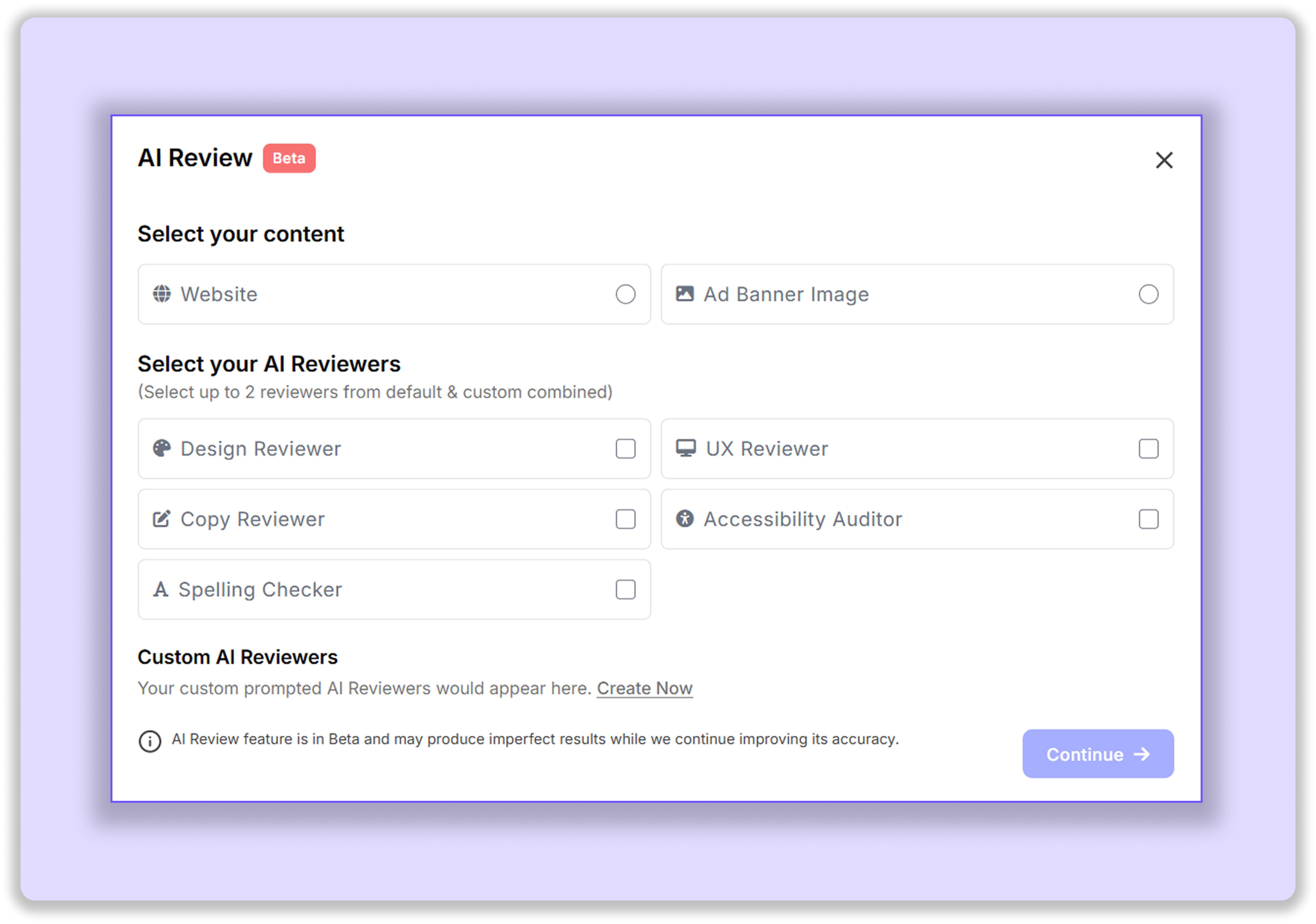
Choose the type of feedback you'd like BugSmash AI to provide.
Available reviewers include:
Design Reviewer
UX Reviewer
Copy Reviewer
Accessibility Auditor
Spelling Checker
You can select up to 2 reviewers at a time, including both default and custom AI Reviewers combined.
For a detailed breakdown of each reviewer, see the AI Reviewers Guide.
Custom AI Reviewers
Users can create custom AI Reviewers with their own review guidelines and instructions.
This allows teams to review content against specific requirements such as:
Brand guidelines
Internal QA standards
Compliance requirements
Marketing best practices
Custom review checklists
Custom AI Reviewers help ensure feedback aligns with your team's workflow and standards.
AI Review Approval
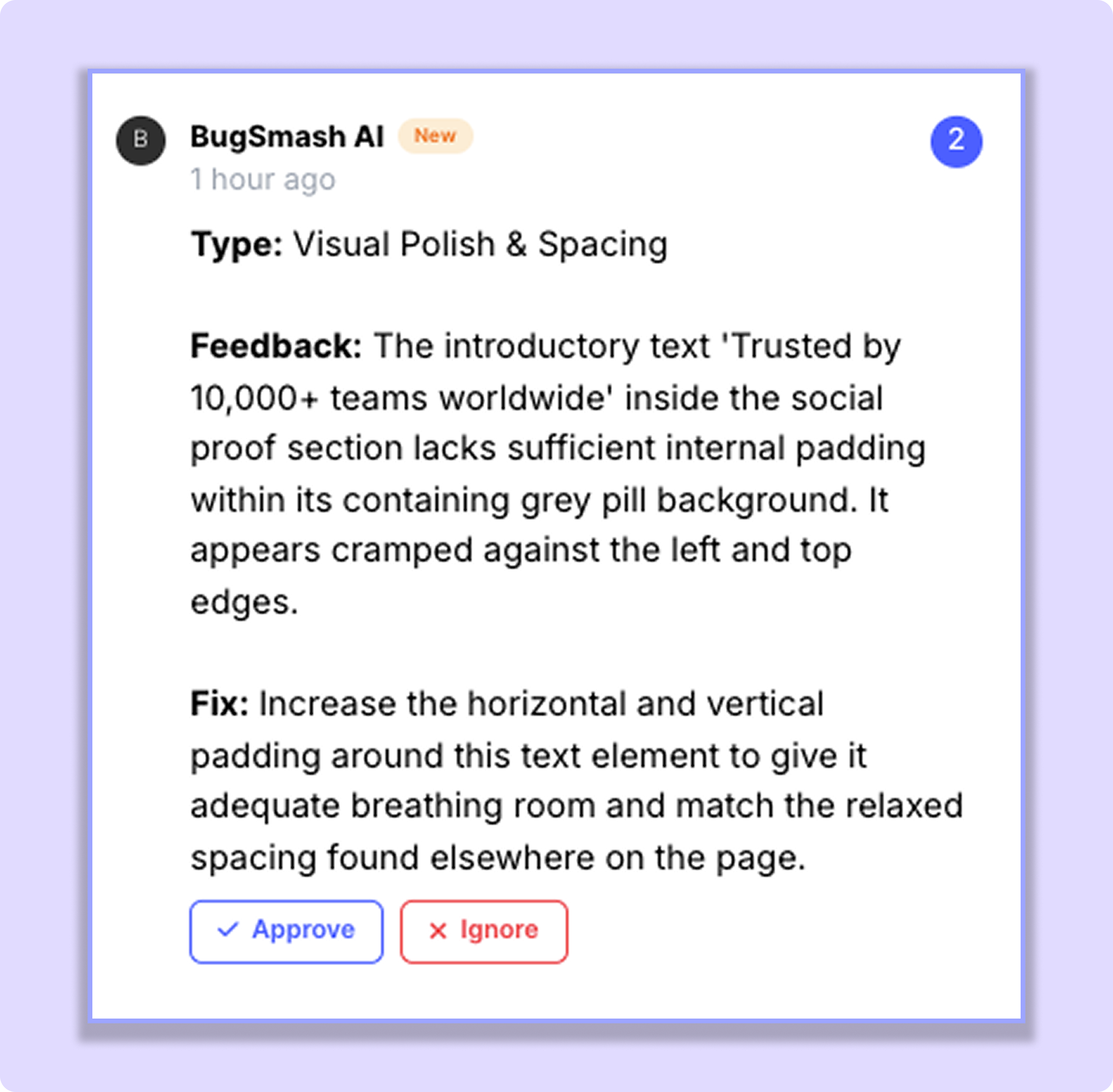
AI suggestions are not immediately added as project comments.
The person who runs the AI Review must first review and approve the suggestions. Until approved, they are visible only to the person who ran the review.
Once approved, the suggestions are added as regular project comments.
This ensures that only reviewed and approved AI feedback becomes part of the project.
About the Spelling Checker
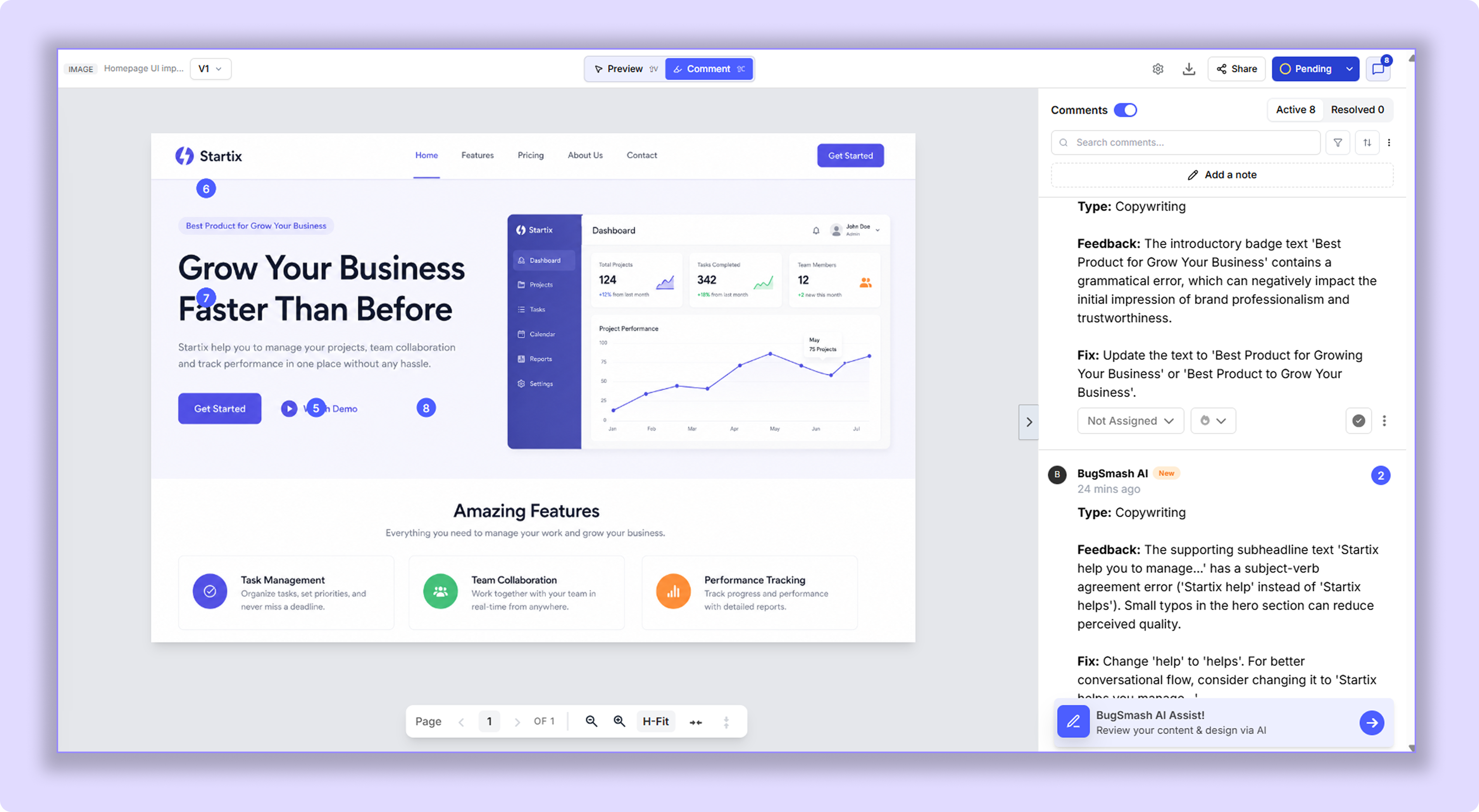
The Spelling Checker does more than identify spelling mistakes.
It can also:
Suggest grammar improvements
Improve sentence structure
Recommend clearer wording
Identify awkward phrasing
Suggest stronger copy and messaging
This makes it especially useful for websites, landing pages, advertisements, PDFs, and other customer-facing content.
Example
A marketing agency uploads a landing page and selects the UX Reviewer and Copy Reviewer.
The AI identifies navigation issues, highlights unclear messaging, suggests stronger calls-to-action, and adds the recommendations directly as comments within the project.
Tips
Combine reviewers strategically for more focused feedback (for example, UX Reviewer + Copy Reviewer).
Use the Spelling Checker for content-heavy pages, advertisements, and marketing assets.
Agency teams can create Custom AI Reviewers to enforce internal guidelines automatically.
Re-run reviews after major revisions to identify newly introduced issues.
AI feedback should be treated as recommendations and combined with human review before making final decisions.
Note: AI Review is currently in Beta and may occasionally produce inaccurate or incomplete results. Always validate important decisions with human review.
Was this helpful?
Still need help? Ask the team