Pausing Comments for the Guest Reviewers
Written By Team BugSmash
Last updated 4 months ago
Why it's useful
There are times when feedback has been completed, a version has been approved, or you'd simply like to prevent additional comments from external reviewers.
BugSmash allows you to pause commenting for guest reviewers while continuing to allow your internal team members to collaborate and leave feedback.
This helps teams maintain a clear review process without losing visibility into existing discussions.
How it works
When comments are paused:
Guest reviewers can still access and review the project.
Existing comments remain visible.
Guest reviewers can no longer create new comments.
Members and internal team members can continue adding comments and collaborating.
1. Manually Pause Comments
If you'd like to stop guest reviewers from leaving feedback immediately:
Open the project.
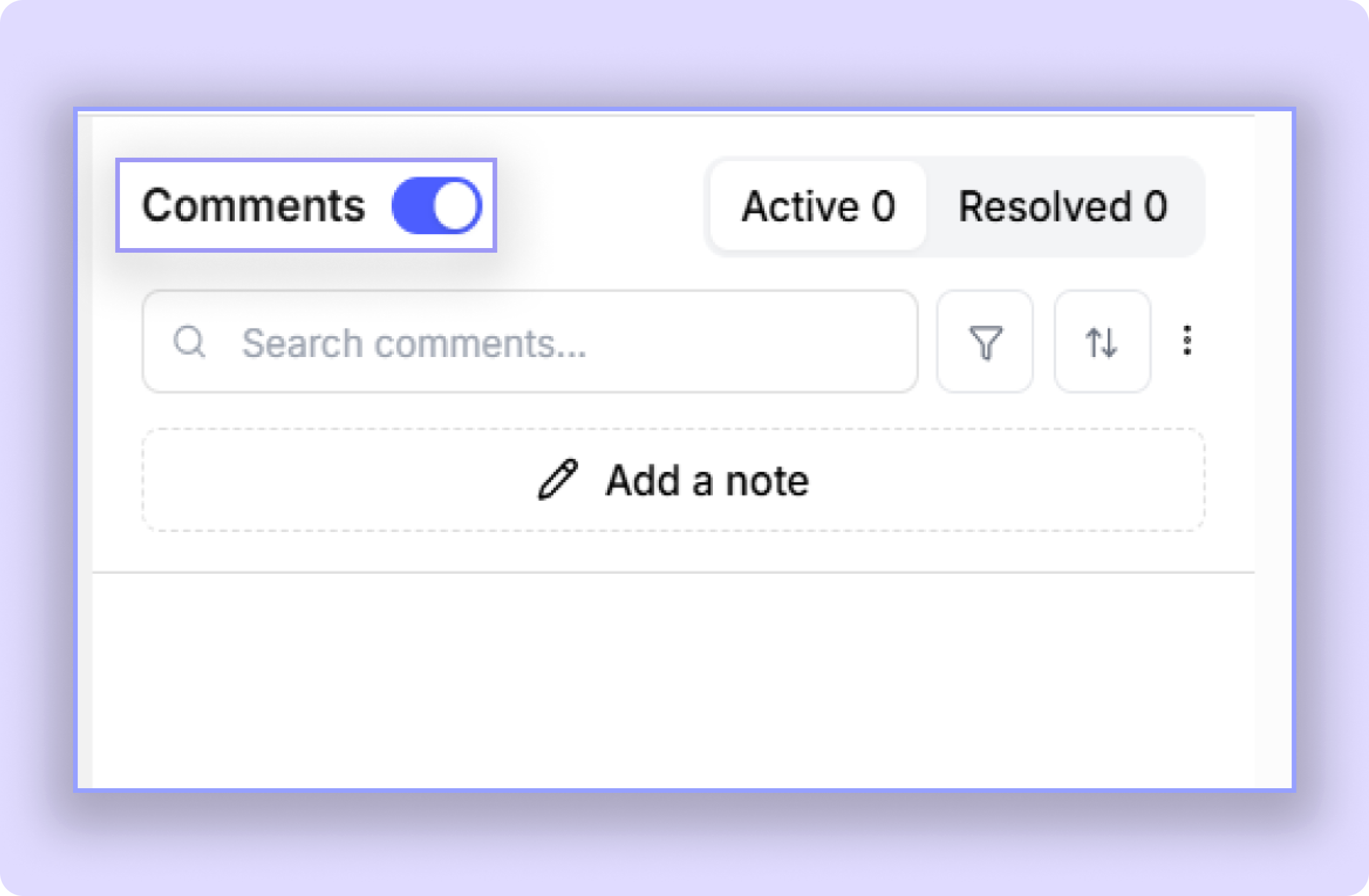
Locate the Comments Toggle in the review sidebar.
Disable comments.
Once disabled, guest reviewers will no longer be able to add new comments to the project.
2. Automatically Pause Comments After Approval
For teams that use approvals as part of their workflow, BugSmash can automatically pause comments when a version is approved.
To Enable:
Click on the project and select the Project Settings
Locate Pause Comments On Version Approval.
Enable the setting.
Once enabled, comments will automatically be paused for guest reviewers as soon as the version is approved
This helps prevent additional feedback from being added after a version has been signed off.
Example
A design team shares a website with their client for final review.
Once the client approves the version, BugSmash automatically pauses commenting for guest reviewers, ensuring the approved version remains unchanged while preserving all previous feedback.
Tips
Use manual comment pausing when you need immediate control over feedback.
Use Pause Comments on Version Approval to automate your approval workflow.
Consider enabling automatic comment pausing for final sign-off and delivery stages.
Was this helpful?
Still need help? Ask the team