Todoist Integration
Written By Team BugSmash
Last updated 2 months ago
Connect BugSmash with Todoist to turn your feedback into tasks and keep your team’s work connected.
Todoist supports two-way sync, so updates between BugSmash and Todoist can stay connected.
Connect Todoist
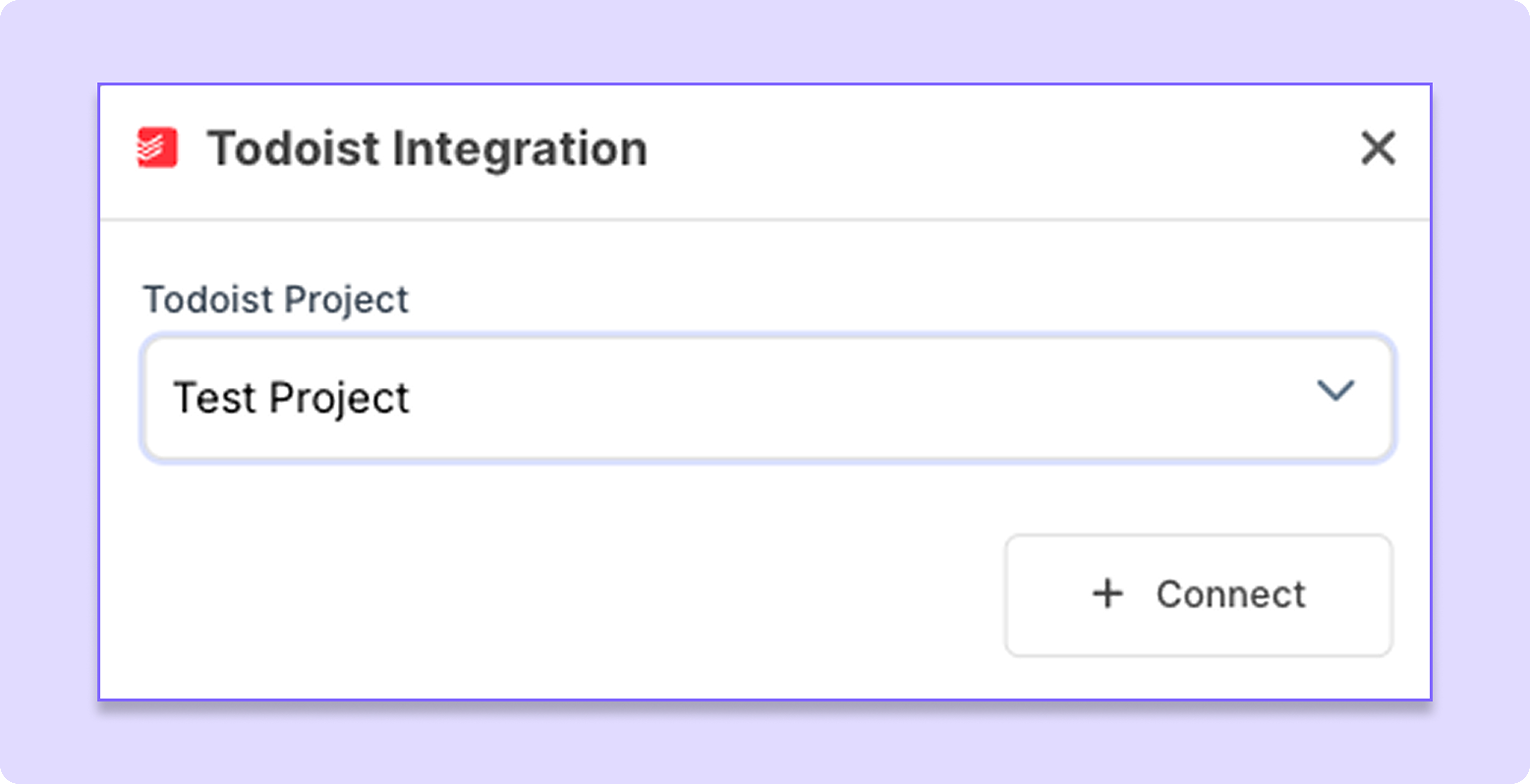
You can connect your Todoist account from Workspace Settings → Integrations → Todoist.
Connect your Todoist account.
Select the Todoist Project where you want BugSmash feedback to appear.
Complete the connection.
Once connected, your BugSmash comments can be synced with the selected Todoist project.
Connect a Project
After connecting Todoist to your workspace, you can connect an individual BugSmash project to a Todoist project.
Open the BugSmash project and go to Project Settings. From there, select the Todoist integration and choose the Todoist project you want to connect.
Once connected, comments from that BugSmash project can sync with the selected Todoist project.
User Mapping
BugSmash users and Todoist users may have different names. You can map them so the correct person is assigned when feedback is synced.
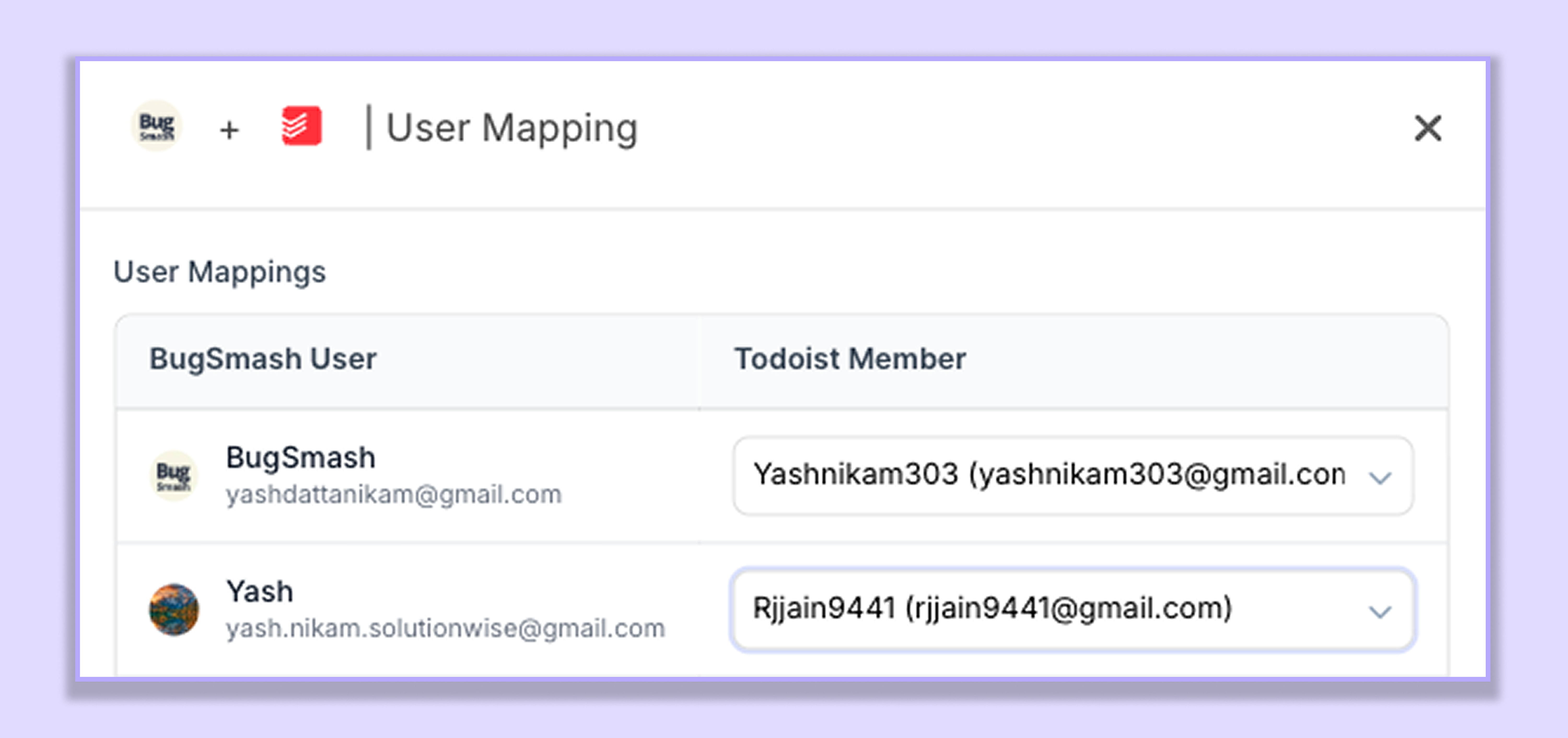
For example:
Mark Fernandes → M. Fernz
Where to Set Up User Mapping
User mapping is managed from:
Workspace Settings → Integrations → Todoist
Once the mapping is set, the BugSmash assignee will be assigned to the corresponding Todoist user when the comment is synced.
What Gets Synced
When a BugSmash comment is synced to Todoist, important information is included, such as:
Comment details
Screenshot
BugSmash project and review link
Assignee
Priority
Comment status
Date and time
The assignee is based on your user mapping, and the priority follows the priority set on the BugSmash comment.
Two-Way Sync
The integration keeps supported updates connected between BugSmash and Todoist.
BugSmash → Todoist
The following comment activity can sync to Todoist:
Comment added
Comment updated
Comment resolved
Comment reply added
Todoist → BugSmash
Supported changes made to the connected Todoist task will also sync back to BugSmash, keeping the feedback and task connected.
Comment Replies
Replies added to a BugSmash comment can be synced to the related Todoist task, keeping the discussion connected to the task.
Status Updates
When the status of a BugSmash comment changes, the connected Todoist task can be updated accordingly.
For example:
Comment Added → Task created/updated
Comment Updated → Task updated
Comment Resolved → Task status updated
Screenshot & BugSmash Link
The Todoist task includes the relevant screenshot and a link back to the BugSmash review, making it easy to open the original feedback and see exactly where it was added.
Keep Your Feedback Connected
With two-way sync, user mapping, priority, status updates, replies, screenshots, and direct BugSmash links, Todoist makes it easy to turn feedback into tasks while keeping everything connected to the original review.
Was this helpful?
Still need help? Ask the team