Roles Overview
Written By Team BugSmash
Last updated 3 months ago
Clear role-based access helps teams collaborate smoothly while keeping projects, feedback, and internal discussions properly controlled.
BugSmash offers different roles based on how much access someone needs within the workspace.
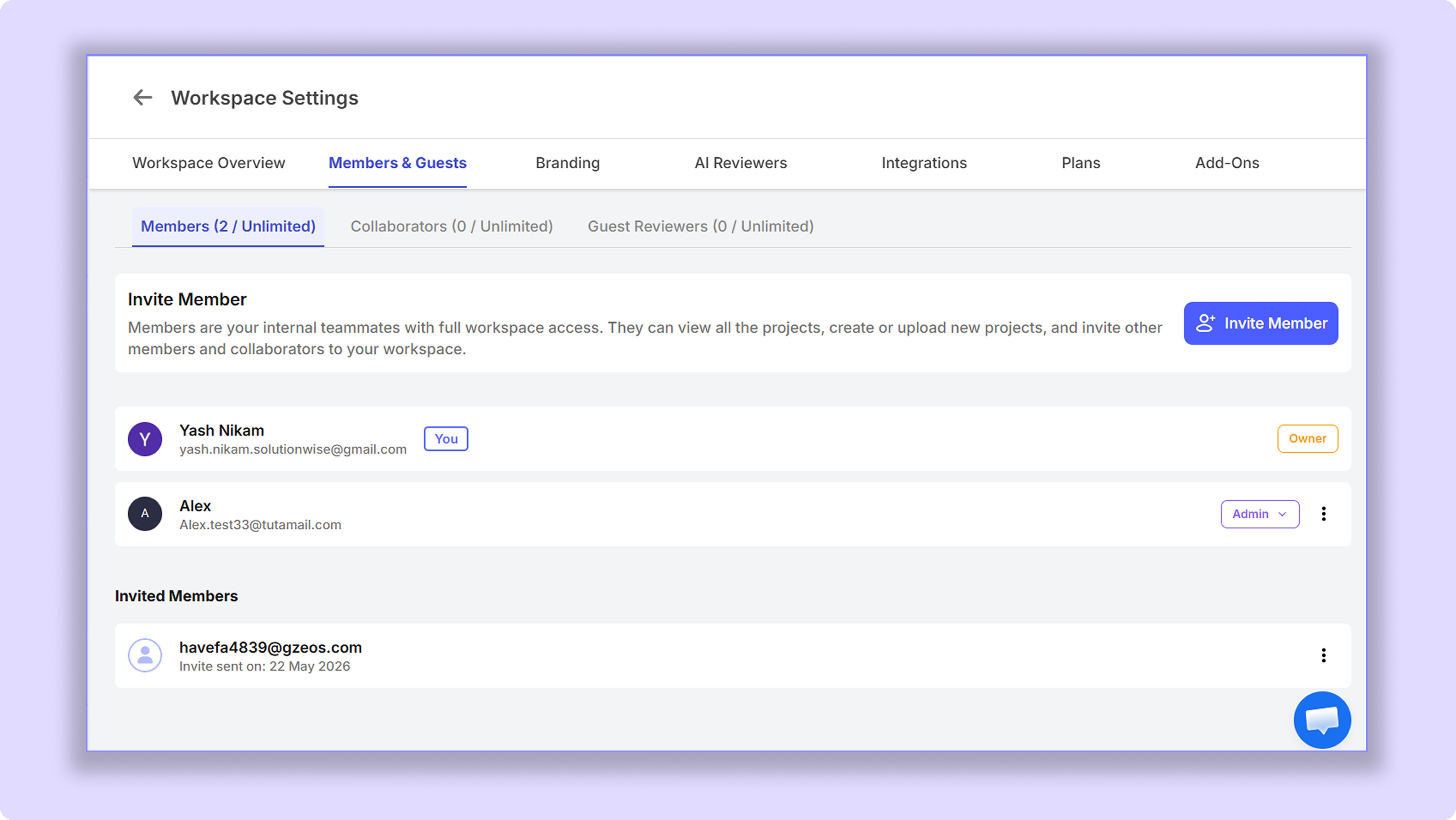
Admin
Admins have nearly the same permissions as the Workspace Owner, including billing access and workspace-level management.
They can:
Access and create all folders and projects
Invite teammates
Manage workspace settings
Handle billing and plans
Best for:
Senior Managers
Billing admins
The only difference is that the Workspace Owner can:
Change admin roles
Remove admins from the workspace
Members
For your core internal team. Members have full workspace access - they can create, upload, manage projects, and invite others across every folder.
They have access to the entire workspace, including:
All folders and projects
Creating and uploading projects
Inviting other members and collaborators to projects
Best for:
Designers, developers, and testers
Collaborators
For freelancers, contractors, and outside partners. Collaborators can create and upload like a Member, but only inside projects or folders you invite them to - they don't see your whole workspace.
How It Works
Invite the collaborator from Workspace Settings.
Share the required folder or project link with them via email or any channel, or invite them directly
They get collaborator-level access to the invited project.
They cannot access:
Other workspace folders
Other client projects
workspace settings
(Note: Collaborators can access the project settings only if they have created a project.)
Additional Control
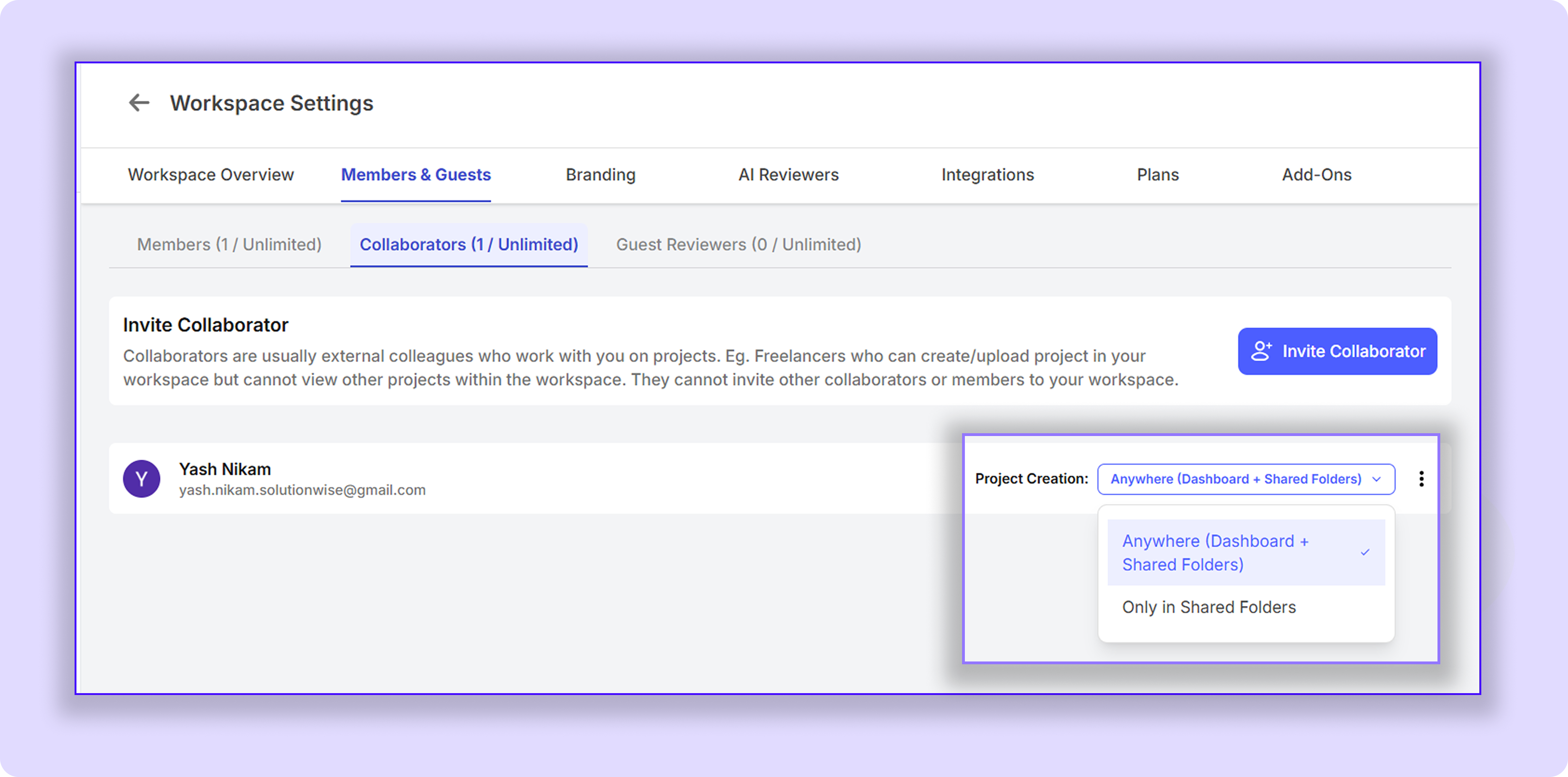
By default, collaborators can create projects only inside the shared folders they have access to.
However, workspace owners/admins can optionally allow collaborators to create projects at the workspace level as well.
There are two permission modes available:
Shared Folders Only → Collaborators can create projects only inside the folders shared with them.
Anywhere (Dashboard + Shared Folders) → Collaborators can create projects directly at the workspace/dashboard level in addition to shared folders. (They still can’t see the other projects/folders on the dashboard)
Guest Reviewers
Guest Reviewers are usually clients, stakeholders, or external reviewers who need to review projects and leave feedback without becoming full BugSmash members.
What Guests Can Do Without a Login
Guests can access the shared review link and:
Add feedback and annotations
Reply to existing comment threads
Attach files or screenshots for reference
Approve versions by entering their email
This workflow is designed to keep reviews simple and frictionless for external clients.
What Guests Need to Log In For
Guests need to log into their BugSmash account if they want to:
Receive notifications
Get tagged in comments
Assign comments to others
Get assigned to the inside threads
Mark comments as resolved
These actions require signing up so the system can properly track collaboration and user actions.
Feature / Action – Access by user type
Was this helpful?
Still need help? Ask the team