Setting Due Dates and Reminders
Written By Team BugSmash
Last updated 4 months ago
The Setting Due Dates & Reminders feature helps teams to collect feedback on time without manually following up with clients or reviewers. Instead of sending repeated reminder emails or Slack messages, you can set a project deadline and let BugSmash automatically notify guests and members before the due date.
This helps to keep review cycles organised, reduces delays, and ensures projects move forward faster.
(Note: All the members, collaborators, and logged - in guests will receive notifications and reminders when the feature is enabled)
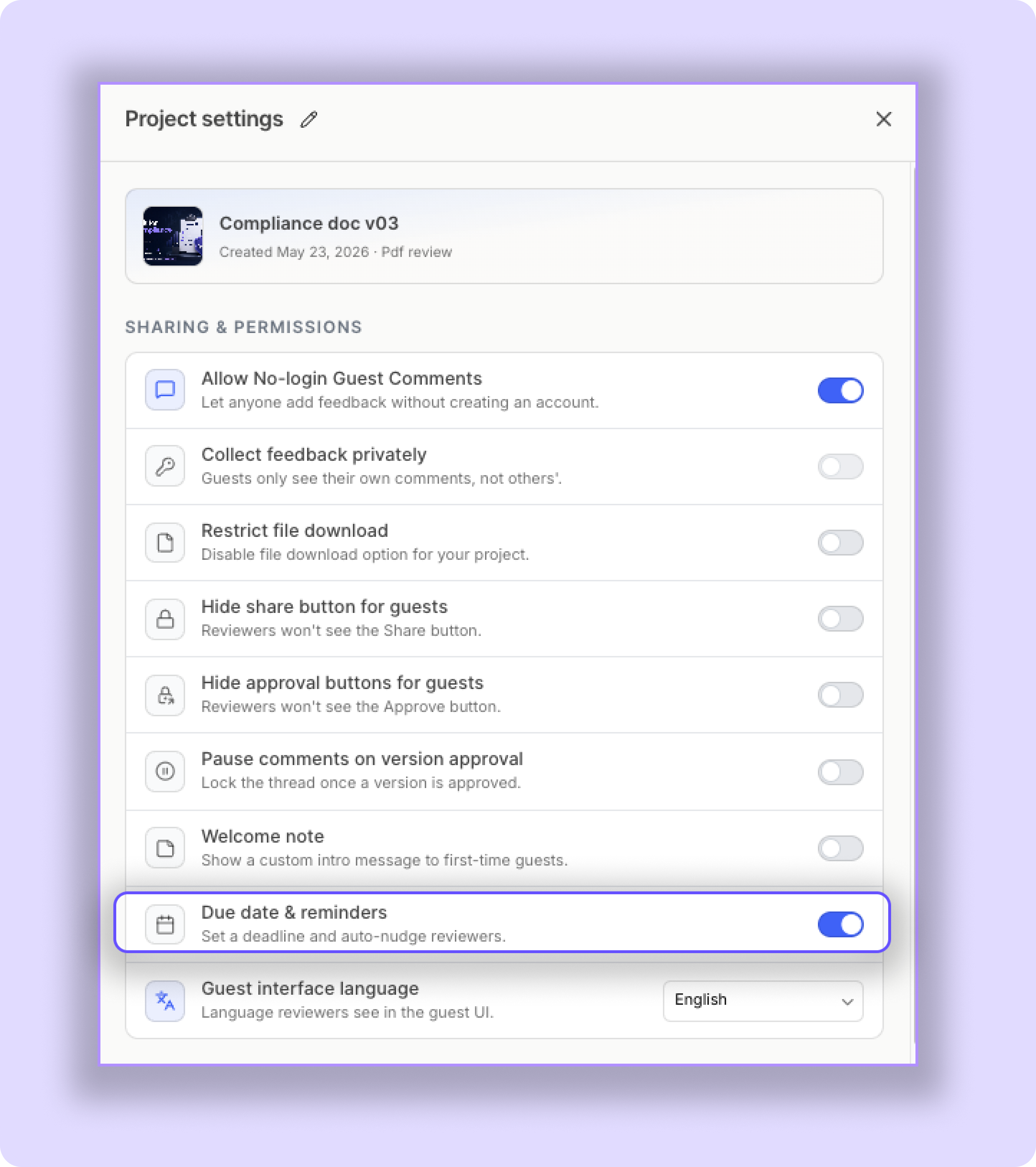
How To Access Due Date Settings
Open your project and go to:
Project → Project Settings (Top right corner) → Due Dates Important Note
Make sure your clients and reviewers log into their BugSmash dashboard so they can properly receive reminder notifications related to project deadlines.
Why Due Dates Matter
One of the biggest challenges during client reviews is delayed feedback. Teams often spend unnecessary time chasing approvals and reminding clients to submit comments.
With Due Dates & Reminders, BugSmash automates this workflow for you.
You can:
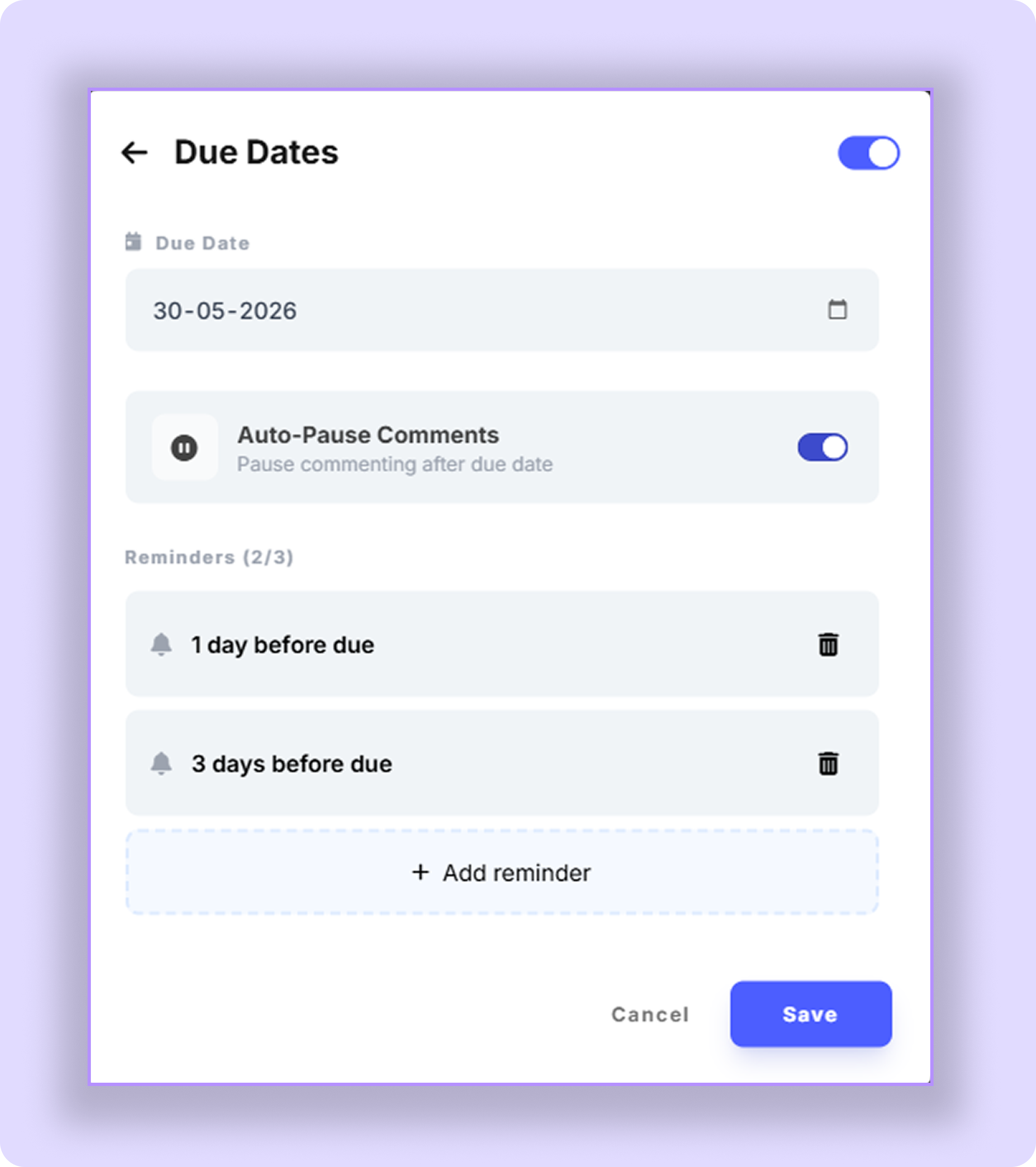
Set a review deadline for eg (15-04-2026)
Send automated reminders, e.g., 2 days before or 3 days before the deadline)
Pause commenting - the project will automatically get locked after the deadline passes, and the guests will not be able to add new comments or suggestions to that project (Enabled by default)
Best Practices
Set realistic review deadlines for clients
Mention deadlines inside the Welcome Note as well
Update deadlines whenever project timelines change
Using automated reminders can significantly reduce manual follow-ups and improve response rates from clients and collaborators.
Was this helpful?
Still need help? Ask the team