Custom AI Reviewers
Written By Team BugSmash
Last updated About 2 months ago
Custom AI Reviewers let you create your own AI reviewers based on your brand rules, content requirements, QA standards, or specific review guidelines.
Once configured, they appear alongside BugSmash's built-in AI Reviewers and can be used whenever you run an AI Review.
Where to Find Custom AI Reviewers
You can manage your Custom AI Reviewers from:
Workspace Settings → AI Reviewers
From here, you can create and manage reviewers based on your requirements.
Create a Custom AI Reviewer
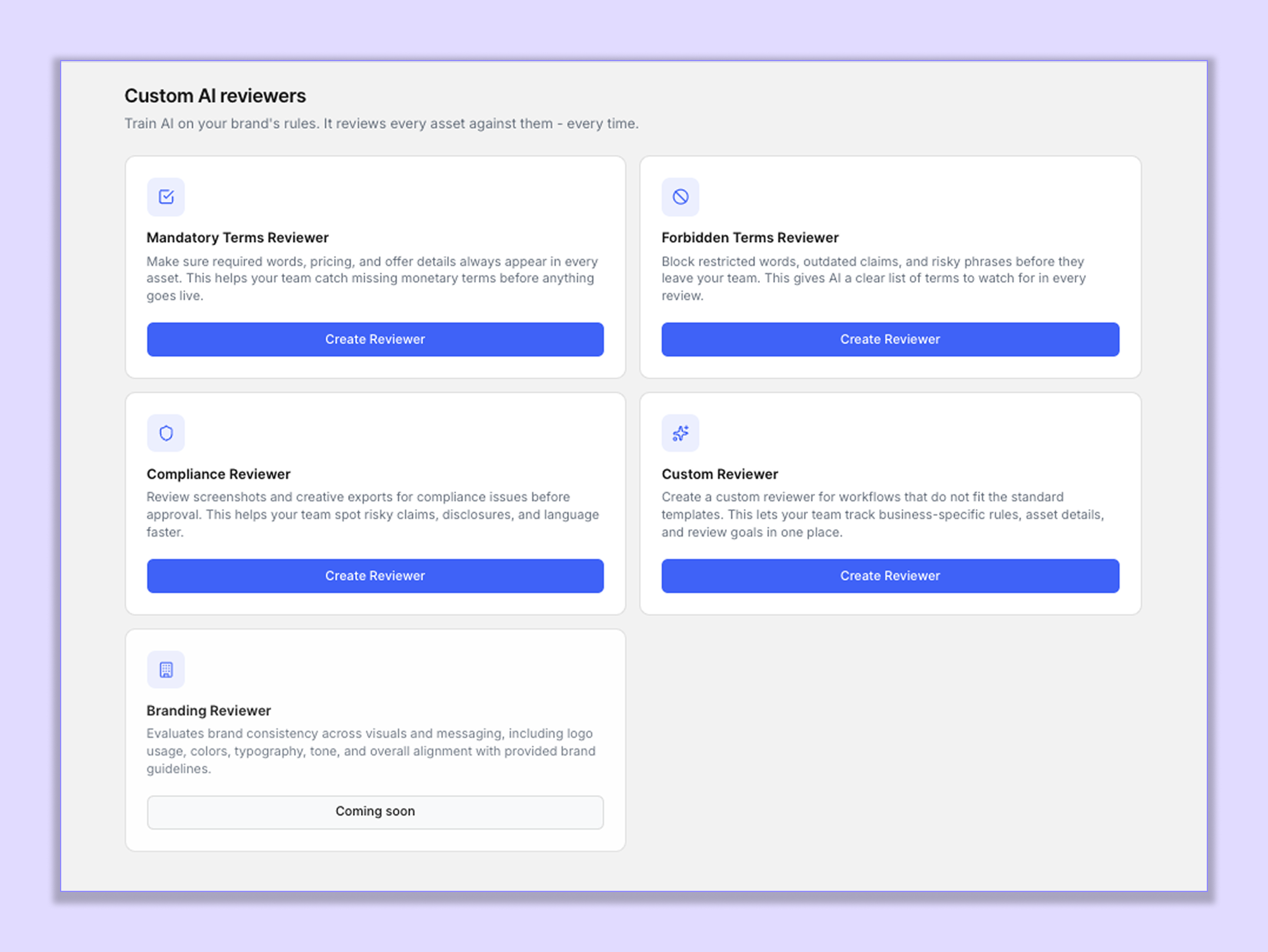
Click Create Reviewer and choose the type of reviewer you want to create.
You can create reviewers for different use cases, such as:
1. Mandatory Terms Reviewer
Use this when certain words, phrases, offers, or information must appear in your content.
For example:
Free Shipping, 30-day money-back guarantee, From $99, Cancel anytime
The AI checks your content and identifies whether the required terms are present.
2. Forbidden Terms Reviewer
Use this when certain words or phrases should not appear in your content.
For example:
100% Guaranteed, Risk-free, Cure, Instant results
The reviewer checks your content and flags any restricted terms it finds.
3. Compliance Reviewer
Use this when your content needs to follow specific compliance or approval requirements.
You can configure it to check for things such as:
Required disclaimers
Unsupported claims
Missing disclosures
Restricted language
Other compliance requirements
4. Custom Reviewer
Use the Custom Reviewer when your requirements don't fit into the other reviewer types.
You can provide your own instructions and guidelines based on your team's specific workflow, brand requirements, QA standards, or review checklist.
Customize Your Reviewer
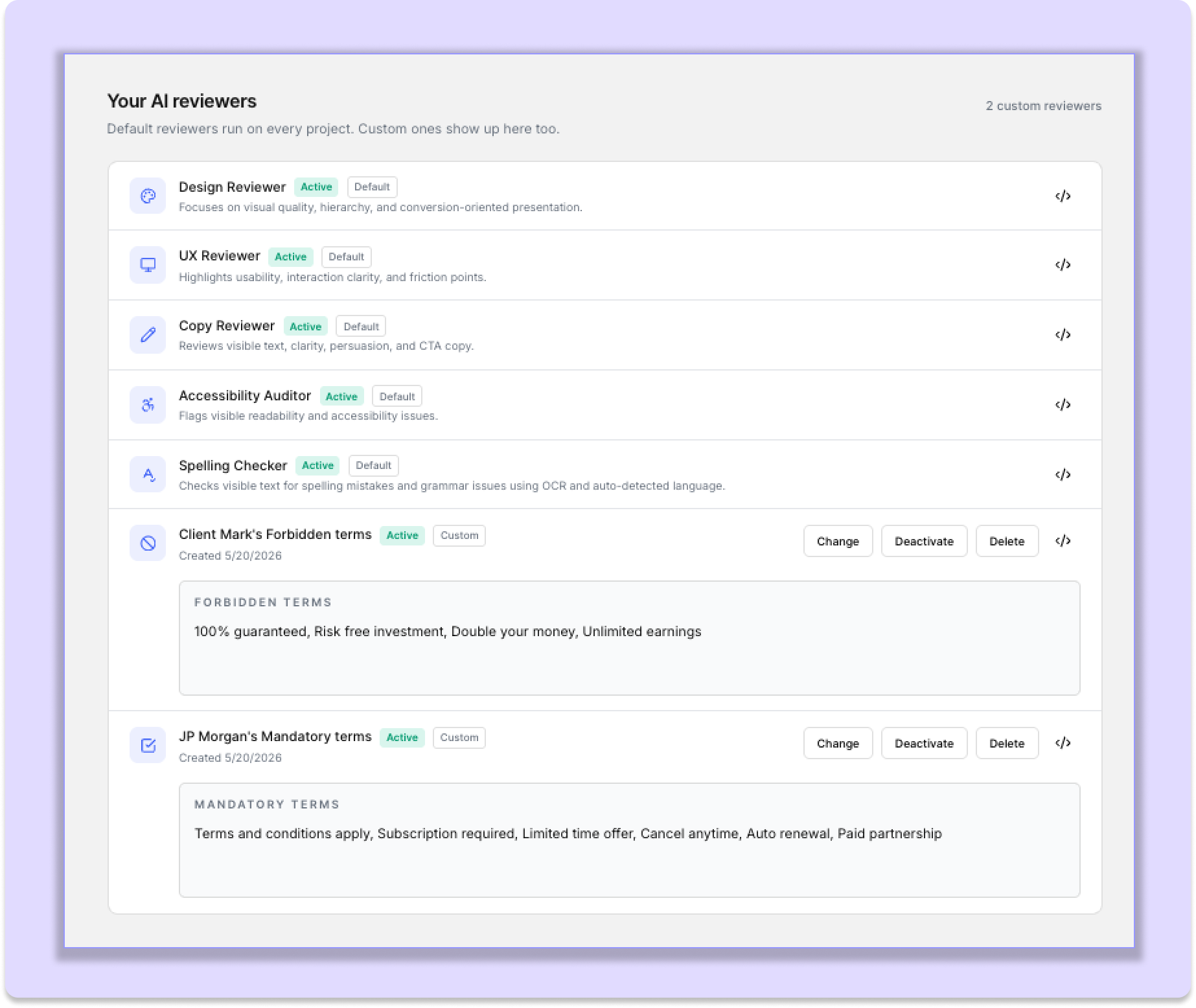
After selecting a reviewer type, configure the rules or instructions that the AI should follow.
For example, you could create a Forbidden Terms Reviewer with:
Guaranteed, Cure, Risk-free, Instant results
Or a Mandatory Terms Reviewer with:
Free shipping, 30-day guarantee, Cancel anytime
Once you save the reviewer, it becomes available in the AI Review segment
Use Custom Reviewers in AI Review
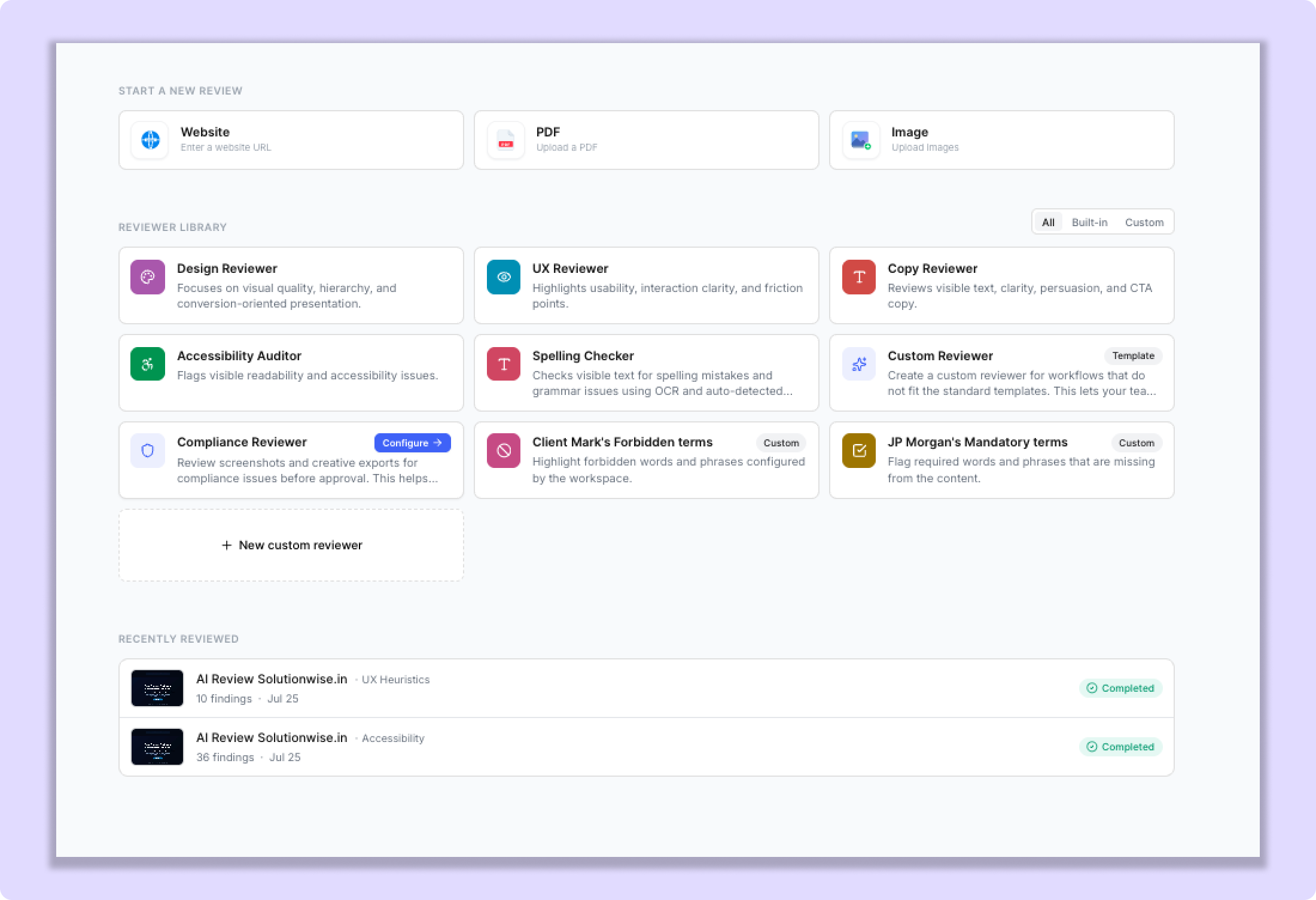
Once a Custom AI Reviewer is configured, it automatically appears in the AI Review reviewer selection along with BugSmash's built-in reviewers.
You can also create a reviewer directly from the AI Review section by clicking Create, allowing you to customize one without leaving the AI Review workflow.
Combine Built-in and Custom Reviewers
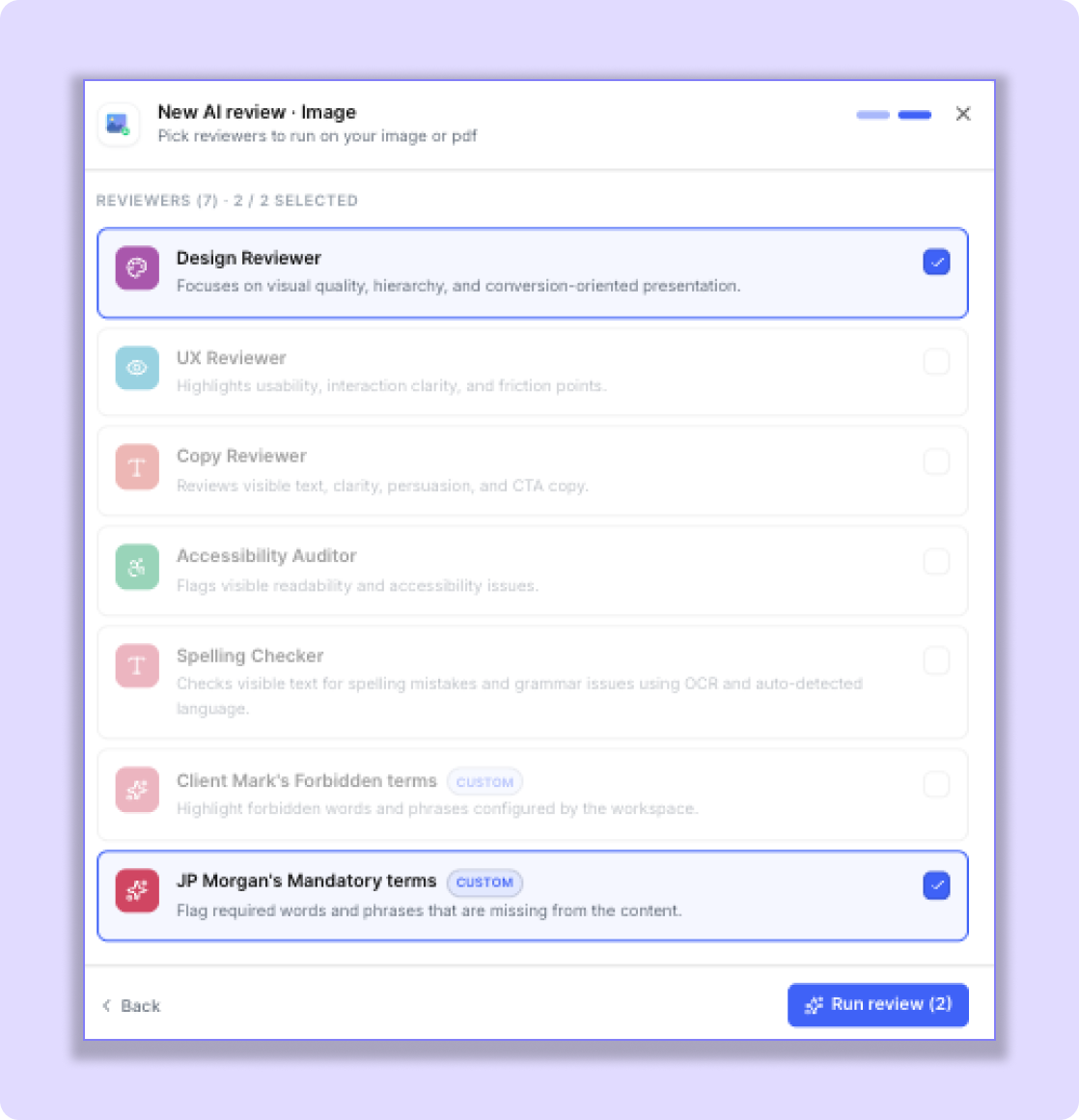
Custom Reviewers work alongside BugSmash's built-in AI Reviewers.
You can select up to 2 reviewers at a time, and the combination can be:
Built-in + Built-in
Built-in + Custom
Custom + Custom
For example:
UX Reviewer + Mandatory Terms Reviewer
This lets you check both the user experience and whether your required terms are present.
Or:
Copy Reviewer + Forbidden Terms Reviewer
This allows you to review the quality of your copy while also checking for restricted phrases.
Manage Your Custom Reviewers
You can manage your reviewers from:
Workspace Settings → AI Reviewers
Depending on the reviewer, you can update its configuration, deactivate it, or delete it when it is no longer needed.
Make AI Reviews Work for Your Team
Custom AI Reviewers allow you to move beyond general AI feedback and create reviews based on the specific rules your team follows.
Whether you need to check brand terminology, required messaging, compliance requirements, or your own internal QA standards, you can create a reviewer that fits your workflow and use it alongside BugSmash's built-in reviewers.
Was this helpful?
Still need help? Ask the team