Project Views: Grid, List & Kanban
Written By Team BugSmash
Last updated 4 months ago
BugSmash offers three different project views to help you manage your projects the way you prefer. You can switch between these views anytime from the top-right corner of your Dashboard or Folder.
Note: These views are available on both the Dashboard and inside Folders. Switching the view only changes how projects are displayed in your current location.
Grid View
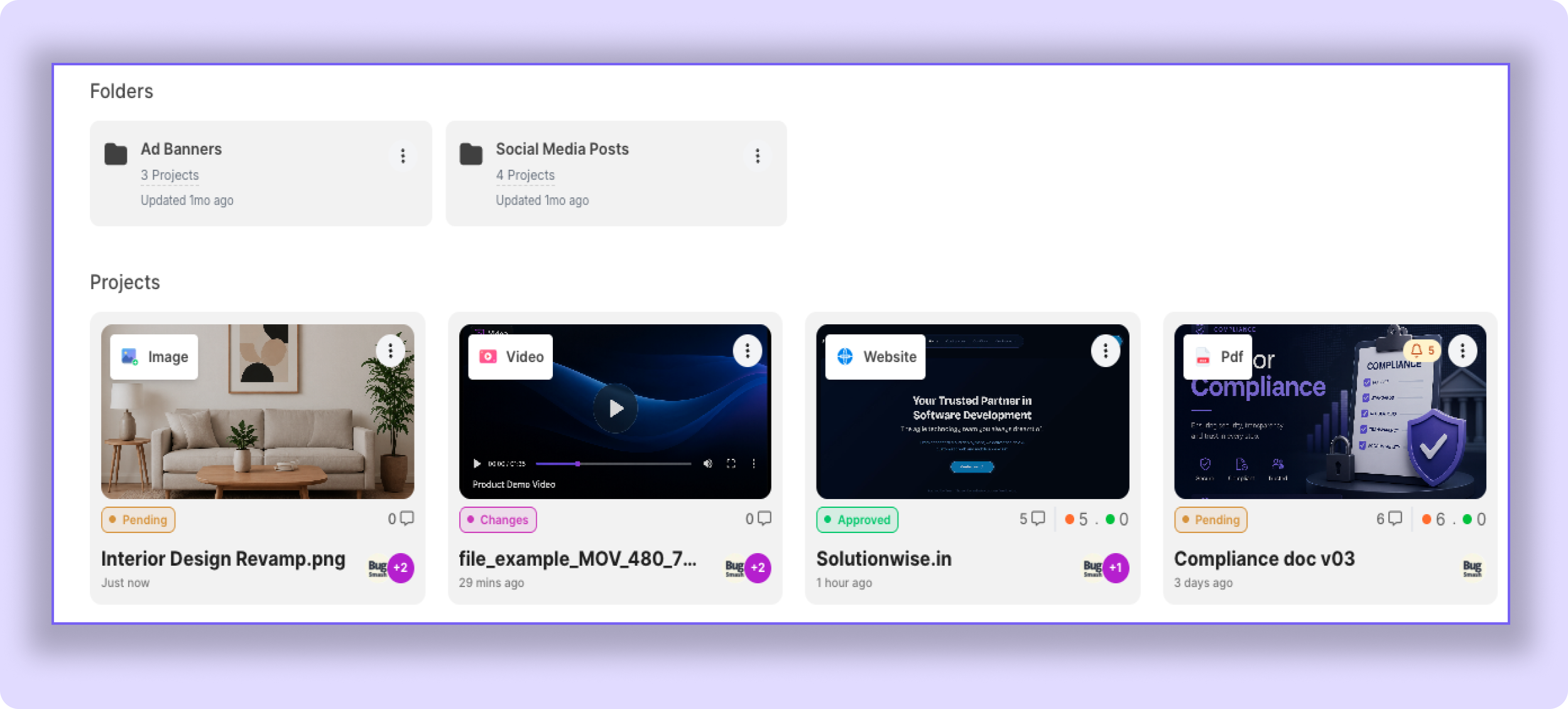
Grid View displays your projects as cards, giving you a visual overview of your workspace.
Each project card shows important details such as the project thumbnail, status, comments, collaborators, and project type.
This view is best when you want to quickly browse through your projects.
List View
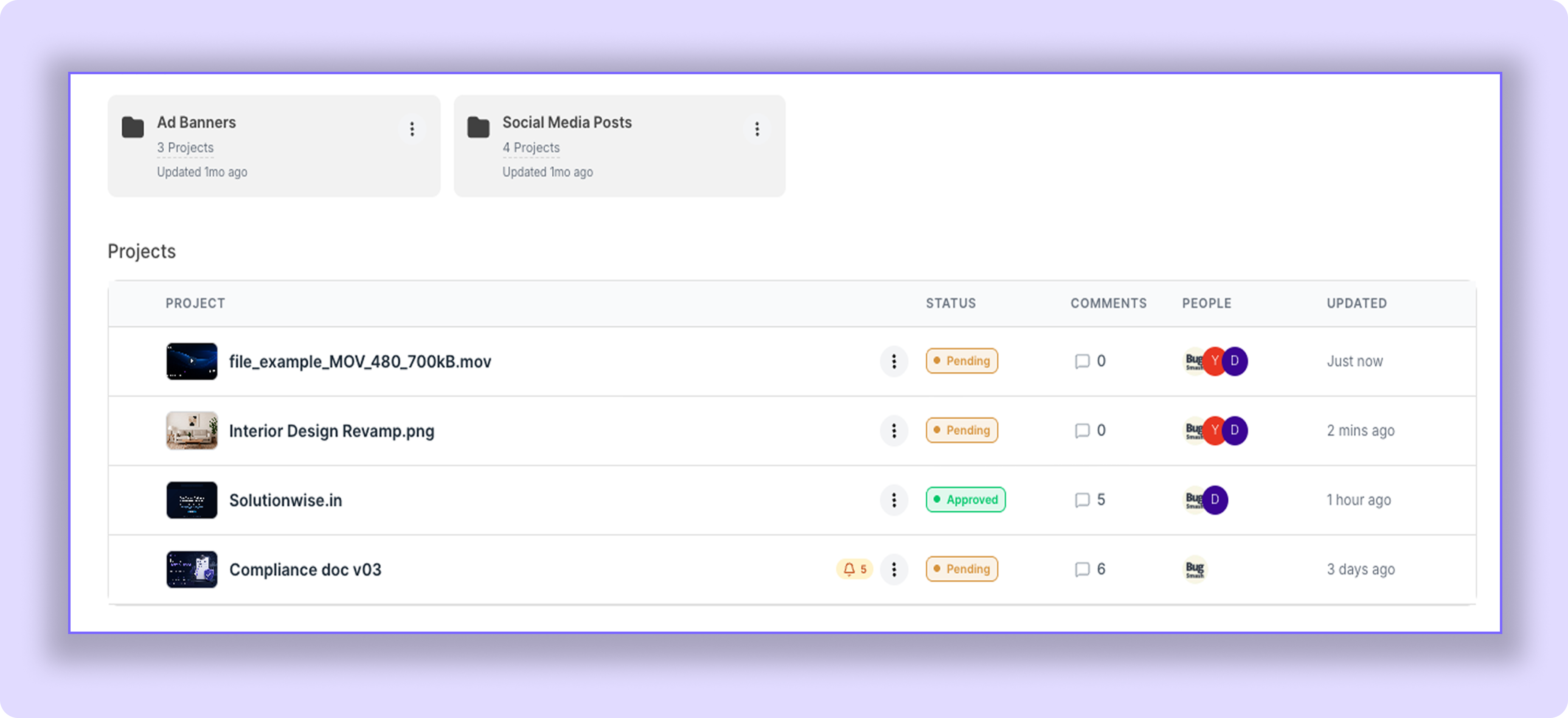
List View displays your projects in a table layout, making it easier to scan project information at a glance.
It shows key details such as the project name, status, comments, collaborators, and the last updated date.
This view is ideal when you're managing a large number of projects.
Kanban View
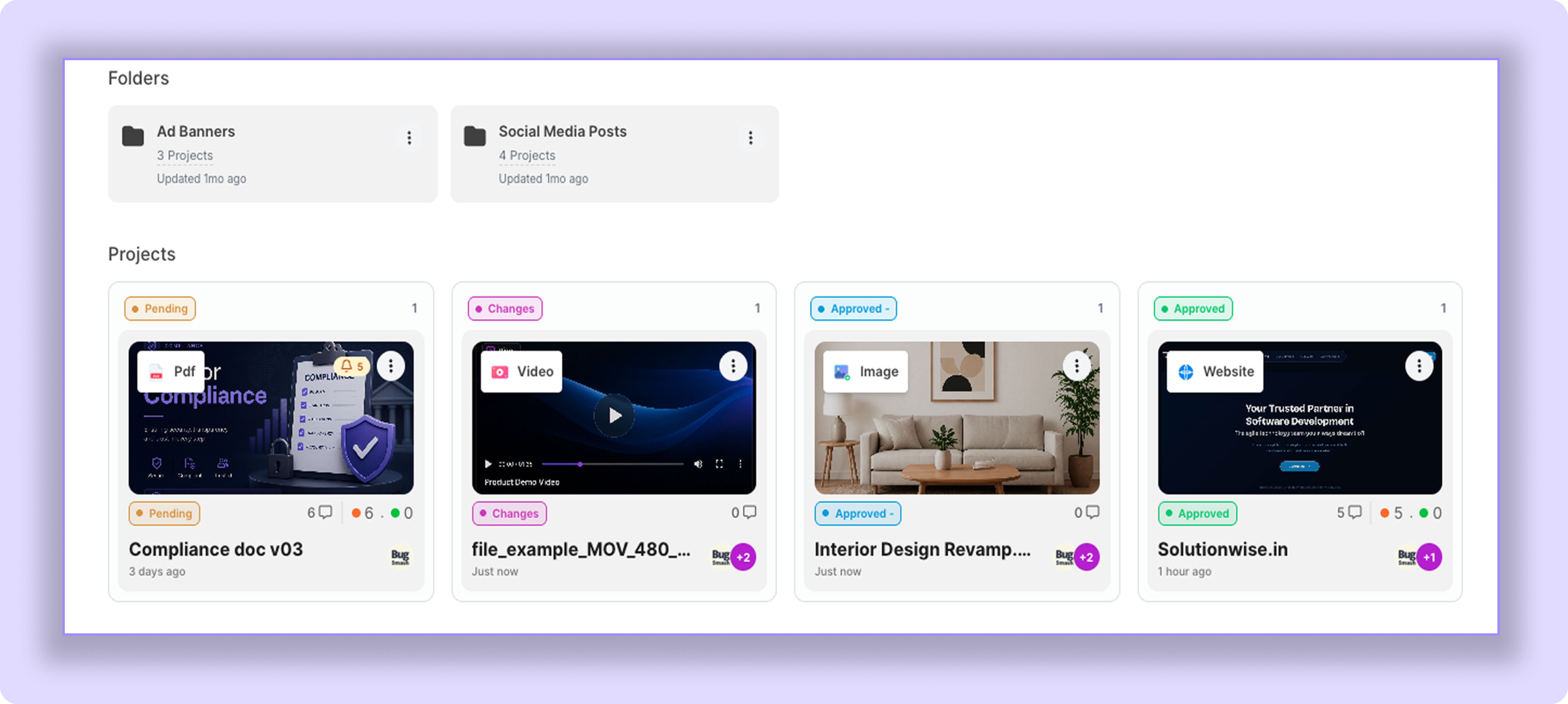
Kanban View organizes your projects into columns based on their current review status.
Projects are automatically grouped under statuses such as:
Pending
Changes Requested
Approved with Changes
Approved
Each project card displays the same information as Grid View, but projects are grouped by their status, making it easier to track review progress.
Tips
Use Grid View for a visual overview of your projects.
Use List View to quickly scan project details.
Use Kanban View to track projects based on their current review status.
You can switch between views anytime without affecting your projects.
Was this helpful?
Still need help? Ask the team