What's New - October 7, 2026
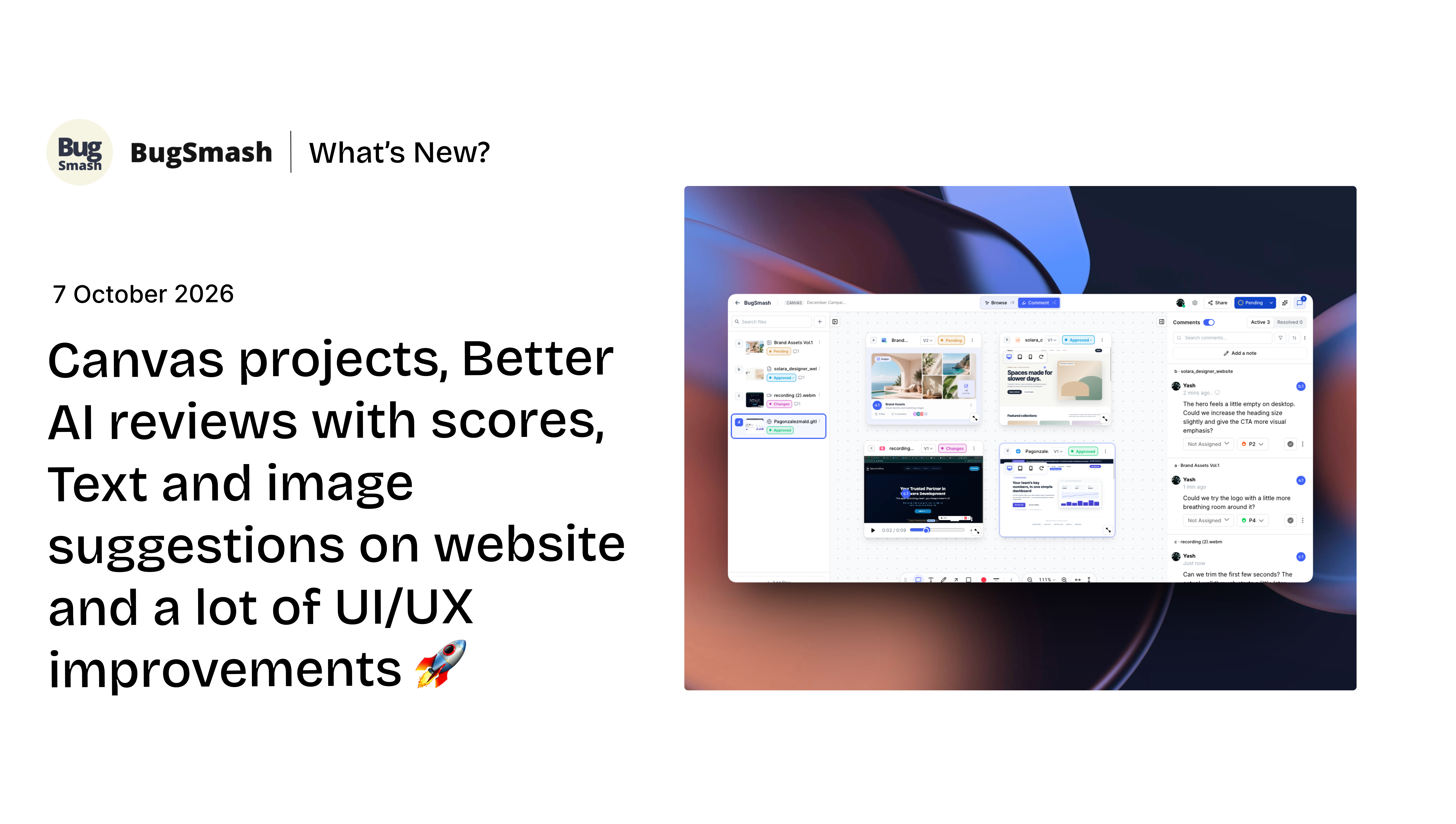
Canvas projects, Better AI reviews with scores, Text and image suggestions on website and a ton of UI/UX improvements 🚀
This update brings some of our biggest improvements yet, with new ways to organise your projects, review feedback, and collaborate more effectively in BugSmash.
From the all-new Canvas Projects and a completely revamped AI Review experience to text and image suggestions on websites, improved comment box UX, and a smoother, faster review experience — there’s a lot to explore in this release.
✨ New Features
🎨 Canvas Projects
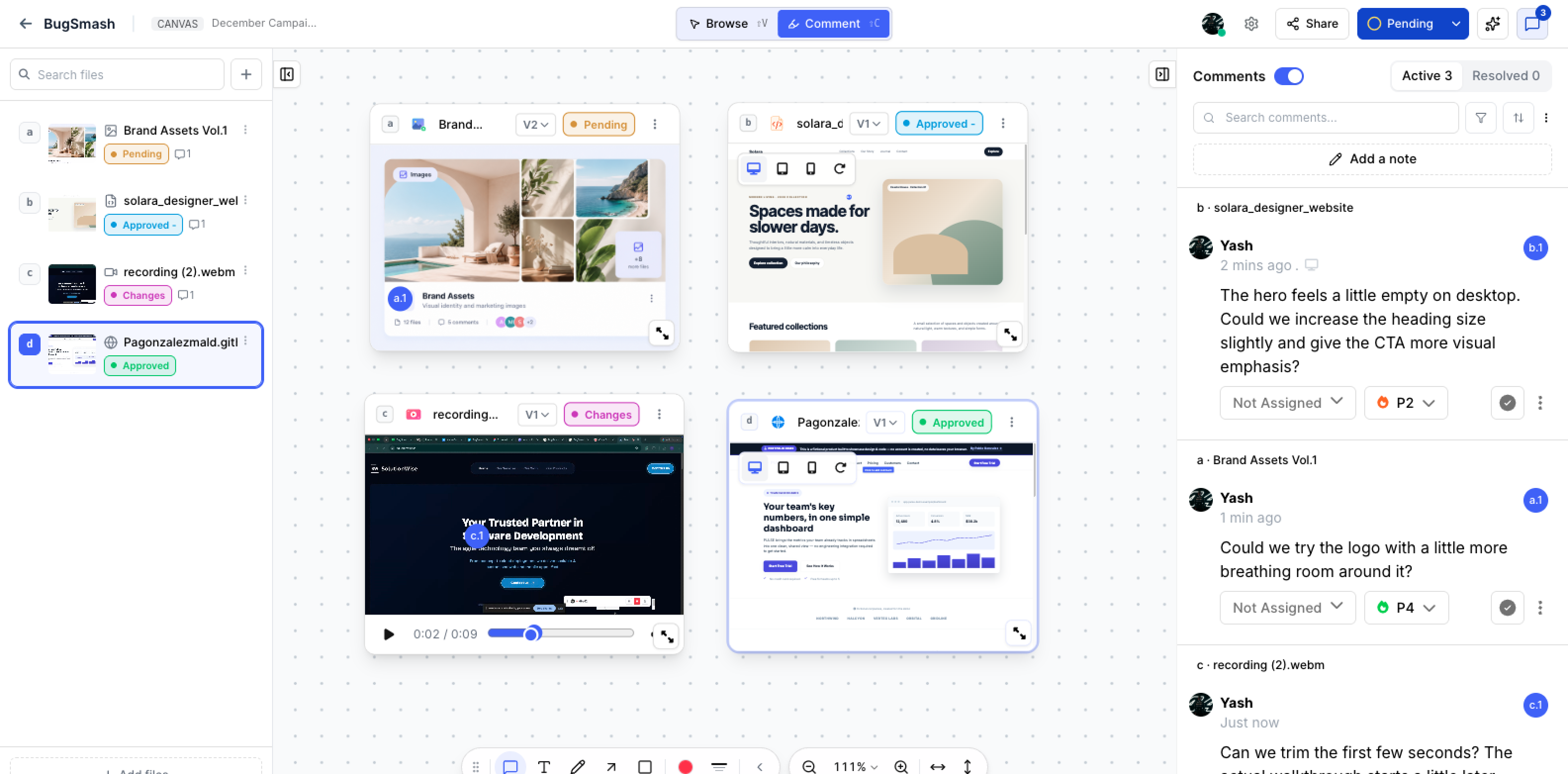
Canvas is a brand-new project type designed to help you bring all the files you’re working on into a single visual space.
Add new projects, bring in existing projects, or drag and drop files onto your Canvas. Each file appears as its own card, making it easy to see everything at a glance and review multiple deliverables together.
You can:
Browse websites and comment on it.
Play video and audio directly from their cards.
Review PDF, Word, PPT documents and annotate them.
Add common comments outside the files on Canvas itself
We foresee Canvas as one of the majorly used project types, helping teams organise their entire campaigns in a single unlimited scrolling view ✨
Projects created on a Canvas are automatically organised into a dedicated Canvas Projects folder. You can move the projects into separate folders later without removing them from the Canvas
One Canvas. Multiple projects. One place to review.
✍️ Suggest Text & Image Changes Right on the Website
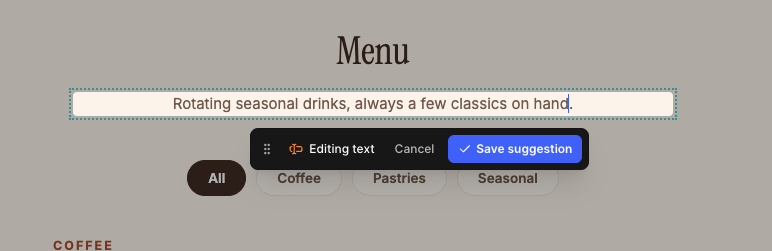
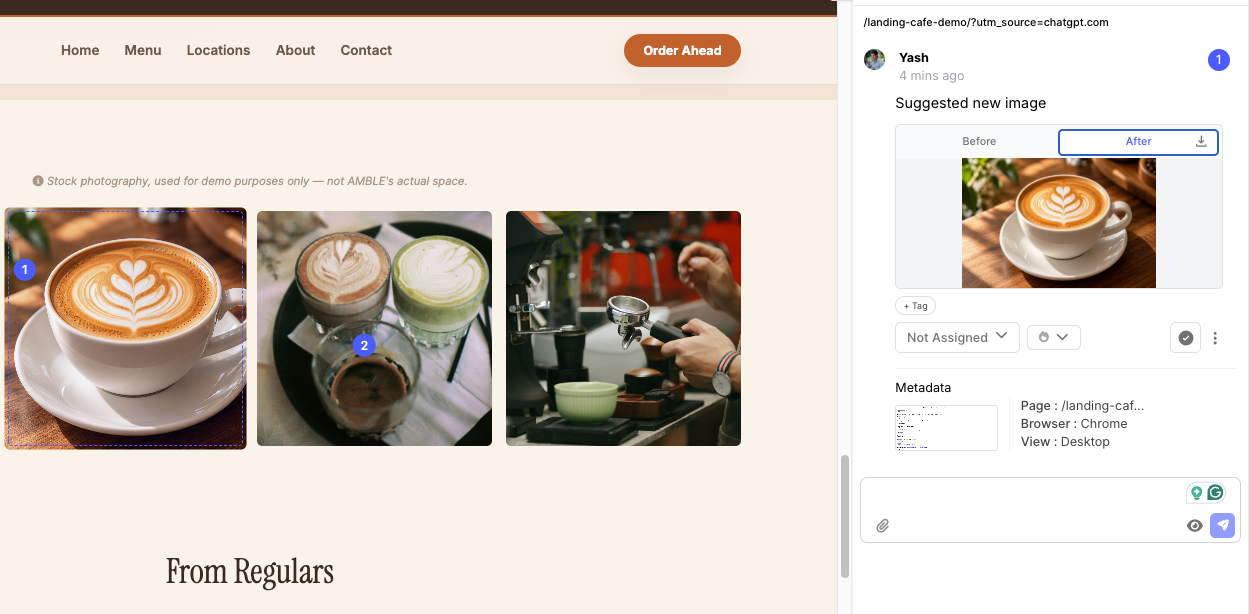
You can now select text or images directly on a website and suggest changes right where they appear.
Want to rewrite a headline? Select the text and suggest the change.
Want to try a different image? Select the image and replace it with your suggestion.
Compare the original and suggested versions side by side to decide what works best. Once you make a change, it is reflected directly in the website project interface.
Available for Website and HTML projects.
Select it. Suggest it. Compare it.
🤖 Complete Revamped AI Review Experience with Scores
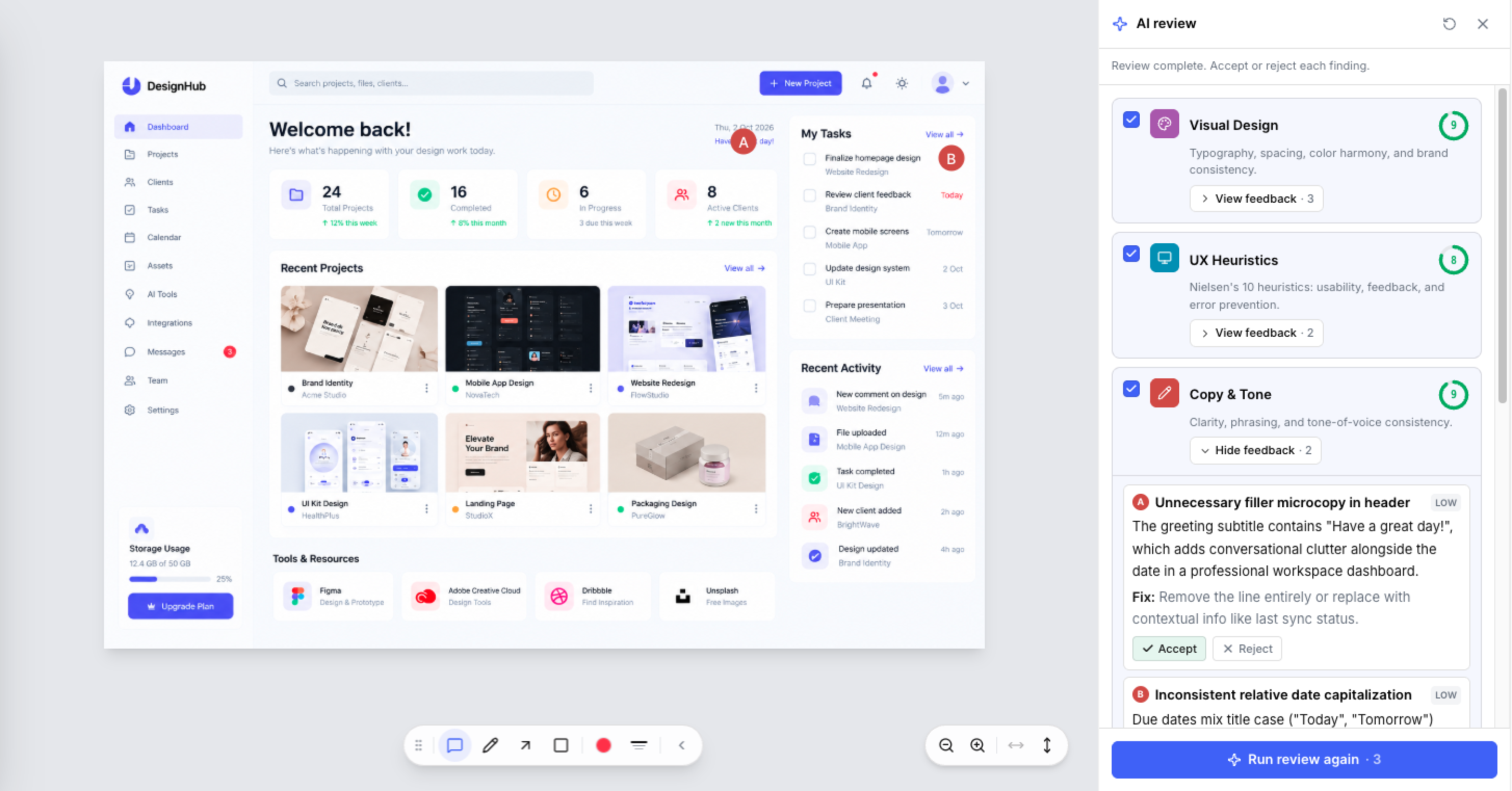
We've completely revamped the AI Review experience within BugSmash. New Scoring for each, Faster, In Parallel, Easy to accept, reject while keeping comment bar clean.
AI Reviews now have their own dedicated space in the top bar, where each review stays grouped until you’re ready to take action.
You can now:
Run multiple reviewers in a single go.
Keep each reviewer’s findings grouped separately.
Review findings before they reach your main comment sidebar.
Accept the findings you want to bring into the comment sidebar.
Generate reviews faster.
Each reviewer uses 1 review credit, giving you more control over how you use AI Reviews.
More reviewers. Better organisation. Faster feedback.
⚡ Improvements
🖊️ Annotation & Zoom Toolbar UX Improvements
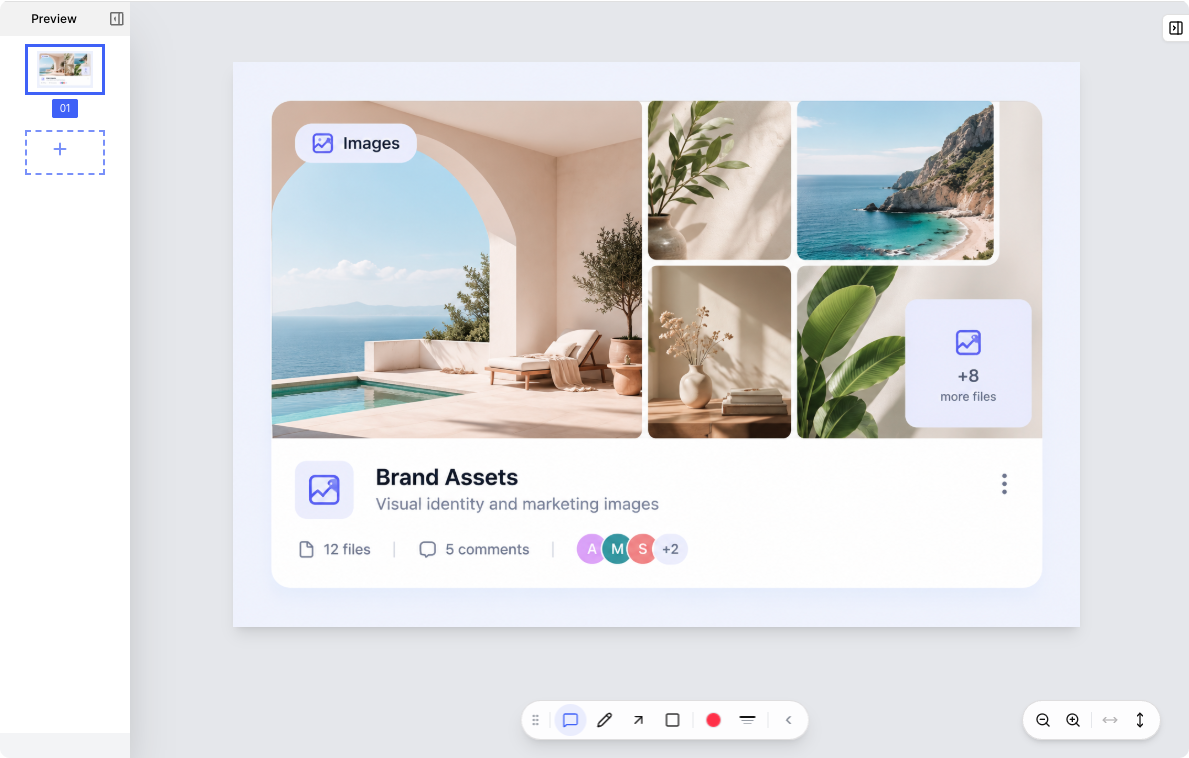
The annotation and zoom toolbar have been refreshed for a sleek, cleaner and more consistent review experience. The toolbar remains open by default to reduce the friction of finding proper annotation tools while reviewing.
Controls are easier to work with, making it simpler to annotate, zoom, and navigate while reviewing your projects.
💬 Comment Box UX Improvements
We’ve refreshed the comment box UI across project types, making it cleaner and easier to use while leaving feedback.
The comment box has also been improved with contextual commenting for Website projects. When selecting text or images, the comment experience now adapts to what you’re reviewing, making it easier to leave more precise feedback.
⚡ Loading Speed & UX Improvements
We’ve made BugSmash faster and smoother across the board, with improved loading experiences for projects, files, comments, and review pages. Project lists and PDF loading have also been optimised to help you get into your work quicker with less waiting.
🇷🇴 Romanian Language Support
Romanian is now available as a language option in BugSmash, making reviews more accessible for Romanian-speaking teams and collaborators.
New Review Experience. Better UI/UX. Less Friction 🚀
From bringing your projects together in Canvas to suggesting changes directly on websites and managing AI feedback more cleanly, this update makes BugSmash more visual, organised, and collaborative.
There’s so much more to build and keep making the life of our users better. Hope you liked this one ❤️