What's New — June 6th, 2026
Another big drop. Better workflows, sharper UX, and a handful of features you've been asking for.
New Features
🧊 New Project Type: 3D Models
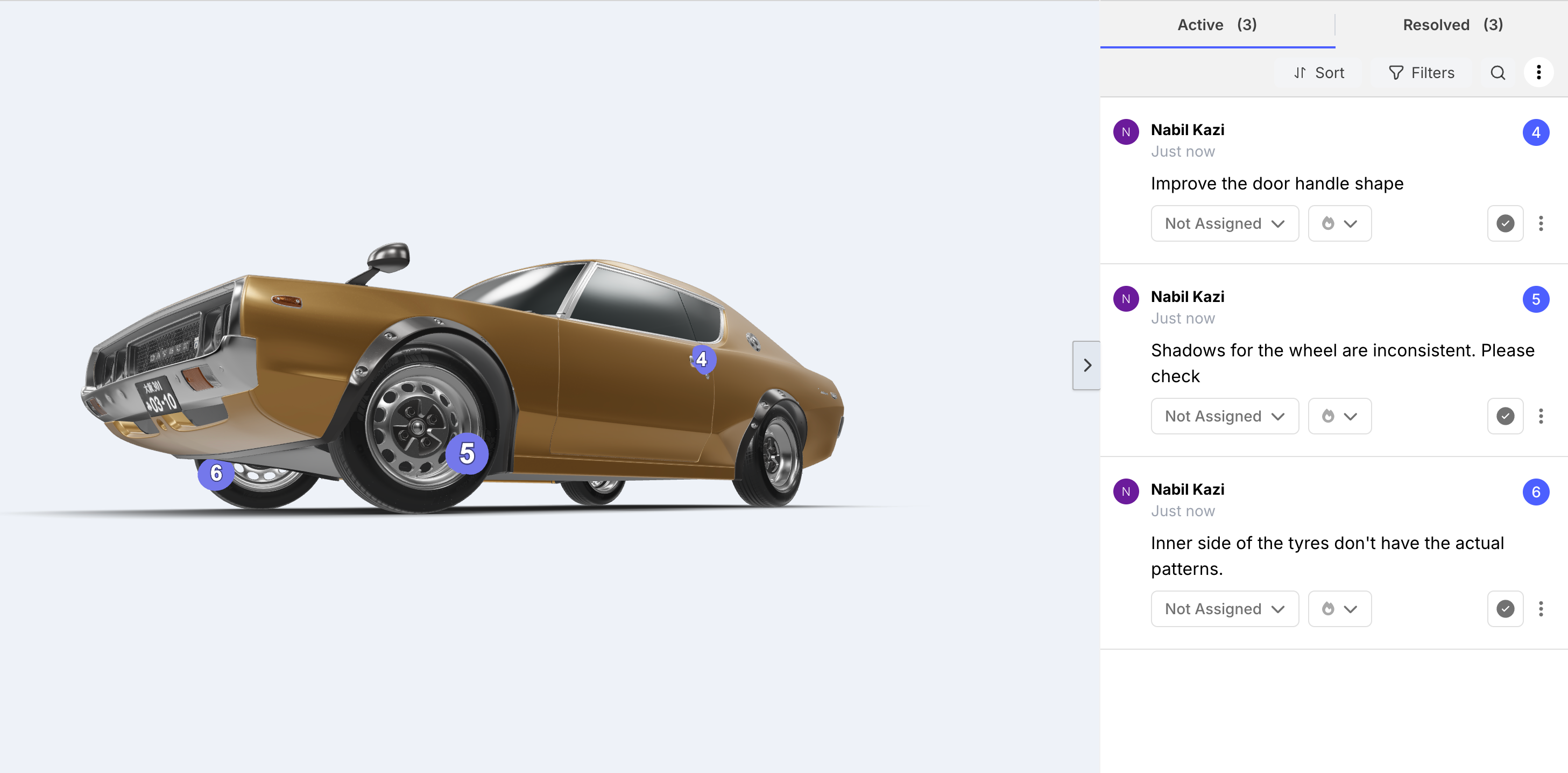
You can now upload 3D model files directly to BugSmash and collect feedback on them just like any other asset. .glb & .gltf files supported. More coming soon!
Share with your team or clients, leave contextual comments, and keep 3D reviews inside the same workflow as everything else. No more emailing files back and forth or using a separate tool.
🎯 New Improved Top Bar: Approval, Version, Etc Now Always Visible for Guests
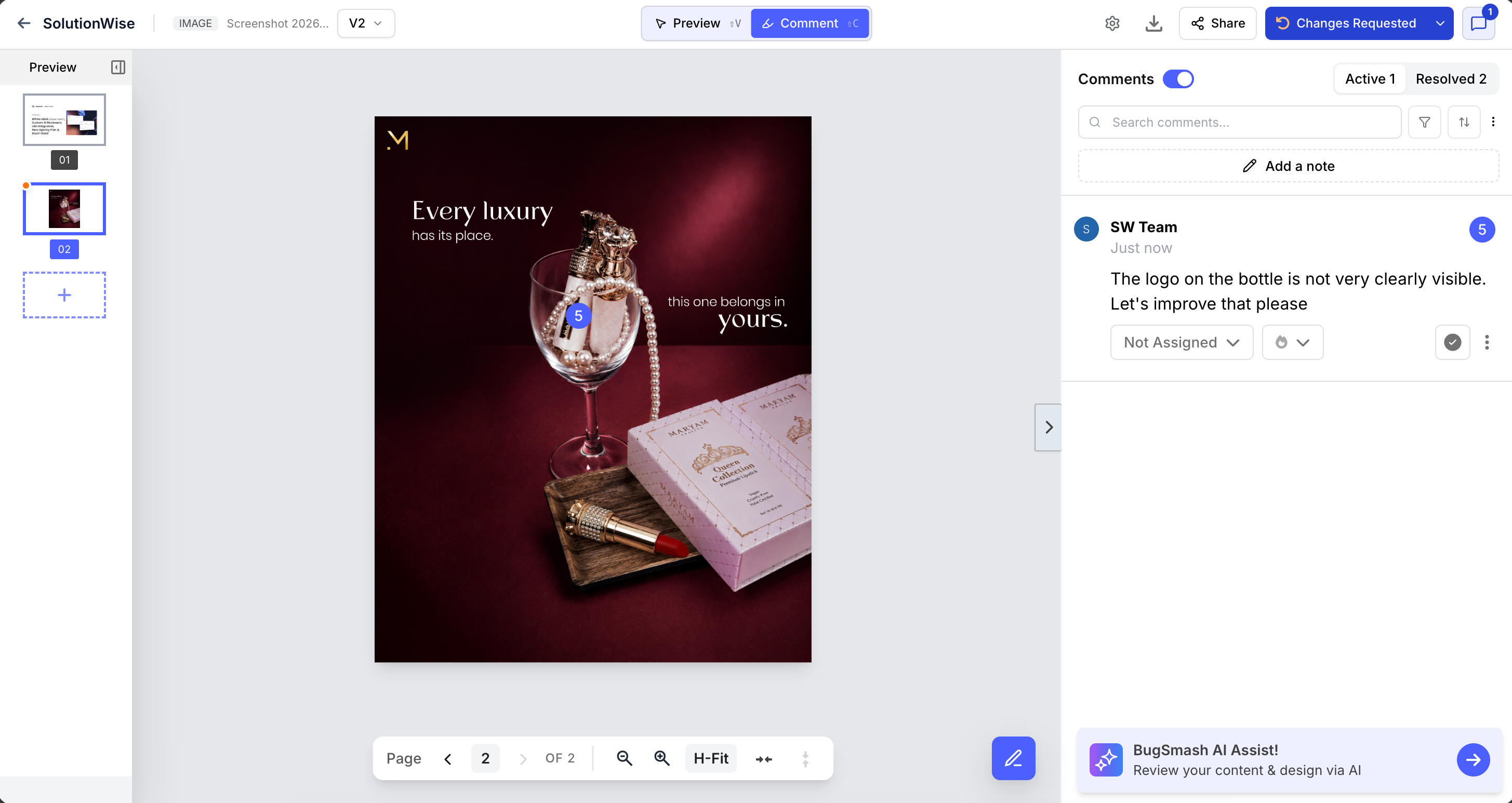
This one's big. The project top bar has been redesigned so that approval status and version controls are always visible — outside the comment sidebar, not buried inside it. The top bar no longer collapses when the sidebar closes.
Previously, sidebar used to be collapsed and guests completely lose sight of the approval button. Now it's always front and center. Fewer missed approvals, less "wait, where do I click?" from clients.
💬 Assign Comments to Team Members While Commenting
You can now assign a comment to a specific team member while writing it. No more tagging in follow-up messages or tracking who's handling what outside BugSmash. Accountability lives right inside the feedback.
🔕 Pause Commenting for Guests Only
Pause the review window for external guests while your internal team keeps working. Clients & guests can no longer comment when paused but your team can continue to add new comments. More flexibility for internal teams
✅ Mark as Resolved Directly from Comment Bubble
Resolve a comment without opening the sidebar. The resolve action is now available right in the inline comment bubble, so you can move through feedback faster.
Improvements
🌍 4 New Languages: Vietnamese, Thai, Turkish, Indonesian
Guest review pages now support Vietnamese, Thai, Turkish, and Indonesian. Your clients see the review experience in their language, out of the box.
📋 Renamed Statuses — Clearer for Everyone
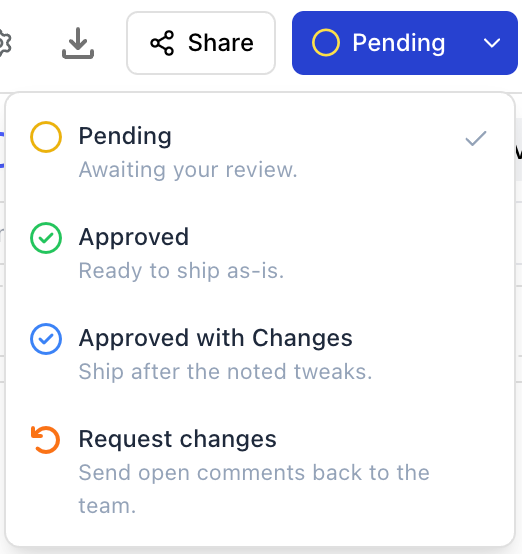
Status names have been updated to better reflect real review workflows & also improve clarity for guest reviewers and clients:
Pending (default — replaces "To Review" and "In Review")
Approve
Approve with Changes
Request Changes
Existing statuses are automatically mapped across. Nothing breaks.
🏷️ Versioning Improvements: Renaming & Date
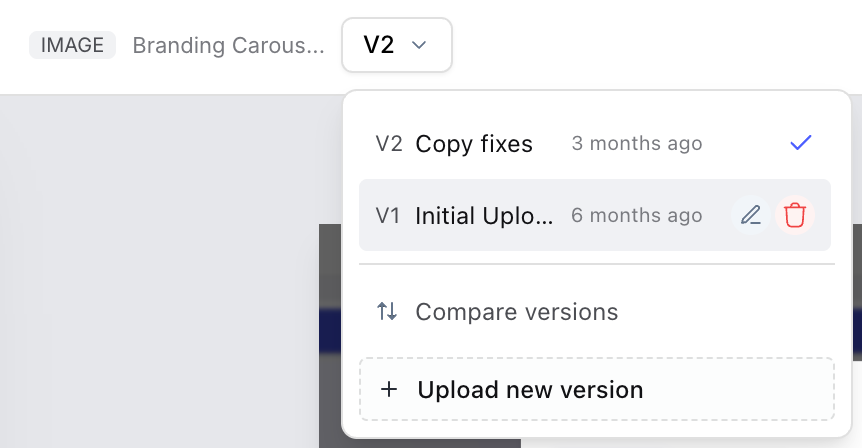
Two updates to how versions work: you can now rename any version to something meaningful (e.g. "Client Round 2"), and each version now shows its creation date. Easier to navigate long review histories.
🖼️ Image Projects: Hover to See File Names
Thumbnails in image projects show "01", "02" by default for a clean grid view — but hover over any thumbnail and you'll now see the original file name. Quick reference without cluttering the layout.
📥 Downloads Now Use Original File Names
Files downloaded from BugSmash now keep their actual names. Single-file downloads use the file's original name; multi-file downloads zip under the project name. No more hunting through a folder of "BugSmash_files".
📧 Customize the Welcome Note Sender
You can now set the name or email shown in the client welcome note. Point it to your company name or your email address so guests get the first impression exactly how you want them to.
👥 See Who's Been Invited in Share Panel
The Share dialog now shows a list of everyone already invited to a project. No more second-guessing who has access.
📥 Smarter Image Download Options
On image projects with multiple files, the download button now shows a dropdown: Download Selected or Download All (Zip). Single-image projects stay simple — no dropdown.
📱 Mobile View — Cleaner Top Bar
On mobile, the top bar is now slimmer with version, status, and comment controls moved below it in their own row. More screen space for the actual content.
UX Polish
🔢 V1 Hidden from Guests When There's Only One Version
Guests no longer see a "V1" label when a project has only one version. Reduces unnecessary confusion for clients who don't need version context.
📌 Project File Name Visible in Top Bar
The project file name is now shown directly in the top bar — no more hovering over an icon to see what you're looking at. Faster orientation, especially when switching between projects or versions.
Phew! That's a lot. More coming soon 🚀