What's New — June 22nd, 2026
Notifications Inbox, Voice Mode for Feedback, and an Improved Dashboard
This is another big one. A notification inbox, voice-to-text comments, workspace-wide defaults, improved folder sharing, and a fully refreshed dashboard UI are all live.
Notification Center (Inbox)

Your most-requested feature is here. A unified inbox inside BugSmash that shows every comment, reply, status change, and approval across your workspace. See what needs your attention at a glance and jump straight to the exact comment with one click.
Audio Feedback with Auto-Transcription

Hit record in the comment box, say what you need to say, and BugSmash transcribes it automatically. No more typing out long feedback. Your voice, turned into text your team can act on. One more step closer to reducing friction in sharing/collecting feedback. Your stakeholders & clients would also love it!
Project Default Settings
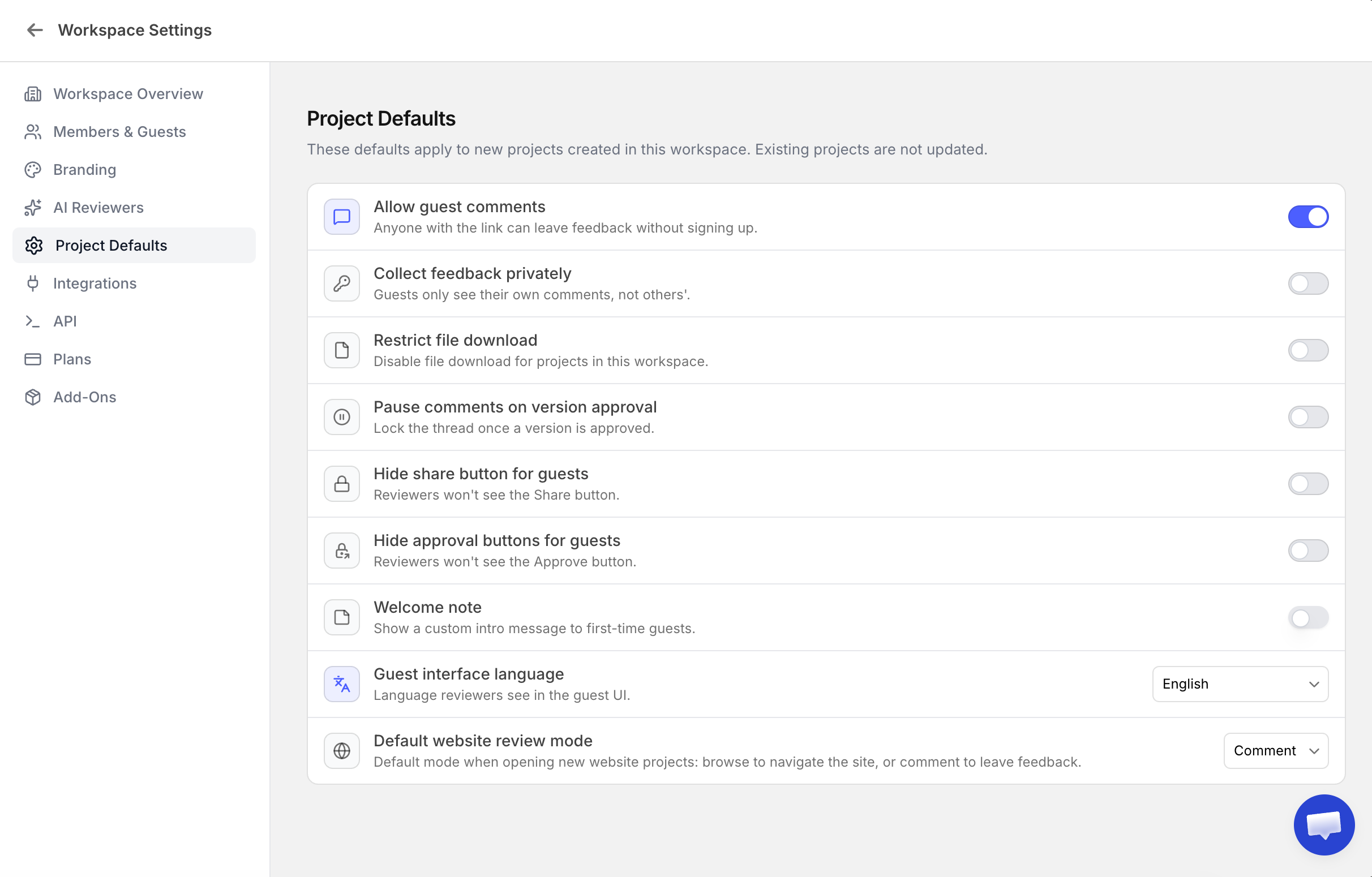
Set your preferred defaults once and they apply to every new project in your workspace. You can now configure default options for all project types, including a default mode (Browse or Comment) for website projects.
Shareable Comment Links
Every comment now has a direct link. Click a comment from an email notification or from your Notification Center and you land on the exact comment, with the marker highlighted on the file. No hunting around.
Smarter Folder Sharing
When you share a folder, you can now see exactly who has access, whether that's to specific files inside or to the entire folder. Removing someone from the folder removes them from all projects inside it automatically.
Customise - Hide Approval Buttons for Guests
A new option in project settings lets you hide the approval buttons from guests. Useful when you want to share feedback internally to the team with no approval workflows from their side.
Redesigned Dashboard
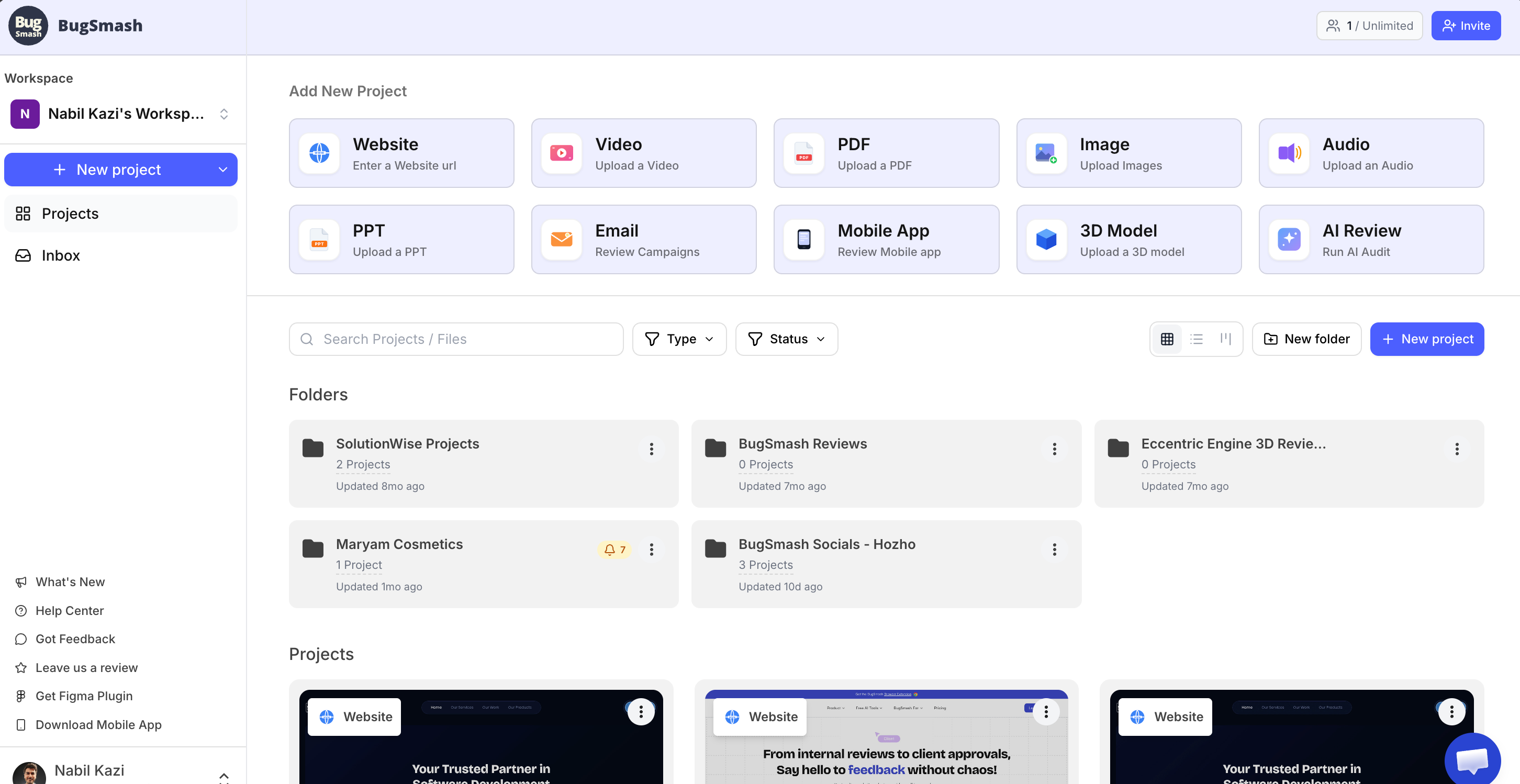
The dashboard has a new side nav (search moved to the bottom where it belongs), a refreshed top bar, and richer folder thumbnails that show project statuses, last activity, and unread notification indicators at a glance.
You can now also switch between List view and Kanban view on the dashboard and inside folders.
Workspace Settings Redesign
The workspace settings UI has been restructured for clarity. Easier to find what you need, cleaner layout throughout.
Also in this update:
Clicking a comment number on the comment details pane now navigates to and highlights that marker on the file
Folder thumbnails now show project statuses + if there are new comments within any of the internal projects as we as the last updated at based on latest project changes within it.
As always, more coming soon. Drop requests on the roadmap or ping us directly :)
~ Nabil