What's New — September 4, 2026
BugSmash MCP Server, CAD File Support, New filters & sorting for projects & comments 🚀
This update brings you the all-powerful BugSmash MCP server, which you can connect with your existing AI tools - Claude, Cursor, Codex, etc - Review CAD designs directly in BugSmash, and stay on top of projects and comments with new filters & sorting.
We've also made several improvements to website review markers, version activity, and comment handling to make your review workflow more consistent.
✨ New Features
🤖 BugSmash MCP
Bring BugSmash into your AI workflow
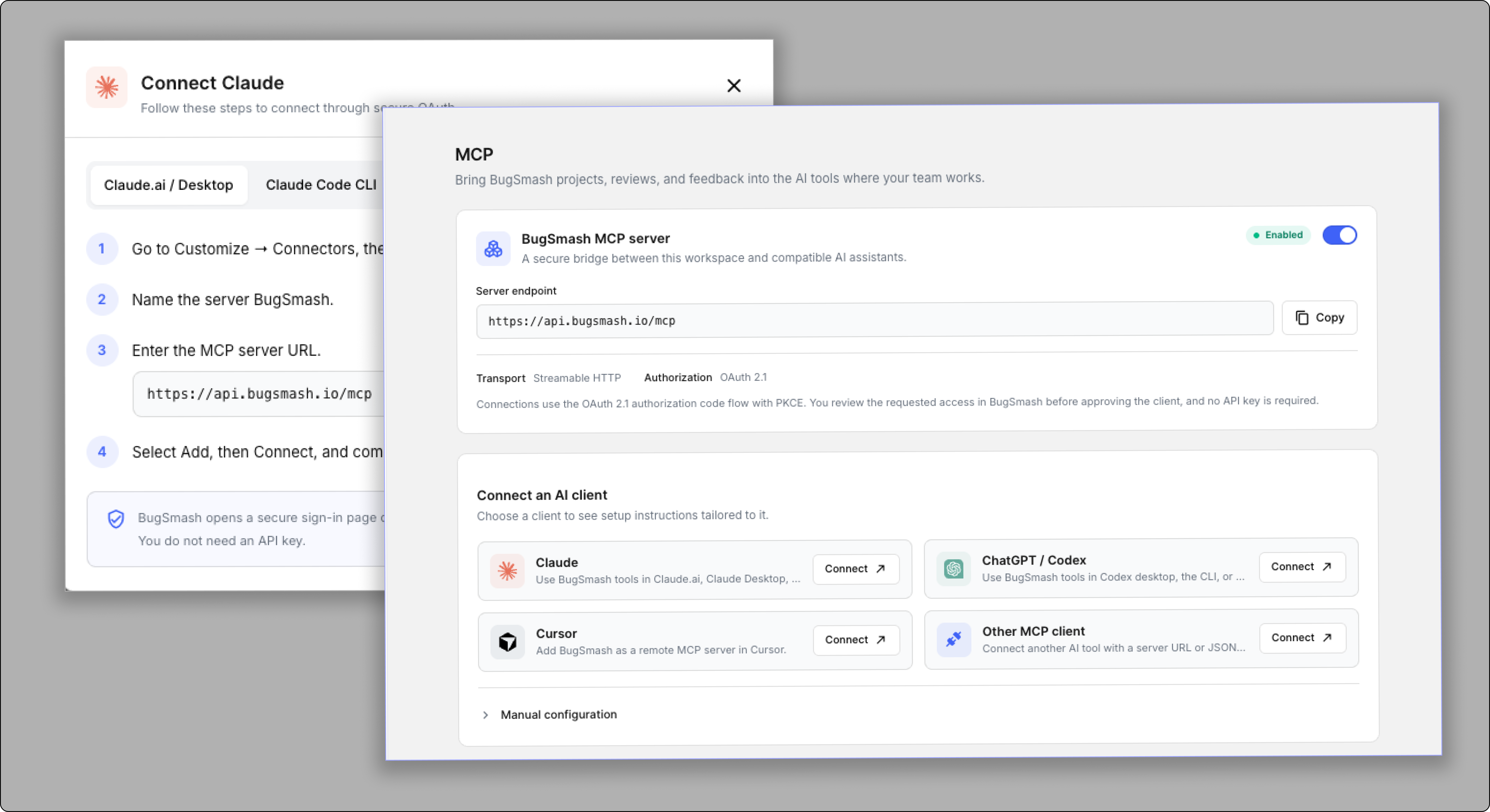
You can now connect BugSmash to compatible AI tools using our new MCP server.
MCP creates a secure bridge between your BugSmash workspace and supported AI clients, allowing you to bring your projects, reviews, and feedback into the tools where your team works.
You can connect BugSmash with:
Claude
ChatGPT / Codex
Cursor
Other MCP-compatible clients
Connections use secure OAuth 2.1 authorization, so you can review and approve access without needing an API key.
📐 CAD File Support
Review CAD designs directly in BugSmash
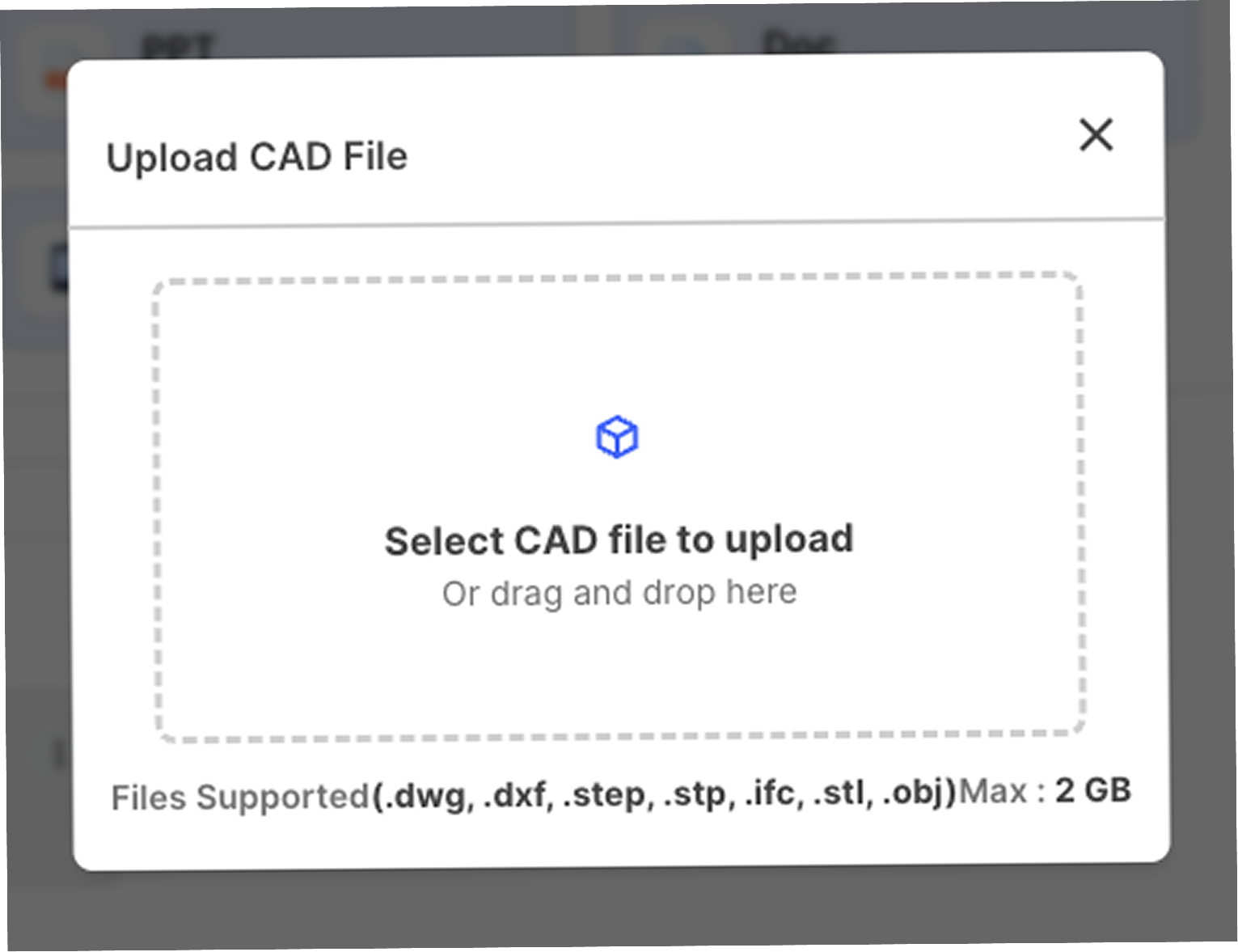
BugSmash now supports CAD drawings, making it easier to collect visual feedback on architectural plans, technical drawings, and other CAD designs.
You can upload and review:
.dwg.dxf.step.stp.ifc.stl.obj
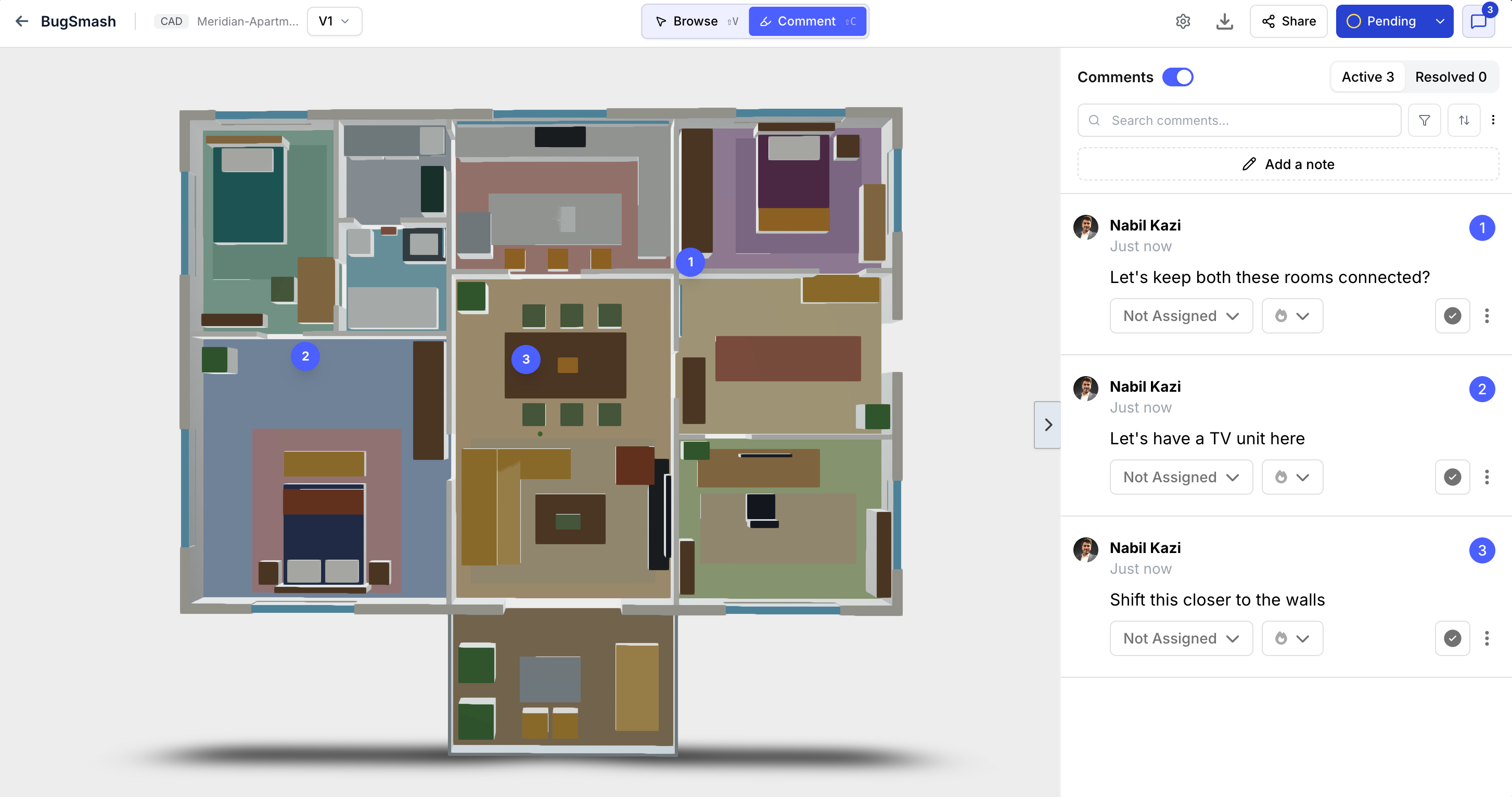
Once uploaded, you can review the drawing directly in BugSmash and add comments to specific areas of the design.
Whether you're reviewing a floor plan, engineering drawing, or 3D model, your team can keep the feedback connected directly to the design.
💬 More powerful comment filters
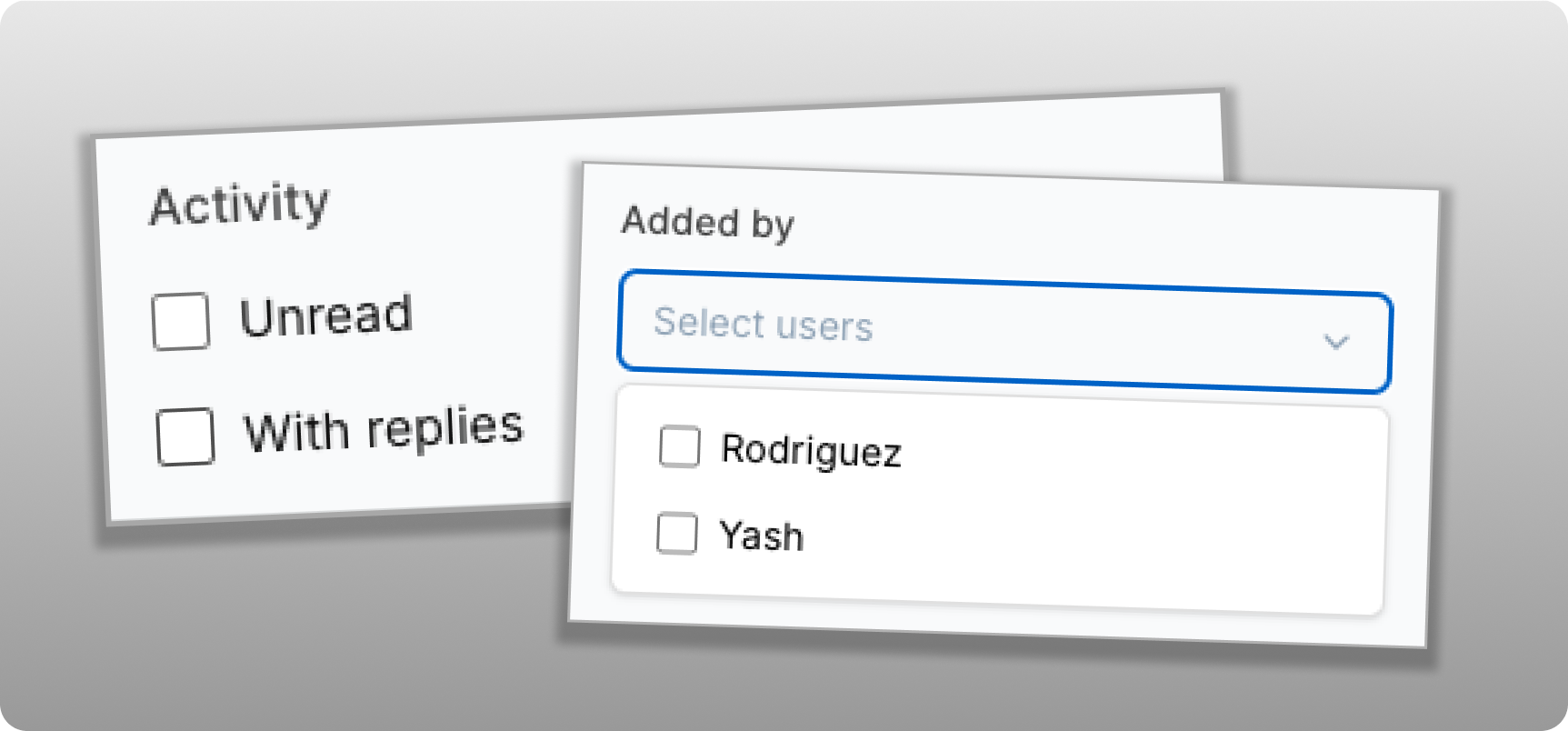
Find the feedback that matters
We've added new filters to the comments view so you can quickly narrow down your feedback.
You can now filter comments by:
Added By — See comments added by specific team members.
All Unread — Quickly find comments that haven't been read yet.
With Replies — Filter comments that already have replies.
You can also combine filters to narrow down your results and quickly find the feedback you're looking for.
🗂️ Smarter project activity & sorting
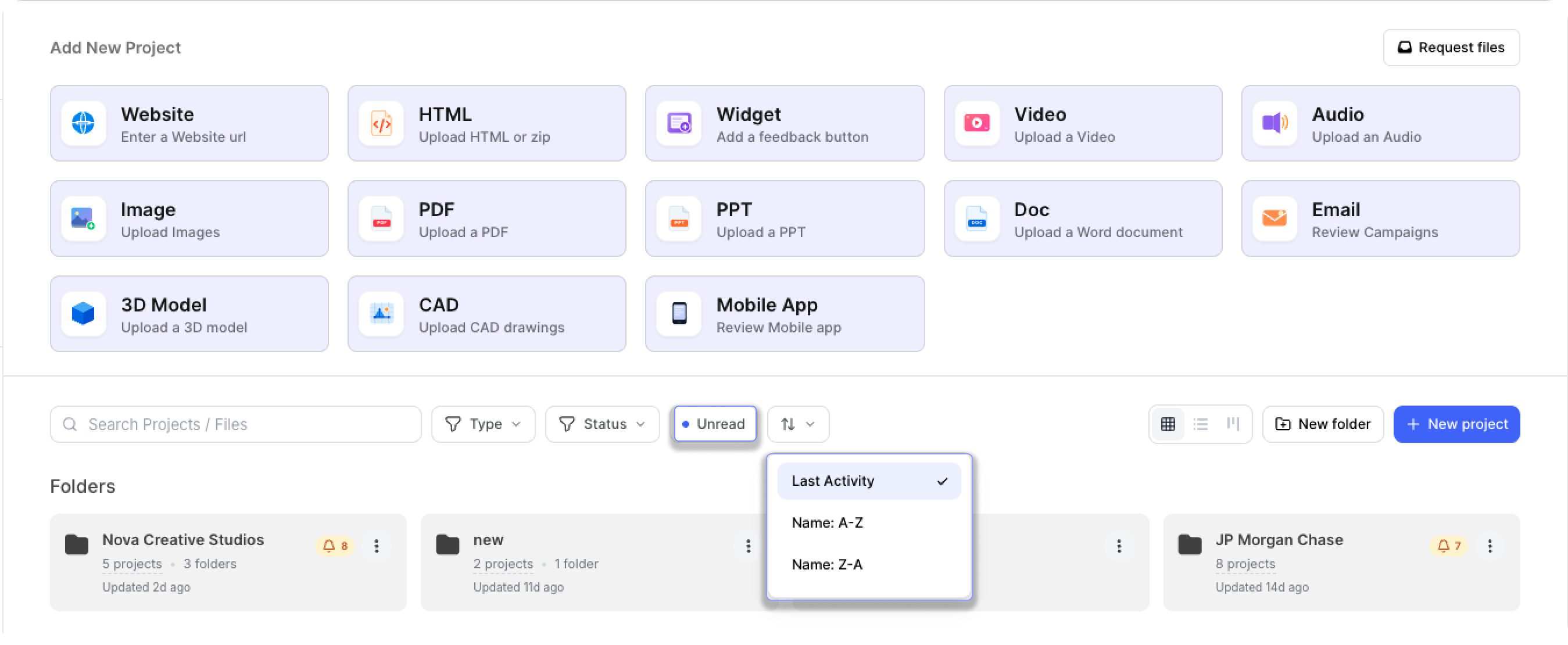
Quickly find projects with new activity
We've added new ways to organize and find projects directly from the dashboard.
You can now:
Filter projects with NEW UNREAD comment/replies.
Sort projects by Name A–Z or Name Z–A.
The Unread filter especially makes it very easy to see which projects have new comments or replies. This makes it easier to jump straight into the projects that need your attention.
✨ Improvements
📍 Better marker positioning on website reviews
THIS IS A VERY IMPORTANT ONE 🔥
We've improved how comment markers stay aligned when website content changes.
When elements on a website move or the page layout changes, markers now do a better job of remaining aligned with the area where the feedback was originally added.
This is V1 of our marker-positioning improvements, and we'll continue refining this experience to make website reviews even more reliable.
🔔 More accurate activity across project versions
We've improved activity tracking across project versions to keep your notifications focused and relevant.
Previously, activity from older project versions could appear in the notification bell, even when the current version had no new activity. Now, notifications are scoped to the current project version, so you can quickly see what’s new and focus on the feedback that actually needs your attention.
🛠️ Fixes
Version comparison for logged-in guests
Fixed an issue where version comparison wasn't working correctly for logged-in guest users.
Logged-in guests can now compare project versions as expected.
Cleaner comment sidebar spacing
Fixed an issue where adding comments to a new page or image could cause unexpected spacing to appear in the comment sidebar.
The sidebar now maintains consistent spacing when moving between pages, images, and files.
More accurate unread & resolved activity
Previously, a comment could continue to appear as NEW even after you had already taken an action on it.
Now, the NEW status is automatically cleared when you interact with a comment, such as:
Resolving the comment
Changing its priority
Updating the assignee
Taking any action on the comment
This keeps your unread activity accurate and ensures that comments you've already interacted with no longer appear as new.
More accurate notifications
We've improved how unread activity is shown for projects and folders.
Previously, notifications could show unread comments and activity from previous project versions, making it harder to identify what needs your attention. We've updated this so it now considers only activity from the active project version.
This keeps your notifications focused on the current version and helps you stay on top of the feedback that matters.
🚀 Better Reviews, Better Visibility
With BugSmash MCP, CAD file support, smarter comment filters, improved project activity controls, and better handling of versions and markers, this update makes it easier to bring BugSmash into your existing workflow and stay focused on the feedback that matters.
We're continuing to improve both the breadth and the depth of the product to make BugSmash the universal review and approval layer for all your creative work. More to come soon 🚀