Comment Search & Filter
Written By Team BugSmash
Last updated 5 months ago
Why it’s useful
When feedback piles up, search and filters help you instantly narrow down what matters—urgent issues, specific assignees, or comments from a certain time period—so nothing critical gets missed.
How it works
Open Filters to refine comments by:
Priority (P1–P4) to focus on urgency.
Assigned To to see comments owned by specific teammates.
Date range to review feedback from a particular timeframe.
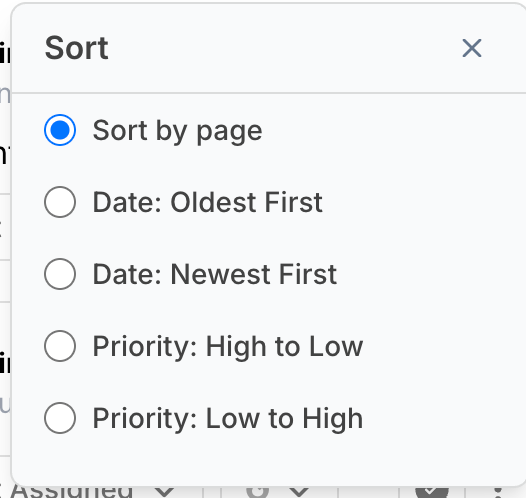
Use Sort options to control the order of comments:
Sort by page to review feedback contextually.
Sort by date (oldest or newest first).
Sort by priority (high → low or low → high).
Click Apply to update the comment list instantly.
Use Reset to clear all filters and return to the default view.
Example
> A project lead filters comments by P1 and Assigned to Alex, then sorts by Date: Newest First to quickly review the most recent high-priority issues Alex needs to resolve.
Tips
- Combine filters + sorting for faster triage (e.g., P1 + newest first).
- Use Assigned To during stand-ups to review ownership-based progress.
- Reset filters before sharing screens to avoid confusion from hidden comments.