Enabling / Disabling Comments
Written By Team BugSmash
Last updated 5 months ago
Why it’s useful
Sometimes you just need viewers, not reviewers — especially on finalized assets.
How it works
- Open Project
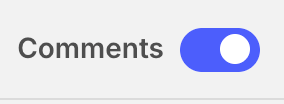
- In the top right corner Toggle Comments on/off.
- Existing comments remain visible when disabled.
Example
> After client sign-off, the PM pauses comments to freeze the approved version for record-keeping.
Tips
- Disable comments before public demos or pitches.
- Re-enable later if you reopen a revision cycle.