What's New - October 26, 2026 🚀
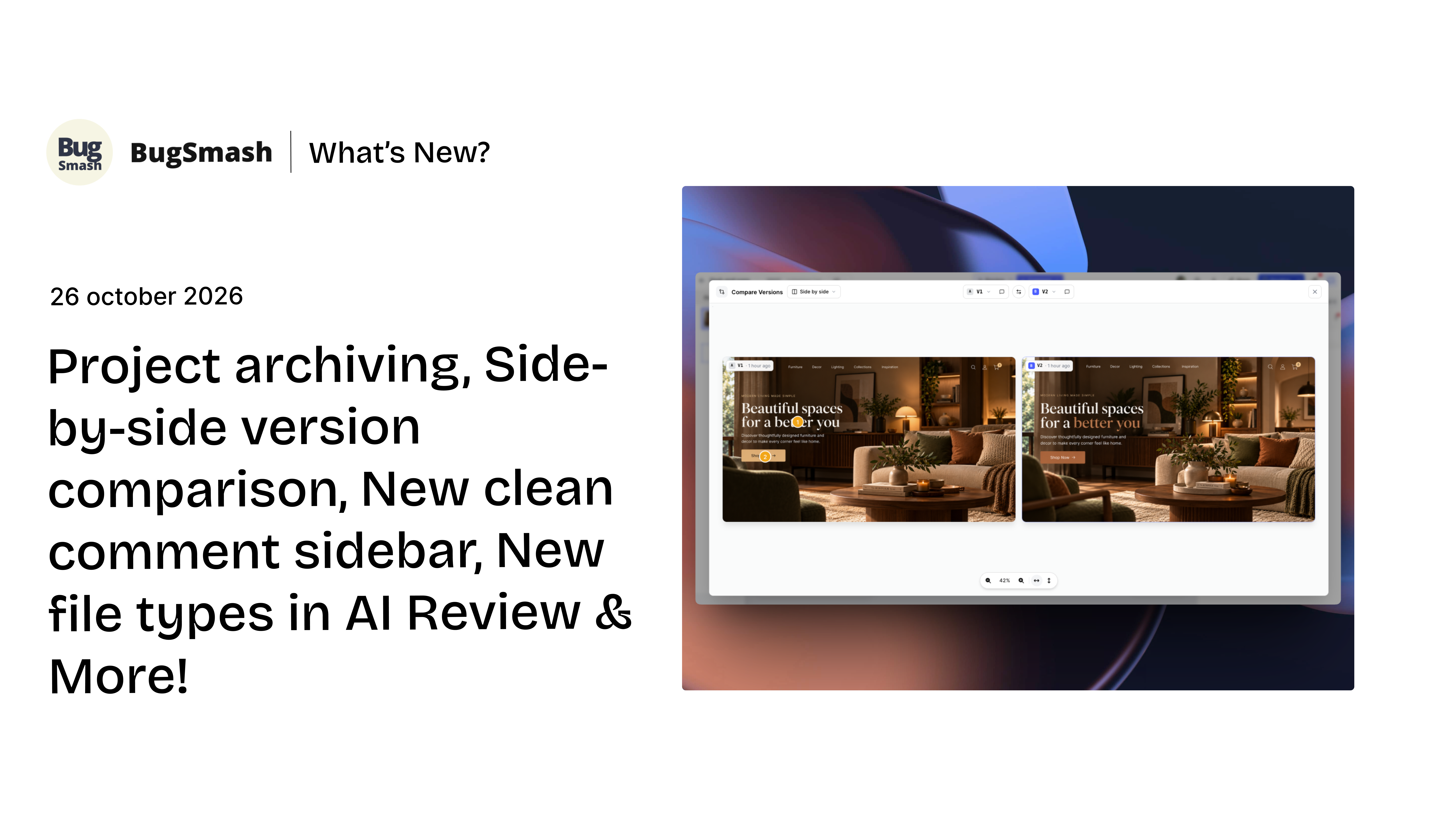
Project archiving, Side-by-side version comparison, New clean comment sidebar, new file types in AI Review & more!
From the new project archiving feature and an improved comment sidebar to page-based feedback, expanded AI Review support for HTML, PPT, and Word documents, and simpler user management. There’s plenty to explore in this release.
✨New Features
Side-by-Side Version Comparison

Compare two versions of your creative asset - images, PDFs, documents, videos side by side, with both full images visible at the same time. Review design changes, spot differences, and verify that feedback has been addressed without losing sight of either version.
You can switch between Side-by-Side and Slider comparison anytime, depending on how you prefer to review your changes.
Project Archiving

Keep your workspace organized by archiving projects you no longer actively need. Archived projects are available to their owners and members in read-only mode, while guests can no longer access them. This keeps your workspace focused on active work without losing access to completed or inactive projects.
Archived projects no longer count towards your active project limit. If you need to work on an archived project again, restore it to access its normal functionality.
⚡Improvements
New Clean Comment Sidebar

We've improved the comment sidebar to make it easier to review feedback and manage conversations. The updated layout gives you a clearer view of comments, with better action buttons to make working with feedback simpler.
We've also made marker colours consistent everywhere, including the project view and comment sidebar. Orange markers show active comments, while green markers show resolved comments, making it easier to track feedback.
These improvements are also available to guest users, making it easier for everyone to review and manage feedback together.
New file types in AI Review

AI Review now supports additional project types, including HTML projects, PPT presentations, and Word documents. This makes it easier to review different types of content using BugSmash's AI Review functionality.
You can start a review directly from the AI Review window or launch it from the option in the top-right corner of a project's page. This gives you more flexibility to review your content from wherever you're working.
Simpler User Management

Managing Members and Collaborators is now easier, with both grouped under a single Users section. When inviting someone to your workspace, you can choose whether they should join as a Member or a Collaborator and select the appropriate role before sending the invitation.
User availability is managed according to your available user access rather than separate Member and Collaborator limits. This creates a more straightforward way to invite people and manage access across your workspace.
Page-Based Comment navigation on the Sidebar
Comments are now grouped by page across supported file types, making it easier to find feedback related to a specific part of your project. Instead of going through comments from the entire file, you can focus on the feedback associated with the page you're reviewing.
You can also click a page from the comment view to navigate directly to it in the project interface. This makes it quicker to locate relevant discussions, understand feedback in context, and keep reviews organized.
Remove Pages from PDFs and Word Documents
You can now remove individual pages from PDFs and Word documents directly within BugSmash, including pages from the middle of a document. This gives you more flexibility when reviewing files and working with specific sections of a document.
Page removal only affects how the document appears within BugSmash. Your original file remains unchanged, and downloading the document will still include all its original pages.
More to come 🚀
From keeping your workspace clean with project archiving to making feedback easier to manage with the new comment sidebar and expanded AI Reviews, this update is all about making your everyday work simpler.
There's a lot more we're working on to make BugSmash better and easier to use. Let us know if you like these improvements. More exciting updates coming soon ❤️